
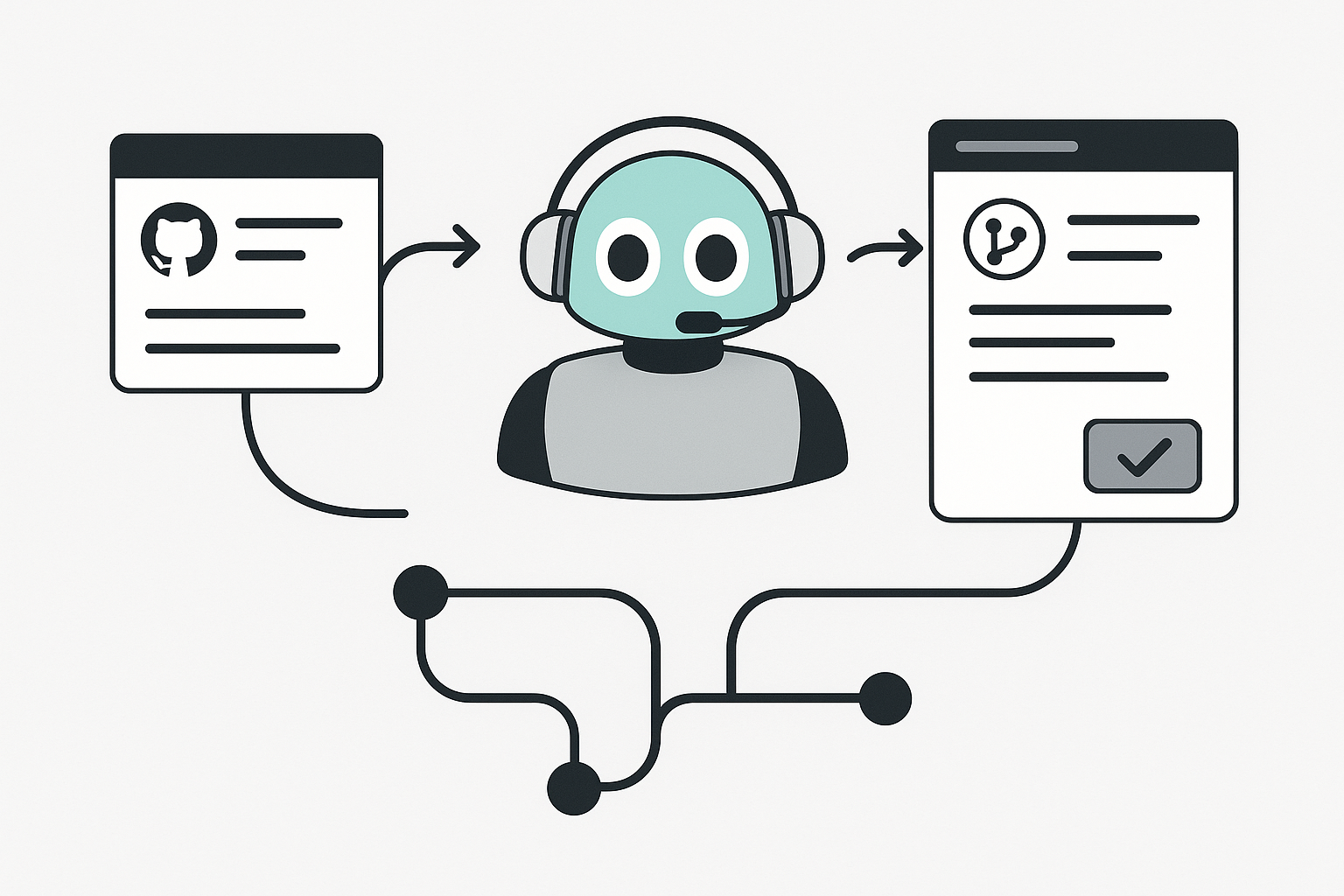
In this blog post Benefits of Using GitHub Copilot Coding Agents for Faster Delivery we will explore what GitHub Copilot coding agents are, how they work, and how IT teams can use them to ship safer, faster changes without burning out senior developers.
High-level view: from autocomplete to delegated delivery
Most teams already understand Copilot as an “in-editor pair programmer” that suggests code as you type. Copilot coding agents take the next step: you delegate a task, and the agent works in the background to produce a draft pull request (PR) that you can review like any other contribution. Instead of you doing the repetitive setup work (branching, scaffolding, commit messages, PR descriptions), the agent does it and leaves you with the most valuable part: review and direction.
This is especially useful for the long tail of engineering work that matters but rarely feels urgent enough: tightening tests, small refactors, docs updates, fixing low-risk bugs, and chipping away at technical debt. Copilot coding agent is designed to fit the normal GitHub workflow so that changes are traceable, reviewable, and controlled.
What exactly is a GitHub Copilot coding agent?
GitHub Copilot coding agent is an autonomous mode of Copilot that can be assigned work (for example from an issue or a PR comment) and then implement changes in the repository, pushing commits to a branch and opening a pull request for you to review. It can also iterate based on your PR feedback—again, as commits you can track.
It’s available across paid Copilot plans (including Pro, Pro+, Business, and Enterprise), and it’s used directly in your existing GitHub repo workflow.
The technology behind coding agents (without the fluff)
At a practical level, a coding agent is a loop that looks like this:
- Task intake: You provide a goal (issue text, chat prompt, or PR comment).
- Context gathering: The agent reads relevant code and repository context.
- Plan and implement: It makes code changes, updates tests/docs, and prepares commits.
- Run checks: It can run tests and linters in its environment.
- Deliver a PR: It opens a draft PR and requests your review.
- Iterate: You comment; it updates the PR with new commits.
What makes GitHub Copilot coding agent different from “chatting with an AI” is that it has a real compute environment and a real delivery mechanism. GitHub states the agent works in an ephemeral development environment powered by GitHub Actions, which is how it can clone the repo, make changes, and run validations in the background. (docs.github.com)
For integrations beyond GitHub itself, GitHub points to the Model Context Protocol (MCP). MCP is a way to connect the agent to approved external tools or data sources (via MCP servers) so it can safely access extra context and capabilities when your workflows need it.
1) Faster throughput on the work that usually stalls
Coding agents shine on tasks that are important but easy to postpone:
- Fixing small bugs and edge cases
- Improving test coverage
- Updating documentation
- Reducing minor technical debt
- Incremental enhancements that don’t require deep design work
GitHub explicitly positions the agent for these categories, and the PR-based workflow means you can run several tasks in parallel without interrupting focused engineering time.
2) A cleaner workflow than “AI code pasted into an IDE”
In-editor assistance is powerful, but it’s also easy for work to become invisible: decisions happen in a chat panel, code gets pasted around, and the “why” disappears unless the developer documents it afterwards.
Copilot coding agent moves the work into a familiar pipeline: commits, branches, pull requests, and review comments. GitHub describes this as improving transparency because progress is visible in commits and logs, and because the PR becomes the shared collaboration surface for the whole team.
3) Practical benefits for tech leads and engineering managers
If you lead a team, the value often shows up as:
- Less context switching: Senior engineers can stay on architecture while routine changes still move forward.
- More predictable delivery: Small “paper cuts” get bundled into reviewable PRs instead of living in a backlog forever.
- Better use of review time: Humans focus on correctness, security, and maintainability—not scaffolding and boilerplate.
- Improved bus factor: PR descriptions and commits capture the what/why more consistently than ad-hoc local changes.
4) Security and governance advantages (when configured correctly)
Autonomous code changes should always raise a governance question. The good news: Copilot coding agent is designed to preserve common GitHub controls rather than bypass them.
- Branch protection alignment: The agent pushes changes to branches with a
copilot/prefix and cannot push directly tomain/master. - Controlled workflow runs: GitHub documents that Actions workflows are not triggered until a human reviews and explicitly approves running workflows for the agent’s PR—reducing risk to CI/CD environments.
- Restricted credentials: Permissions and push operations are constrained to reduce blast radius if something goes wrong.
In practice, this means you can treat the agent like a junior contributor: it can propose changes, but humans remain the gatekeepers for merging and for sensitive execution in CI.
5) Better collaboration through agent session tracking
One underrated benefit is observability. GitHub provides ways to track sessions and progress (for example, via the agents panel and session logs). That helps reviewers understand what the agent tried, what it changed, and where it might have made assumptions.
Where coding agents fit best (and where they don’t)
Great fits
- Small bug fixes with clear reproduction steps
- Test additions around existing logic
- Docs updates and API examples
- Dependency bumps with straightforward changes (plus tests)
- Refactors that can be validated via existing test suites
Be careful with
- Ambiguous product requirements (“make it better”)
- Large architectural migrations
- Security-sensitive code paths without strong review coverage
- Cross-repository changes (the agent has documented limitations around working across multiple repos in one run)
Practical steps to get value quickly
To make coding agents genuinely helpful (not noisy), start with a simple operating model.
Step 1: Create “agent-ready” issues
Agent tasks should be explicit and testable. A good issue includes:
- Expected behavior and current behavior
- Steps to reproduce (or a failing test)
- Acceptance criteria
- Constraints (don’t change public API, keep backward compatibility, etc.)
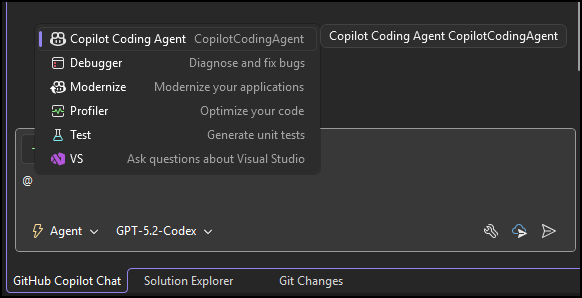
Step 2: Delegate using GitHub-native touchpoints
GitHub documents multiple places you can ask the agent to create a PR, and you can also request changes in an existing PR by mentioning @copilot.
Step 3: Review like you would a human contribution
Set expectations with your team:
- Copilot’s PRs are starting points, not auto-merge material.
- Require the same approvals, checks, and coding standards as any other PR.
- Ask for iterations in PR comments rather than rewriting locally—keep the feedback loop in the PR.
Step 4: Use small, parallel tasks to prove ROI
Pick 3–5 low-risk issues that have been sitting around. Assign them to the agent and measure:
- Time from “start” to “PR ready for review”
- Number of review iterations needed
- Net developer time saved (especially on setup and boilerplate)
A small example prompt that tends to work well
You don’t need clever prompt engineering. You need clarity.
Goal: Fix the intermittent failure in UserSessionTests.

Context:
- Fails when run in parallel on CI.
- Suspect shared state in SessionCache.

Acceptance criteria:
- Tests pass reliably with parallel execution.
- No public API changes.
- Add/adjust tests to prevent regression.

Notes:
- Keep changes minimal and well-commented.
Cost and capacity planning considerations
From a budgeting standpoint, it helps to know that GitHub ties usage to both Copilot entitlements and GitHub Actions minutes. In other words, agent work consumes Copilot premium requests and Actions minutes as it executes tasks in the background.
For tech leaders, this is actually a feature: usage is measurable, and you can set guardrails by controlling where the agent is enabled and who can delegate tasks.
Bottom line: treat agents like scalable teammates
GitHub Copilot coding agents are most valuable when you treat them like an extra engineering capacity layer that lives inside your existing PR workflow. Delegate the routine, keep humans in control of merges and CI execution, and use the time you win back for the high-leverage work that only your team can do.
If you want the fastest path to impact: start with test improvements, documentation updates, and small bug fixes—then expand into broader refactors once your review and governance practices feel solid.
Discover more from CPI Consulting
Subscribe to get the latest posts sent to your email.