
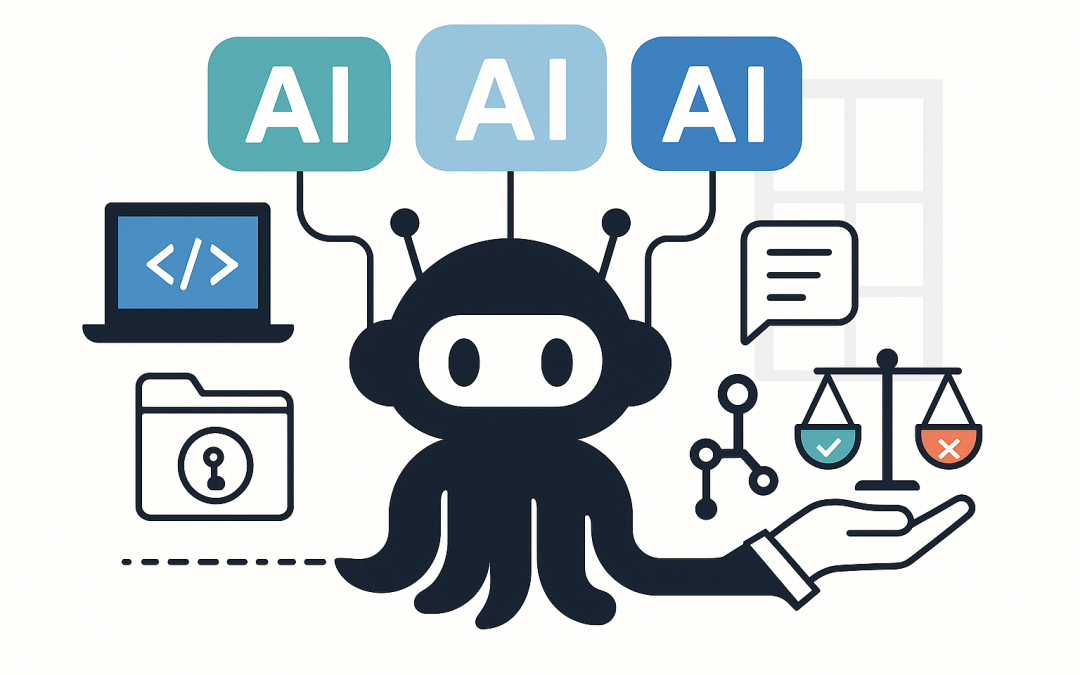
In this blog post GitHub Copilot adds Claude and Codex—how to standardise dev AI safely we will explain what GitHub adding Claude and Codex to Copilot really means, and how it changes the way organisations should standardise developer tooling.
If your developers are already using Copilot, chances are you’ve had this conversation: “Which AI should we use?” Six months ago, that was mostly a licensing question. Now, with Claude and Codex available inside GitHub’s Copilot experience, it’s a governance, risk, cost, and productivity question.
The catch is simple: when you give teams multiple powerful AI “coding agents” in the same tool, you get more capability—but also more variation. And variation is where security gaps, surprise spend, and inconsistent code quality sneak in.
A high-level explanation of what changed
Traditionally, “Copilot” felt like one assistant. You installed it in VS Code (or another editor), it suggested code, and developers either used it or didn’t.
Now, Copilot is becoming a front door to multiple AI models and agents, including Anthropic’s Claude and OpenAI’s Codex. For leaders, that means your standardisation effort can’t stop at “everyone uses Copilot.” You now need to decide:
- Which models are allowed (and for what types of work).
- Where AI is allowed to run (IDE, browser, mobile, pull requests, issues).
- What data can be shared (and what must never be shared).
- How usage is controlled and measured (to prevent bill shock and shadow AI).
The technology behind it (in plain English)
At a practical level, GitHub Copilot is no longer just “autocomplete.” It’s an AI layer embedded into the developer workflow—the editor, the repository, and the collaboration process (issues and pull requests).
What an AI model is
An AI model is the engine doing the thinking. Claude and Codex are different engines. They can produce different results from the same prompt, just like two senior developers might take different approaches to solving the same problem.
What an agent is (and why it matters)
An agent is an AI that can do multi-step work, not just answer a question. Instead of “suggest a line of code,” an agent can:
- Read multiple files in your repo
- Make changes across files
- Generate tests
- Open or update pull requests
- Follow repo conventions (sometimes even “remembering” preferences across sessions)
This is where standardisation becomes important. Agents can be incredibly productive. But they can also amplify mistakes quickly if you don’t set guardrails.
Why this changes standardisation (and what most organisations get wrong)
Most organisations standardise tooling at the surface level: “We use Microsoft 365. We use Teams. We use VS Code.”
With multi-model Copilot, you need to standardise at a deeper level: policy, workflow, and risk controls. Otherwise, you’ll end up with:
- Inconsistent output (different models produce different patterns and quality).
- Hard-to-debug code (AI-generated code that “works” but doesn’t match your architecture).
- Security drift (different behaviour around secrets, dependencies, and unsafe patterns).
- Compliance headaches (developers pasting sensitive info into prompts).
- Uncontrolled costs (premium requests, add-ons, and duplicated tools).
What to do instead (a practical standardisation playbook)
Below is the approach we recommend at CloudPro Inc for tech leaders who want the productivity boost without losing control. It’s designed for organisations that care about security frameworks like the Essential 8 (the Australian Government’s baseline cybersecurity framework many organisations align to), and want governance that doesn’t frustrate developers.
1) Standardise outcomes, not “the one true model”
Trying to pick a single “best” model is a trap. Models change, get deprecated, and improve at different speeds.
Instead, define approved use-cases and map the right model/agent to each. For example:
- Day-to-day coding help: suggestions, refactors, small functions.
- Code review support: summarising diffs, pointing out edge cases, improving readability.
- Migration work: repetitive changes across many files (great for agents, but needs strict review).
- Security-sensitive work: auth flows, encryption, permission logic—requires tighter controls and mandatory human review.
Business outcome: you get consistent developer experience and predictable quality, without betting the farm on one vendor.
2) Create a “two-speed” policy (fast lane vs controlled lane)
Not all code changes carry the same risk. A change to a UI label isn’t the same as a change to authentication or payment logic.
We recommend two lanes:
- Fast lane: AI assistance allowed broadly (autocomplete, chat, small refactors) with lightweight rules.
- Controlled lane: agent-driven changes allowed only with extra controls (peer review, test coverage checks, security scanning, and tighter prompt rules).
Business outcome: faster delivery without increasing incident risk.
3) Make “no secrets in prompts” real (not just a slide in onboarding)
When organisations get breached through AI usage, it’s rarely because “AI was hacked.” It’s because someone pasted something they shouldn’t have—API keys, passwords, customer data, or internal configuration.
Turn the rule into practical controls:
- Use a company-approved password manager and secret storage so devs don’t keep secrets in notes.
- Implement automated secret scanning in repos and pull requests.
- Provide a safe template for prompts (what’s allowed, what’s not, and how to sanitise data).
Business outcome: reduces the likelihood of a reportable data exposure and supports Essential 8-aligned hygiene.
4) Standardise the workflow around GitHub (not just the IDE plugin)
One of the biggest shifts is that AI help isn’t limited to the editor anymore. It can show up inside GitHub workflows—issues, pull requests, and agent sessions tied to repositories.
This is good news for leaders. It means you can standardise where the work happens:
- Require meaningful pull request descriptions and checklists.
- Use consistent branching and review rules.
- Make automated testing and security checks mandatory before merge.
Business outcome: fewer “hero developer” bottlenecks, higher delivery confidence, less rework.
5) Decide how you’ll measure success (or you’ll only measure noise)
AI adoption can feel successful because developers are excited. That’s not the same as business value.
Pick 3–5 metrics that matter:
- Cycle time: how long changes take from start to production.
- Change failure rate: how often releases cause incidents.
- Review load: whether PR reviews are faster or slower.
- Defect rate: bugs found post-release.
- Tool spend: number of overlapping AI subscriptions reduced.
Business outcome: you can prove productivity gains in dollars and risk reduction, not vibes.
A real-world scenario (anonymised)
A Melbourne-based software company (around 200 staff) came to us after a “quiet sprawl” problem. Teams had adopted Copilot, but individual developers were also paying for separate AI tools because they preferred different models for different tasks.
The result was predictable: inconsistent outcomes, duplicated spend, and arguments during code reviews because different assistants suggested different patterns. The security team also couldn’t confidently answer: “Where is our code being sent, and under what policy?”
We helped them standardise on a single approved workflow inside GitHub, with clear “fast lane vs controlled lane” rules, and a short list of approved AI use-cases. We also aligned it with their Essential 8 uplift plan (especially around application control habits, patching discipline, and reducing credential risk).
Within weeks, the dev team had fewer tool debates, onboarding got easier, and leadership had clearer visibility over cost and risk—without banning developers from using modern AI assistance.
A simple technical example (keep it helpful, not too deep)
One practical way to standardise is to give developers a shared “prompt checklist” they can paste into Copilot Chat before asking for bigger changes. For example:
You are helping on a company codebase.
Follow these rules:
1) Do not ask for or output secrets (API keys, passwords, tokens).
2) Keep changes minimal and explain trade-offs.
3) Match existing project patterns and naming.
4) Include tests for changed logic.
5) If unsure, ask clarifying questions before editing multiple files.

Task:
- Refactor the following function to improve readability without changing behaviour.
- Then propose tests.

Context:
- Language: TypeScript
- Framework: (insert)
- Existing pattern: (insert)
This doesn’t remove risk on its own. But it dramatically improves consistency across different models and helps your codebase stay coherent as more AI-generated changes enter the repo.
What tech leaders should decide this quarter
- Do we allow multiple models? If yes, define which tasks map to which model types.
- Do we allow agent-driven repo changes? If yes, enforce the controlled lane.
- What’s our “no sensitive data in prompts” program? Training plus technical controls.
- How will we measure value? Cycle time, defects, and spend reduction.
Closing thoughts
GitHub adding Claude and Codex to Copilot is a signal: developer AI is moving from “nice autocomplete” to “team-scale automation.” That’s a big productivity opportunity—if you treat it like a platform decision, not a plugin decision.
CloudPro Inc is a Melbourne-based Microsoft Partner and Wiz Security Integrator. We help organisations standardise Azure, Microsoft 365, Intune (which manages and secures all your company devices), and security controls in a way that’s practical for real teams—not theoretical frameworks.
If you’re not sure whether your current Copilot setup is saving time or quietly adding risk and cost, we’re happy to review your approach and suggest a simple standardisation plan—no pressure, no jargon.