
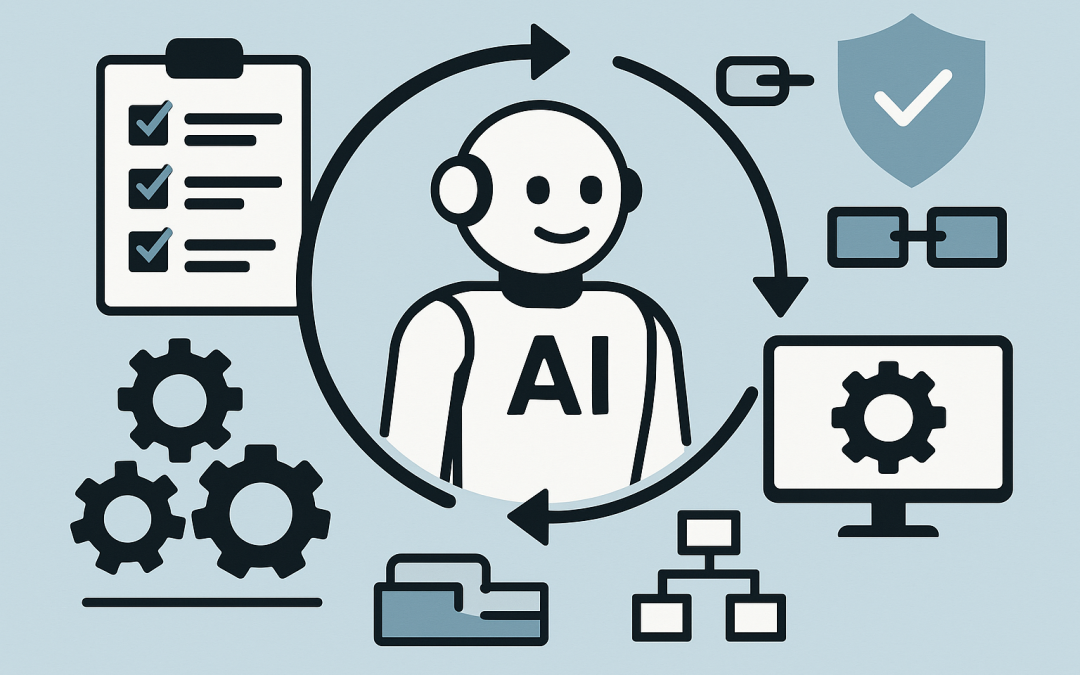
In this blog post ServiceNow’s Autonomous Workforce Push Signals the Next IT Ops Shift we will unpack what ServiceNow means by “Autonomous Workforce”, why it matters for IT operations, and what practical steps tech leaders can take now to avoid turning AI into another half-finished project.
ServiceNow’s Autonomous Workforce Push Signals the Next IT Ops Shift isn’t really about a new feature. It’s about a new expectation: IT operations should move from “we respond to tickets” to “we prevent issues and complete routine work automatically.”
If you run IT for a mid-sized organisation, you already feel the squeeze. The business expects fast support, tight security, and constant improvement—without adding headcount. Meanwhile, your systems are more complex than ever: cloud services, SaaS apps, identity tools, endpoints, networks, and security controls that all need to work together.
ServiceNow’s push is a signal that the next phase of IT Ops is agentic: AI that can plan, take actions across systems, and close the loop with governance—not just answer questions in a chat window.
A high-level view of what “Autonomous Workforce” means
Think of an “autonomous workforce” as a set of AI teammates that can do specific jobs inside IT and operations.
Not “AI that drafts a response.” Not “AI that finds an article.” But AI that can take a request like “I need access to X” or “VPN is broken” and then complete the steps—following your rules—until it’s solved or escalated.
That’s the core shift: from assistive AI (helpful suggestions) to execution AI (work completed end-to-end).
The main technology behind it, explained plainly
Under the hood, this trend is powered by a few building blocks that work together. You don’t need to be a data scientist to understand them, but you do need to understand the moving parts so you can govern them properly.
1) AI agents that can plan and act
An AI agent is software that can interpret a goal, break it into steps, and take actions to achieve it.
In IT Ops, that might mean:
- Reading an alert and deciding whether it’s real or noise
- Checking recent changes (for example, a new policy rollout)
- Running a standard fix (restart a service, roll back a change, reapply a configuration)
- Updating the ticket with what happened
- Escalating to a human only when required
This is why you’ll hear the term agentic AI. It’s AI designed to take initiative within boundaries, rather than waiting to be prompted for every single step.
2) Workflows that make outcomes consistent
AI by itself can be inconsistent. It can give different answers to the same question, or confidently suggest the wrong next step.
That’s where workflows matter. A workflow is simply a defined process: “When X happens, do Y, then Z.”
ServiceNow’s angle is that enterprise AI should be tied to workflows, so results are repeatable, auditable, and aligned to policy.
3) Tools and integrations that let the agent do real work
For an agent to actually fix things, it needs safe access to the systems where work happens: service desk, identity, endpoints, cloud, monitoring, and security tools.
This is the difference between:
- Chat-only AI (answers questions)
- Action-capable AI (can execute changes in systems, with approvals and logging)
4) Governance and guardrails that stop “helpful” from becoming “harmful”
Once AI can take actions, the risk profile changes.
Good governance means:
- Role-based access: the agent can only do what you explicitly allow
- Approvals: certain actions require human sign-off
- Audit trails: you can see what the agent did and why
- Separation of duties: the same “AI worker” shouldn’t request and approve its own access
In Australian organisations, this links directly to frameworks like Essential 8 (the Australian government’s cybersecurity framework that many organisations are now required to follow). The more automation you introduce, the more important it becomes to manage permissions, logging, and change control properly.
Why this matters for IT Ops leaders (not just ServiceNow customers)
Even if you don’t run ServiceNow, the direction is clear across the market: vendors are racing to move AI from “interface” to “workforce.”
Here’s what that changes in day-to-day IT operations.
1) Ticket volume won’t disappear, but L1 work will be expected to be automated
L1 service desk work is high-volume and repetitive: password resets, access requests, basic troubleshooting, and “how do I” questions.
For years, the business accepted that this needed humans. That tolerance is fading. If AI can resolve a large chunk of these requests safely, leadership will expect the same response time at a lower cost.
Business outcome: lower support cost per employee, and faster resolution times.
2) IT Ops will shift from “respond and repair” to “predict and prevent”
Modern IT Ops tools already detect issues. The next step is autonomous remediation: when the system doesn’t just alert you, it fixes the known issue and confirms the outcome.
That means fewer “major incidents” that take the business by surprise.
Business outcome: less downtime, fewer productivity-killing disruptions, and reduced operational risk.
3) Your knowledge base becomes a strategic asset (or a liability)
AI agents learn from the information you give them. If your knowledge articles are outdated, inconsistent, or full of tribal knowledge, the AI will either fail—or worse, do the wrong thing confidently.
Business outcome: higher first-time fix rates and less rework, but only if knowledge is curated.
4) Security teams will demand tighter controls before they allow “AI that can act”
In many mid-market organisations, automation grows organically: someone connects a tool, gives it broad permissions, and hopes for the best.
That’s not going to cut it when the “someone” is an AI agent that can create accounts, grant access, or modify configurations.
Business outcome: lower chance of accidental misconfiguration and improved compliance posture—if you implement guardrails up front.
A realistic scenario we see in 50–500 employee environments
Imagine a 200-person professional services firm.
They’re growing quickly, onboarding 3–6 people a month, and every onboarding involves the same requests: Microsoft 365 accounts, security settings, device setup, application access, shared folders, and sometimes a laptop build.
The IT team can do it—but it’s manual. Tickets pile up. New starters lose their first day to “waiting for access.” Managers get frustrated, and shadow IT creeps in (“Just use a personal Dropbox for now”).
Now introduce an autonomous approach:
- The request comes in via chat or portal in plain English
- The workflow validates the request against policy (role, department, approvals)
- Accounts and access are provisioned automatically
- Tasks that require a human (like issuing a physical laptop) are assigned with clear steps
- Everything is logged for audit
The IT team doesn’t disappear. Instead, they stop being the bottleneck and start improving the system.
Business outcome: faster onboarding, fewer access mistakes, and less time spent on repetitive admin.
What to do now if you’re a tech leader watching this trend
You don’t need to “go fully autonomous” overnight. In fact, trying to do that is a reliable way to create risk and disappointment.
Instead, treat this like a maturity journey.
Step 1: Pick 3–5 high-volume, low-risk use cases
Start with tasks that are common, measurable, and have clear “done” criteria.
- Password and MFA (multi-factor authentication) resets (MFA is the extra verification step beyond a password)
- Software access requests with manager approval
- Standard onboarding/offboarding checklists
- Device compliance nudges (for example, “your laptop is missing updates”)
- Basic incident triage and categorisation
Step 2: Clean up your process before you automate it
If your current process is “message Steve and hope he knows,” AI won’t fix that. It will scale the mess.
Define the steps, the approvals, and what evidence you need for audit.
Step 3: Treat permissions like you would for a junior admin
Give the AI agent the minimum permissions required, and add approvals for anything that changes access or security posture.
In Microsoft environments, this often includes controlling what can be done in:
- Microsoft Entra ID (your identity system that controls logins and access)
- Microsoft Intune (which manages and secures all your company devices)
- Microsoft Defender (Microsoft’s security tools that detect and respond to threats)
Step 4: Measure outcomes the business cares about
Don’t report “number of AI conversations.” Report:
- Average time to resolve common requests
- Reduction in ticket backlog
- Onboarding time (request to ready-to-work)
- Decrease in repeat incidents
- Compliance evidence quality (clear logs, approvals, and change history)
A simple way to think about the future of IT Ops
For the last decade, the goal was automation: scripts, rules, and bots to speed up tasks.
The next decade is about autonomy: systems that can decide what to do next, execute safely, and learn over time—while staying inside your governance boundaries.
ServiceNow’s Autonomous Workforce push is a strong signal that vendors believe “AI that completes work” will become the default expectation in IT operations, not a nice-to-have.
Where CloudProInc fits in
At CloudProInc, we’re seeing more Australian organisations ask the same question: “What’s a sensible way to use AI in IT Ops without creating new risk?”
We’re a Melbourne-based Microsoft Partner and Wiz Security Integrator, and we spend most of our time in the practical middle ground—helping teams improve service delivery, lift security maturity (including Essential 8 alignment), and adopt AI in ways that actually reduce load rather than adding another tool to babysit.
If you’re not sure whether your current IT Ops setup is ready for agentic AI—or you suspect you’re paying for tools that aren’t being used properly—we’re happy to take a look and give you a straight answer, no strings attached.
Optional technical appendix for builders
If you’re a developer or platform engineer, here’s a simple pattern you can apply regardless of tooling: define a “safe agent loop” where the agent proposes actions, a workflow validates them, and sensitive actions require approval.
// Pseudocode pattern: agentic IT ops with guardrails

onNewRequest(request):
 intent = agent.classify
 context = loadContext(request.user, request.device, request.history)

 plan = agent.proposePlan(intent, context)

 // Guardrails: validate against policy
 if not policy.isAllowed(plan, request.user):
 return escalateToHuman("Policy blocked this action")

 // Approval gate for sensitive actions
 if plan.containsSensitiveChange():
 approval = workflow.requestApproval(request.manager, plan.summary)
 if not approval.granted:
 return closeAsDeclined("Approval not granted")

 // Execute with least privilege
 results = tools.execute(plan, runAs="agent-role-least-privilege")

 // Verify outcome and log for audit
 if verify(results):
 audit.log(request.id, plan, results)
 return closeAsResolved("Completed and verified")
 else:
 return escalateToHuman("Execution failed verification")
This is the heart of “autonomous workforce” done responsibly: autonomy with boundaries, and outcomes you can explain to auditors and executives.