
In this blog post When Multi-Agent Orchestration Pays Off Using AT&T’s 90% Cut we will break down what multi-agent orchestration is, why it can slash AI costs in the real world, and how to decide if your organisation should use it (or keep things simpler).
The headline that caught a lot of tech leaders’ attention was AT&T reporting up to a 90% reduction in AI costs after rethinking how their AI assistant was orchestrated. The number is useful, not because everyone will get 90%, but because it highlights a pattern we see across enterprise AI: most AI spend is wasted on “overpowered” model calls and poorly designed workflows.
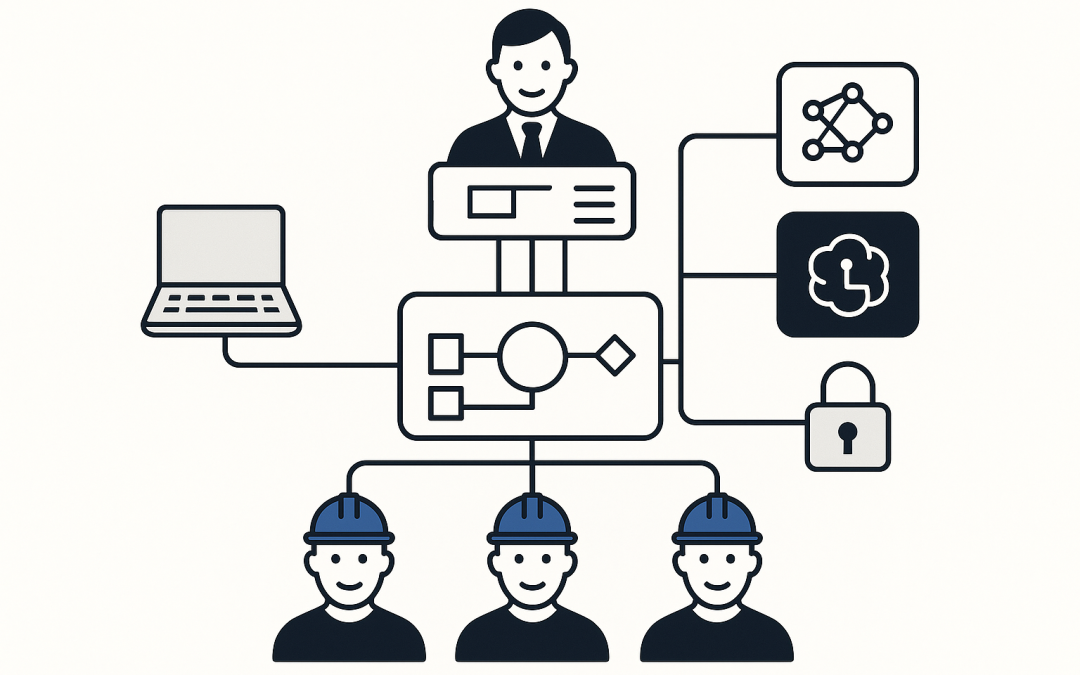
This is where multi-agent orchestration comes in. Think of it like running a high-performing operations team: one “lead” agent coordinates the job, and specialist “worker” agents do smaller, focused tasks. Done well, it reduces cost, speeds up response times, and makes AI more dependable.
High-level first what multi-agent orchestration actually is
Most companies start with a single AI model answering everything. That’s like hiring one very expensive consultant and asking them to do every task in the business, including the admin.
Multi-agent orchestration breaks work into steps and assigns each step to the smallest, cheapest, safest option that can do it reliably. A “manager” agent decides what needs to happen next, and “worker” agents call tools, query data, draft text, classify tickets, or validate outcomes.
In practice, orchestration is the part that decides:
- Which agent runs next
- Which model to use (a smaller cheaper model vs a larger reasoning model)
- Which tools are allowed (email, ticketing, SharePoint, CRM, reporting, etc.)
- What guardrails apply (approvals, data access rules, logging)
The pain point why AI pilots get expensive fast
If you’ve trialled AI in a mid-sized business, you’ve probably seen one or more of these problems within weeks:
- Costs climb unpredictably. AI usage is “death by a thousand cuts” when every user request triggers multiple heavy model calls.
- Latency frustrates staff. If it takes 30–60 seconds to get an answer, adoption drops. People go back to old habits.
- Answers are inconsistent. Not because the model is “bad”, but because the process is fuzzy and the AI is guessing.
- Security teams get nervous. When AI touches internal systems, you need tight control over what it can access and what it can do.
Multi-agent orchestration is one of the few approaches that can address all four at once, but only if the problem truly needs it.
AT&T’s 90% cost cut what’s the lesson for everyone else
The most useful takeaway from the AT&T story is not “agents are magic”. It’s that they stopped routing everything through large, expensive models and instead used a layered approach where a coordinating agent delegates to smaller, purpose-built agents and models.
That pattern maps cleanly to what we see in Australian organisations using Microsoft 365 and Azure:
- Most requests are repetitive and can be handled by smaller models or rules.
- Only a small percentage need deep reasoning (and the higher cost that comes with it).
- When you connect AI to business systems, you need logging, access control, and approvals by design.
When to use multi-agent orchestration a practical decision guide
Here are the clearest signs you should consider multi-agent orchestration. If you tick 3+ of these, it’s usually worth a serious design session.
1 When the task is genuinely multi-step
If the work requires planning and multiple actions, orchestration helps. Examples:
- “Summarise this incident, check related tickets, draft the customer update, then create the follow-up tasks.”
- “Review this contract, list risks, compare to our standard clauses, then draft suggested changes.”
- “Investigate why onboarding is slow, pull the last 30 days of data, find bottlenecks, then propose fixes.”
Business outcome: fewer handoffs, less rework, faster cycle time.
2 When model costs are becoming a line item people notice
If your AI proof-of-concept is moving into production and finance is asking “why did this spike?”, orchestration can introduce cost control by design:
- Route simple tasks to smaller, cheaper models
- Use larger models only when confidence is low or the task is complex
- Cache and reuse known answers and retrieved content where appropriate
Business outcome: predictable monthly spend and fewer surprises.
3 When reliability matters more than “creative” answers
For business workflows, “pretty good” isn’t good enough. Orchestration lets you add a checker step, like:
- A validation agent that confirms sources and checks numbers
- A policy agent that ensures outputs meet company rules
- A redaction agent that removes sensitive data before sharing
Business outcome: reduced risk of incorrect advice, fewer embarrassing mistakes.
4 When AI needs to safely interact with real systems
As soon as the AI can create a ticket, change a record, send an email, or update a SharePoint file, you’re in “real-world consequences” territory.
Multi-agent orchestration supports a safer pattern:
- One agent proposes actions
- Another agent checks whether those actions are allowed
- A human approval step is required for high-impact changes
- Everything is logged for audit
Business outcome: automation without losing control (and easier compliance conversations).
5 When you need clearer accountability and auditing
For Australian organisations aligning to the Essential 8 (the Australian government’s cybersecurity framework that many organisations are now required to follow), AI systems must be built in a way that supports traceability and change control.
Orchestration makes it easier to answer questions like:
- Which data was accessed?
- Which tools were invoked?
- Which user triggered the workflow?
- What did the AI recommend vs what was executed?
Business outcome: fewer compliance headaches and simpler incident investigations.
When not to use multi-agent orchestration
This is important. Multi-agent orchestration adds moving parts. If you don’t need it, don’t build it.
A single model (or even a simple automation) is often better when:
- The task is one-step (summarise a document, rewrite an email, draft a job ad)
- There are no tools involved (no ticketing, no CRM, no SharePoint actions)
- Speed to launch matters more than long-term optimisation
- The workflow is stable and rule-based (a standard Power Automate flow may be enough)
Business outcome: faster delivery, lower maintenance, less complexity.
The core technology behind multi-agent orchestration explained simply
Under the hood, multi-agent orchestration is usually built from five building blocks:
- Agents: separate AI “roles” (planner, researcher, writer, validator, policy checker).
- Models: different AI engines per task. Smaller models for routine steps, larger models for the hard parts.
- Tools: controlled connectors into business systems (Microsoft 365, ticketing, databases, knowledge bases).
- Memory and retrieval: a way to pull relevant internal information (like policies or past tickets) so the AI answers based on your reality, not internet guesses.
- Guardrails: permissions, approvals, logging, and “stop conditions” so the system doesn’t run wild.
In CloudProInc projects, this typically sits neatly in Azure (Microsoft’s cloud platform) and integrates with Microsoft 365 (your productivity suite), with security controls aligned to Microsoft Defender (Microsoft’s security platform) and, where needed, Wiz (a cloud security platform that continuously identifies risky cloud configurations).
A real-world scenario what this looks like in a mid-market business
Imagine a 200-person professional services firm in Australia. They’re growing fast, but their service desk is swamped and security expectations are rising.
They want an “AI helpdesk assistant” for Microsoft 365 and device issues. They start with a single AI chat experience. Staff like it, but the monthly cost climbs, and the answers are inconsistent.
A multi-agent approach changes the economics and the trust:
- A triage agent classifies the issue and checks if it’s a known problem.
- A knowledge agent retrieves the correct internal guide from SharePoint.
- A resolution agent drafts a response in plain English.
- A policy agent ensures it doesn’t suggest risky actions (like bypassing security controls).
- If the fix requires action, it creates a ticket with the right priority and suggested steps, instead of “just chatting”.
Business outcome: faster resolution times, fewer escalations, and lower AI run costs because only the complex cases use the expensive reasoning model.
A simple architecture pattern you can copy
If you’re experimenting, start with a small, repeatable workflow. Here’s a clean pattern that scales.
// Pseudocode: multi-agent orchestration pattern
// Goal: answer a staff request safely, cheaply, and with traceability

function handleRequest(user, request):
 context = getUserContext(user) // role, permissions, department

 intent = TriageAgent.classify(request) // “password reset”, “phishing”, “VPN”, etc.

 if intent.isSimple:
 // cheap path
 answer = SmallModelAgent.respond(request)
 return logAndReturn(answer)

 // complex path
 docs = KnowledgeAgent.retrieve(intent, context) // internal policies, SOPs, past tickets
 draft = ResolutionAgent.compose(request, docs)

 safeDraft = PolicyAgent.check(draft, context) // redaction, forbidden steps, approval rules

 if safeDraft.requiresApproval:
 createApprovalTask(user, safeDraft)
 return "Draft prepared for approval."

 return logAndReturn(safeDraft)
This keeps the expensive compute for the cases that truly need it, and it creates a traceable chain of decisions.
Practical steps to decide if the 90% benchmark is realistic for you
You don’t need AT&T scale to learn from the benchmark. You just need measurement and a willingness to simplify.
- Instrument your current AI usage. Track which requests drive the most cost and time.
- Separate “simple” from “complex”. Most organisations discover 60–90% of queries are routine.
- Introduce routing. Send routine work to smaller models and reserve larger models for the hard cases.
- Add one checker step. Start with a policy/safety check before you automate actions.
- Lock down tools and data. Least-privilege access and full logging should be non-negotiable.
Business outcome: lower AI run costs, faster user experience, and fewer security concerns as you move from pilot to production.
Closing thoughts
When Multi-Agent Orchestration Pays Off Using AT&T’s 90% Cut is really about one idea: don’t pay “premium AI prices” for basic work. If AI is becoming part of daily operations, orchestration is often the difference between a clever demo and something financially sustainable.
CloudProInc is a Melbourne-based Microsoft Partner and Wiz Security Integrator with 20+ years of enterprise IT experience. We help organisations design practical AI systems in Azure and Microsoft 365 that reduce cost, improve security, and actually get used.
If you’re not sure whether your current AI setup is costing more than it should, we’re happy to take a look and give you a straight answer. No pressure, no strings attached.