
Most businesses already know device sprawl is a problem. Laptops leave the office, personal phones access company email, new starters wait too long for setup, and IT teams end up choosing between control and convenience.


That trade-off is usually a sign that device management is too reactive. The goal is not to lock everything down. The goal is to give people fast, secure access to the tools they need without creating extra friction every day.
Microsoft Intune is designed for exactly that balance. It gives businesses a practical way to manage company-owned and personal devices, protect business data, and automate routine endpoint tasks without turning every policy change into a help desk event.
Control Does Not Have To Mean Heavy-Handed
One of the biggest objections to modern device management is the fear that tighter control will slow staff down. In practice, the opposite is usually true.
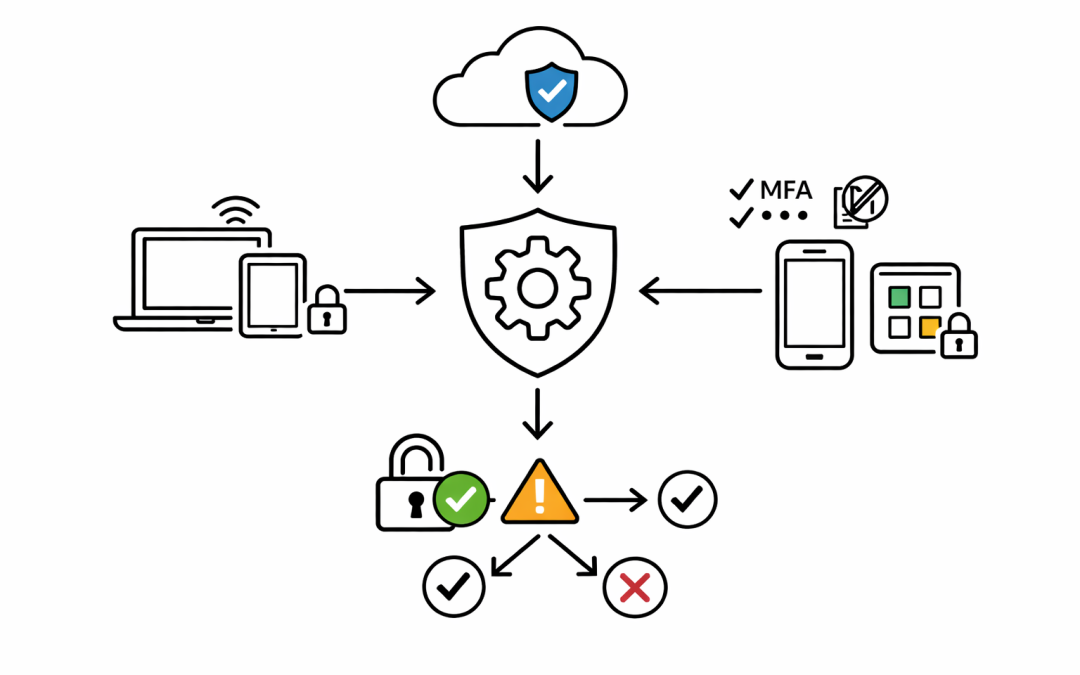
When Intune is set up properly, users do not need to guess which settings matter, which apps are approved, or how to connect securely. Policies for security baselines, Wi-Fi, VPN, certificates, Microsoft 365 apps, and sign-in settings can be applied automatically, so people spend less time troubleshooting and more time working.
For IT teams, that means fewer manual tasks. For staff, it means a more consistent experience across Windows, macOS, iPhone, iPad, and Android devices.
Better BYOD Without Taking Over Personal Devices
Many Australian businesses still rely on bring-your-own-device arrangements, especially for mobile access to Outlook, Teams, OneDrive, and SharePoint. That creates tension quickly if staff think IT wants full control of their personal phone.
This is where Intune device management becomes more practical. Intune supports both full device management for company-owned hardware and app-level protection for personal devices. That means organisations can protect work data inside approved apps without managing the whole personal device.
In plain terms, the business can restrict copy and paste, require app PINs, enforce MFA, and remove company data from a work app if someone leaves, while leaving personal photos, messages, and apps alone. That is a much easier model for staff to accept.
Compliance And Conditional Access Reduce Risk Quietly
Good security should work in the background. Intune helps by making device compliance part of the access decision instead of a separate reporting exercise.
Compliance policies can check whether a device meets rules such as minimum operating system versions, password requirements, encryption, and risk thresholds from integrated security tools. When Intune reports that status into Microsoft Entra, Conditional Access can allow or block access based on whether the device is compliant.
That matters because it reduces the gap between policy and enforcement. If a device falls out of standard, access to business resources can be restricted automatically instead of waiting for someone to notice weeks later.
For Australian organisations working toward Essential 8 maturity, that kind of control supports a more disciplined approach to endpoint security without relying on users to remember every rule.
Faster Onboarding And Fewer Support Tickets
Device control is not just a security conversation. It is also an operational one.
Intune works well with Windows Autopilot, which allows new devices to be provisioned with business policies, apps, and settings from the start. Instead of building machines by hand, IT can ship devices directly to users and let the setup process apply the right configuration automatically.
Intune also gives employees self-service options through the Company Portal, where they can install approved apps, reset access details, and find the resources they need without logging a ticket for every small request.
That combination helps businesses scale. The more of the device lifecycle that is standardised, the less time the IT team spends repeating the same setup and remediation work.
Visibility Helps You Improve Experience, Not Just Enforce Rules
One reason endpoint programs stall is that the tooling gets used only for restriction. That misses a big part of the value.
Intune includes reporting and integrates with endpoint analytics, which helps teams identify devices, policies, or hardware patterns that are affecting the end-user experience. If logon performance is poor, an update is causing issues, or a policy is creating unnecessary friction, IT has better visibility to fix the problem.
That is the difference between device management that feels punitive and device management that actually supports productivity. The right controls should make secure work easier, not harder.
The Real Value Is Consistency
The biggest benefit of Intune is often consistency. The same security standards, app policies, and access rules can follow users across different devices and work locations.
That gives businesses a stronger baseline without having to rebuild the process for every new starter, device refresh, or hybrid work exception. It also gives leadership more confidence that endpoint control is not being handled differently from one team to the next.
For mid-market organisations, that matters. Device management needs to be strong enough to reduce risk, but practical enough that it does not get bypassed by frustrated staff or overloaded IT teams.
Microsoft Intune helps close that gap. When it is planned properly, it gives businesses more control over devices, better protection for company data, and a smoother experience for the people using the technology every day.
If your current setup still depends on manual builds, inconsistent mobile controls, or broad access from unmanaged devices, now is a good time to review whether Intune is being used to its full potential.
Microsoft Intune endpoint management
Discover more from CPI Consulting
Subscribe to get the latest posts sent to your email.