
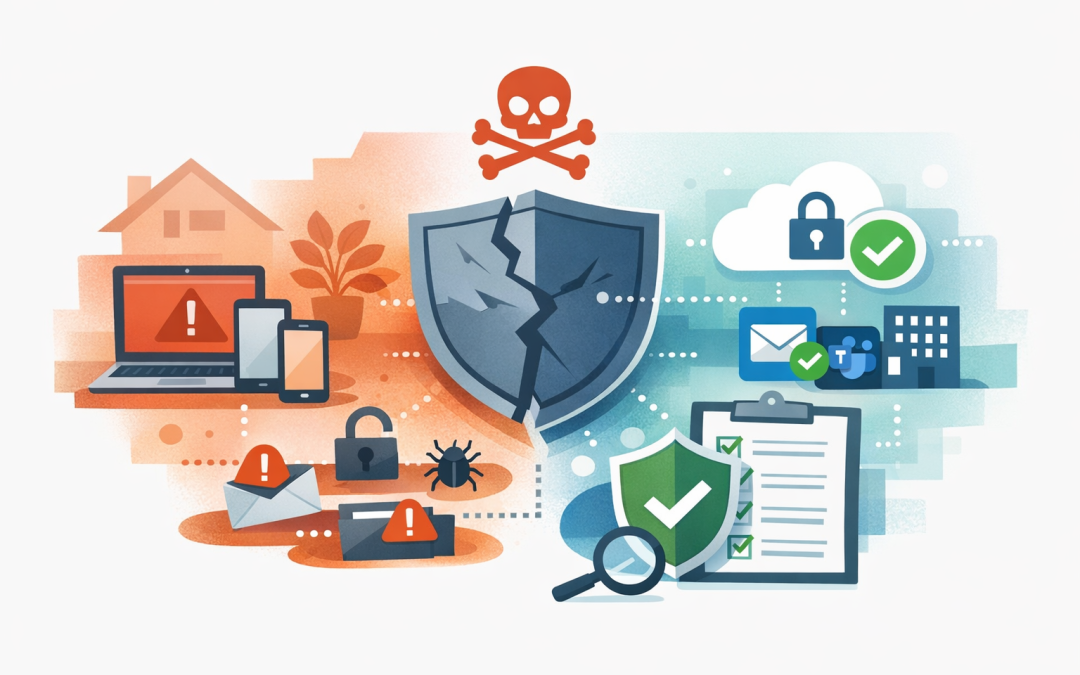
In this blog post Unmanaged Laptops Are a Bigger Business Risk Than You Realise we will look at why unmanaged laptops, home computers and personal devices create more business risk than most leaders expect, and what practical steps you can take to bring them under control.
Most businesses do not set out to create a device security problem. It usually happens slowly. Someone works from home on a personal laptop. A contractor needs email access for a few weeks. A staff member replaces their own phone and signs into Microsoft 365 without telling IT.
Individually, none of this feels dramatic. But across a 50, 100 or 300-person business, unmanaged devices can become one of the easiest paths into company data.
What is an unmanaged device in plain English
An unmanaged device is any laptop, desktop, phone or tablet that can access company systems but is not controlled by your organisation’s security policies.
That might mean IT cannot confirm whether the device has a password, whether it is encrypted, whether it has current security updates, whether antivirus is working, or whether business data can be removed if the device is lost or the employee leaves.
The key issue is not ownership. A company-owned laptop can still be unmanaged if nobody is monitoring or securing it properly. A personal phone can be safely allowed in some cases if the business controls the apps and data being used.
The technology behind device management
The main technology used to solve this problem is device management. In the Microsoft world, that usually means Microsoft Intune, which manages and secures company devices such as laptops, mobiles and tablets from one central place.
Intune works with Microsoft Entra Conditional Access, which is a set of rules that decides whether a user or device should be allowed into systems like Outlook, Teams, SharePoint and other Microsoft 365 apps. Put simply, it can ask, “Is this device safe enough to access company data?”
If the answer is yes, the employee gets access. If the answer is no, access can be blocked, limited, or require extra verification such as multi-factor authentication, which is the extra login step using an app, SMS or security key.
For the user, the experience can be simple. For the business, it creates a much stronger line of defence.
Why unmanaged laptops are such a common blind spot
Many IT environments have grown quickly since remote and hybrid work became normal. Devices were added in a hurry. Cloud apps made it easy for people to work from anywhere. The problem is that access became easier faster than control improved.
A business owner may assume, “We use Microsoft 365, so we are secure.” But Microsoft 365 is a platform, not a complete security operating model by itself. The right settings, policies and monitoring still need to be designed and maintained.
This is where CloudProInc often finds the gap. The licences are already there, but the controls are not fully switched on or properly configured.
The real risks are business risks, not just IT risks
1. Lost devices can become lost data
If a managed laptop is left in a taxi, IT can usually lock it, wipe company data and confirm whether encryption was enabled. Encryption means the files on the laptop are scrambled so they cannot be read without the correct login.
If the laptop is unmanaged, the business may not know what was stored on it, whether the drive was protected, or whether company files were synced locally.
That creates a privacy and reporting problem. Under Australian privacy expectations, organisations need to take reasonable steps to protect personal information. If you cannot show basic control over devices, that conversation becomes harder.
2. Old software gives attackers an easy opening
Security updates fix known weaknesses in operating systems and applications. When laptops are unmanaged, IT often has no reliable way to confirm whether those updates are happening.
This matters for Essential 8, the Australian government’s cybersecurity framework that many organisations are now required or expected to follow. Several Essential 8 controls directly relate to this issue, including patching applications, patching operating systems, restricting administrator access and multi-factor authentication.
If your staff can access company data from laptops that have not been patched in months, your Essential 8 maturity may be weaker than it looks on paper.
3. Personal devices blur the line between work and private data
Bring-your-own-device arrangements can be useful. They can reduce hardware costs and give staff flexibility. But without clear controls, they also make it easy for work files to end up in personal downloads folders, unmanaged cloud storage, screenshots, personal email, or consumer messaging apps.
The goal is not to spy on employees. The goal is to protect company data while respecting personal privacy.
Modern tools can manage only the work apps and business data on a personal device. For example, IT may be able to remove company email from a personal phone without touching family photos, private messages or personal apps.
4. Departing employees can keep access longer than expected
When someone leaves the business, most companies remember to disable their account. But if company documents were downloaded to an unmanaged laptop, disabling the account may not remove the local copies.
This becomes more serious with sales teams, finance teams, legal teams, project managers and executives. These roles often handle customer lists, pricing, contracts, board papers and sensitive internal documents.
A managed device gives the business a cleaner exit process. Access can be removed, data can be wiped, and the device status can be checked.
5. Support costs quietly increase
Unmanaged devices also cost money in less obvious ways. IT teams spend more time troubleshooting inconsistent setups. Staff lose productivity when their laptop behaves differently from everyone else’s. Security incidents take longer to investigate because there is no central record of what happened.
For a 200-person organisation, even small delays add up. If employees regularly lose 15 minutes because their device is not configured properly, that becomes a real productivity cost across the year.
A realistic scenario
Consider a 150-person professional services firm with offices in Melbourne and Sydney. Most staff use company laptops, but around 40 people also access email and files from personal devices. Contractors use their own laptops. A few senior staff have local administrator rights, which means they can install software and change system settings without approval.
Nothing looks broken. People are working. Microsoft 365 is running. There is antivirus on many devices.
Then a laptop is stolen from a car. Nobody can confirm whether the device was encrypted. Nobody knows exactly what client files were stored locally. The business spends days investigating, speaking with legal advisers and reassuring clients.
The direct cost is frustrating. The reputational risk is worse.
In many cases, the fix is not a massive technology project. It is a structured device control program, using tools the business may already be paying for.
What good device control looks like
A sensible approach does not need to be heavy-handed. For most mid-sized businesses, the goal is to create a clear standard for which devices can access company data.
- Device inventory: Know which laptops, phones and tablets are accessing business systems.
- Minimum security rules: Require passwords, encryption, current updates and active threat protection.
- Conditional Access: Only allow access when the user and device meet your security requirements.
- App protection: Protect company data inside apps like Outlook, Teams and OneDrive, especially on personal phones.
- Remote wipe: Remove business data from lost devices or devices used by departing employees.
- Admin control: Limit who can install software or make major changes to devices.
- Reporting: Give leaders a simple view of compliance, risk and improvement over time.
Where Microsoft Defender and Wiz fit in
Microsoft Defender helps detect and respond to threats across devices, identities and Microsoft 365. In plain English, it watches for suspicious activity such as malware, risky sign-ins or unusual behaviour.
Wiz is more focused on cloud security. It helps identify risks across cloud environments such as Azure, including exposed systems, misconfigurations and vulnerabilities. For organisations running cloud workloads, it gives security teams a clearer view of which risks matter most.
As a Microsoft Partner and Wiz Security Integrator, CloudProInc often brings these pieces together. The aim is not to buy more tools for the sake of it. The aim is to make sure identity, devices, cloud systems and data are all protected in a connected way.
Practical first steps for business leaders
If you are a CIO, CTO, IT manager or business owner, you do not need to start with a large rollout. Start with visibility.
- Ask for a device list. Can your IT team show every device accessing Microsoft 365?
- Check personal device access. Are staff using personal phones or laptops for work data?
- Review administrator rights. Who can install software or change security settings?
- Confirm encryption. Are all laptops protected if lost or stolen?
- Check patch reporting. Can you prove devices are receiving security updates?
- Review Essential 8 alignment. Are device controls supporting your required maturity level?
- Test offboarding. When someone leaves, can business data be removed from their devices?
These questions quickly reveal whether your current setup is controlled, partially controlled, or mostly based on trust.
The business outcome
Managing laptops and personal devices is not about locking everything down until staff cannot work. Done properly, it gives employees safer access from more places, while reducing the chance of a costly incident.
The business outcomes are clear. Lower cyber risk. Faster compliance progress. Less time wasted by IT. Better protection for customer data. More confidence that your current provider is doing the basics properly.
For companies with 50 to 500 employees, this is often one of the highest-value security improvements available. It is practical, measurable and usually far less expensive than cleaning up after a breach.
Final thought
Unmanaged laptops and personal devices are easy to ignore because they rarely cause visible problems until something goes wrong. But once a device is lost, compromised or used by someone who has left the business, the lack of control becomes very visible.
CloudProInc is a Melbourne-based cloud and AI consultancy with more than 20 years of enterprise IT experience across Azure, Microsoft 365, Intune, Windows 365, Microsoft Defender, Wiz, OpenAI and Claude. We work with Australian and international organisations that want practical security improvements without dealing with a giant faceless MSP.
If you are not sure whether your laptops and personal devices are creating more risk than they should, we are happy to take a look and give you a clear view of what is happening. No scare tactics, no strings attached.
Discover more from CPI Consulting
Subscribe to get the latest posts sent to your email.