
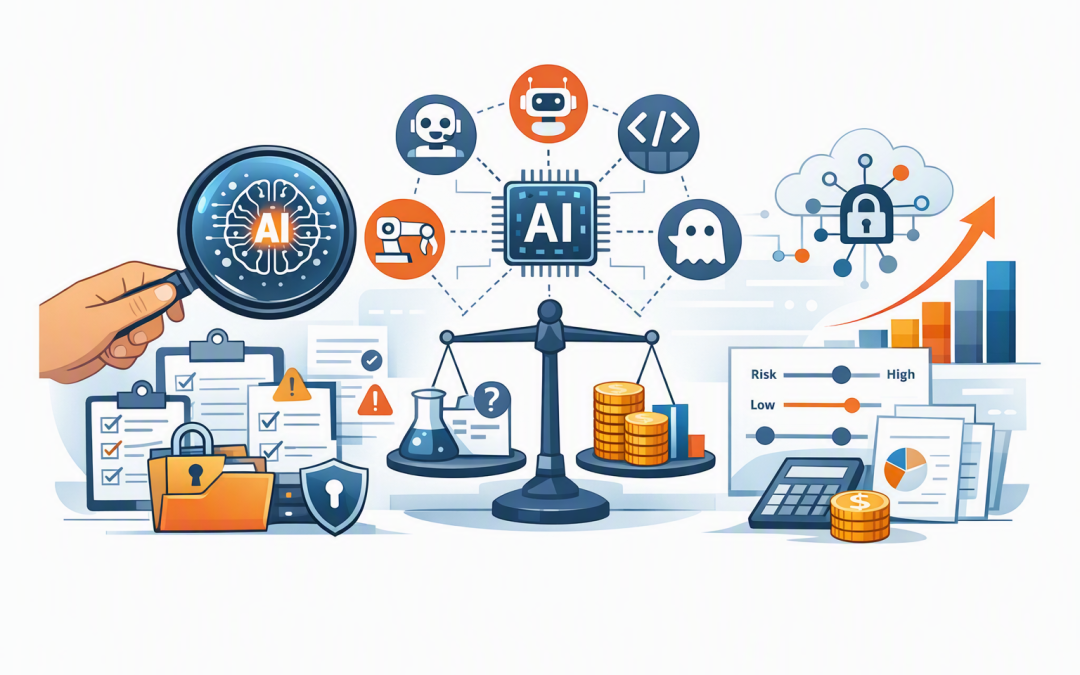
In this blog post Why Every Business Needs an AI Audit Before Scaling AI Safely we will explain how an AI audit helps you find hidden risks, control costs and identify which AI projects are genuinely worth expanding.
Many businesses already have employees using ChatGPT, Microsoft Copilot, Claude or AI features built into everyday software. The problem is that leadership often cannot answer three basic questions: who is using AI, what company information is being shared, and whether the business is receiving measurable value.
An AI audit creates that visibility. It is a structured review of your AI tools, use cases, data, security controls, costs and responsibilities before small experiments become business-critical systems.
Why AI pilots can become expensive problems
Trying an AI tool with ten employees is relatively easy. Giving it to 200 employees, connecting it to Microsoft 365, or allowing it to update customer records introduces a very different level of cost and risk.
At that point, AI is no longer simply a productivity tool. It becomes part of how your business stores information, makes decisions and serves customers.
This is where many companies move too quickly. They buy more licences, connect more data and encourage wider use before confirming that the original trial produced a worthwhile outcome.
An audit provides a decision point between experimentation and scale. It tells leaders what should move forward, what needs additional controls and what should be stopped.
How business AI actually works
Generative AI systems such as OpenAI models and Anthropic Claude are trained to recognise patterns in large amounts of information. When someone enters a prompt, the model predicts a useful response based on those patterns and any business information it has been permitted to access.
In a company environment, the AI may also be connected to email, SharePoint, Teams, customer systems or internal databases. Some systems use retrieval-augmented generation, which simply means the AI searches approved company information before preparing its answer.
AI agents go a step further. Instead of only producing text, an agent can perform actions such as creating a support ticket, updating a record, preparing a quote or sending a message.
That can save considerable time, but it also means existing data and access problems can spread faster. If an employee can see documents they should not have access to, an AI assistant connected to the same account may also be able to find and summarise them.
This is why production-ready AI architecture matters. The model is only one part of the system. Your data, user permissions, integrations, monitoring and recovery processes are equally important.
What a useful AI audit should examine
1. Which AI tools are already being used
The first step is creating an inventory. This should include approved platforms, free consumer accounts, AI features inside existing software, custom applications and any agents being tested by individual departments.
Unapproved use is often called shadow AI, meaning employees are using AI services without the knowledge or oversight of IT. They are not usually acting maliciously. They are trying to finish work faster, but may paste contracts, customer details or internal reports into tools that have not been reviewed.
Finding this activity allows the business to provide safer alternatives rather than relying on a policy that employees may ignore.
2. Whether each use case has a measurable outcome
Every AI project should be connected to a business result. That might be reducing the time required to prepare proposals, resolving customer requests faster or lowering the cost of processing invoices.
“Using AI” is not a business outcome. An audit should establish the current cost of the process, the expected improvement and how success will be measured.
It may reveal that a heavily promoted project saves employees only a few minutes per month. It may also uncover a less visible use case that could remove hundreds of hours of repetitive work each year.
3. What information the AI can access
AI is only as safe as the data and permissions around it. An audit checks whether sensitive information is clearly identified, whether access is limited to the right people and whether data is being sent outside approved systems.
For Australian organisations, this also means considering the Privacy Act and the Australian Privacy Principles when personal information is collected, used or disclosed. High-risk uses may require a privacy impact assessment, which is a formal review of how a project could affect individual privacy.
The audit should also check alignment with the Essential Eight, the Australian government’s cybersecurity framework for reducing common cyber risks. AI does not replace basic protections such as secure administrator access, regular patching and reliable backups.
4. Whether outputs can be trusted
Generative AI can produce confident answers that are incomplete or wrong. This is sometimes called hallucination, but in plain English it means the system has generated information that sounds believable without having reliable evidence.
The business impact depends on the task. A poor first draft of an internal email is inconvenient. Incorrect advice in a customer contract, safety procedure or financial assessment could be serious.
An audit classifies use cases by consequence and determines where human review is required. It should also examine testing, approved information sources, record keeping and what happens when the system produces an unsafe result.
5. Whether costs will remain under control
AI costs are not limited to licences. There may also be charges for cloud processing, data storage, security tools, integration work, employee training and ongoing monitoring.
A pilot with predictable usage can become expensive when hundreds of employees or automated agents begin making thousands of requests. The audit should model likely usage, establish budgets and identify technical limits that prevent unexpected spending.
A common scaling scenario
Consider a 180-person professional services firm trialling AI for document summaries and proposal preparation. Twenty employees report positive results, so management plans to purchase licences for the entire company.
An audit finds that only six roles have a frequent, high-value use case. It also discovers inconsistent SharePoint permissions, several staff using personal AI accounts and no agreed process for checking AI-generated client content.
Instead of buying 180 licences immediately, the firm starts with 45 targeted users. It corrects document access, introduces an approved platform, trains employees and measures the time saved over 90 days.
The outcome is not slower AI adoption. It is a more focused investment with lower licence costs, less risk and stronger evidence for the next rollout.
What should you receive after an AI audit
An audit should not end with a long report that nobody uses. Leadership should receive a practical plan containing:
- A complete inventory of approved and unapproved AI tools.
- A ranked list of use cases based on value, effort and risk.
- Data, privacy and security gaps requiring attention.
- Recommended controls for Microsoft 365, Azure and other platforms.
- Clear owners for approving and monitoring AI systems.
- A realistic cost model for wider deployment.
- A 30, 60 and 90-day action plan.
This baseline supports the ongoing rules described in our guide to AI governance before Copilot and AI agent rollouts. Governance defines how AI should be managed; the audit shows where your organisation stands today.
If agents will be allowed to access systems or take action, they also need a more focused AI agent risk assessment before production deployment.
Audit first so you can scale with confidence
An AI audit is not designed to block innovation. It prevents the business from spending heavily on tools that employees do not need, while reducing the chance of privacy breaches, inaccurate decisions and uncontrolled access to sensitive information.
With more than 20 years of enterprise IT experience, CloudProInc approaches AI audits as a practical business exercise rather than a theoretical compliance project. As a Melbourne-based Microsoft Partner and Wiz Security Integrator, we can assess the full environment across Microsoft 365, Azure, Intune, Defender, Wiz, OpenAI and Claude.
If you are not sure which AI tools are already being used, whether your data is ready, or whether your current pilots justify wider investment, CloudProInc is happy to take a practical look at your setup — no strings attached.
Discover more from CPI Consulting
Subscribe to get the latest posts sent to your email.