
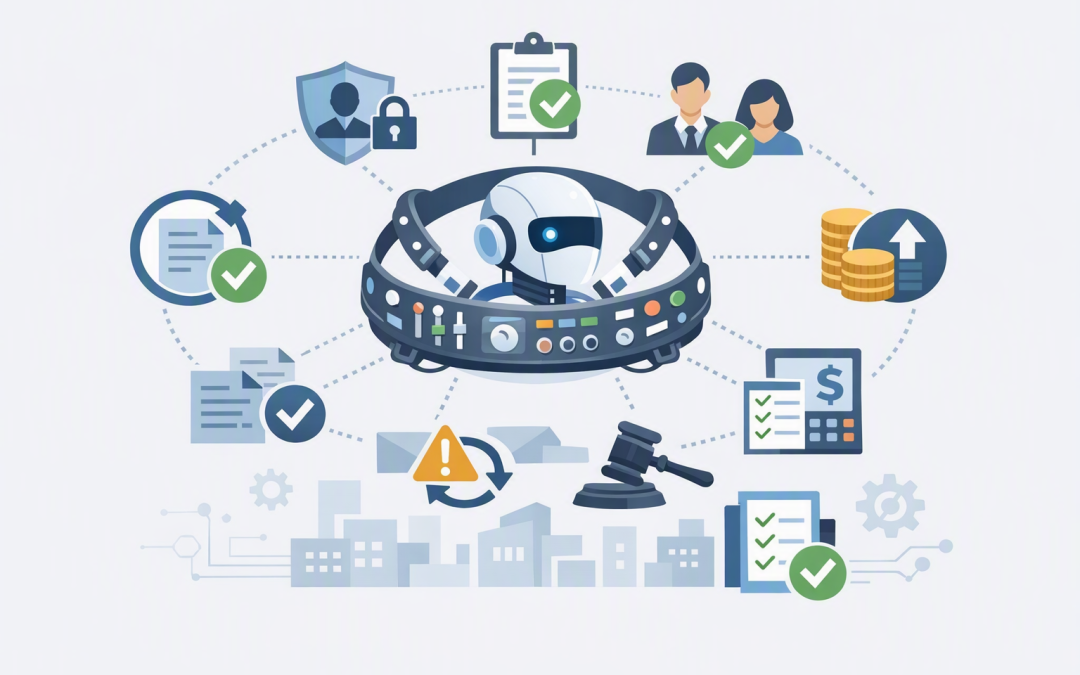
In this blog post Understanding the Agent Harness Behind Reliable AI Workflows we will explain the control layer that turns an AI model into a dependable business process. Without that layer, an impressive AI demonstration can quickly become an unreliable, expensive or risky production system.
At a high level, the AI model is the thinker, while the agent harness is the manager. The model may interpret a request and suggest the next action. The harness decides whether that action is allowed, provides the right tools, records what happened and determines what to do if something fails.
Why the AI model is only one part of the workflow
Many AI projects begin with a simple test. A team connects OpenAI or Anthropic Claude to company documents, asks a few questions and receives useful answers.
The problems begin when the business expects the AI to do real work. Reading customer records, creating tickets, updating financial systems or sending communications requires much more than a good prompt.
AI models are probabilistic, which means their responses can vary even when the request appears similar. Business workflows need firmer rules around identity, permissions, data, approvals, costs and recovery.
The agent harness provides those rules. It surrounds the model with conventional software controls so the AI can operate within a defined process instead of improvising its way through your systems.
What technology sits inside an agent harness
An agent harness is not usually one product. It is a collection of services and software components that coordinate the AI model, business applications and security controls.
A typical harness handles:
- Identity so the workflow knows which user, department or automated agent requested the work.
- Instructions that define the agent’s role, limits and expected output.
- Tool access so the agent can use approved systems without receiving unrestricted access.
- State which records where a multi-step job is currently up to.
- Guardrails which are automated checks that block unsafe inputs, actions or outputs.
- Human approvals before sensitive actions such as payments, account changes or external communications.
- Tracing and logs that show what the model requested, which tools were used and why a job stopped.
- Recovery controls that resume interrupted work without unnecessarily repeating completed steps.
- Cost limits that prevent a confused workflow from making unlimited model or tool calls.
On Azure, these capabilities may combine Microsoft identity services, secure storage, workflow components, monitoring tools and OpenAI or Claude models. Microsoft Defender and Wiz can also help identify risks in the surrounding cloud environment, including exposed resources and excessive permissions.
The five controls that make AI workflows reliable
1. A defined identity and limited permissions
An AI agent should never receive broad administrator access simply because it may need several tools. It should have its own identity and only the permissions required for its specific job.
For example, an invoice-review agent may need to read invoices and purchase orders. It should not automatically receive permission to create suppliers, alter bank details or release payments.
This reduces the impact of mistakes and supports the same security thinking found in Essential Eight, the Australian government’s cybersecurity framework. The harness does not make a business Essential Eight compliant by itself, but it can support controls such as multi-factor authentication, restricted administrative privileges and application control.
2. Saved progress rather than fragile memory
Some AI workflows run for minutes, hours or even days. They may pause while waiting for a manager, an external system or additional information.
The harness needs to save each important stage. If a cloud service restarts or an approval takes two days, the workflow can continue from a trusted point rather than starting again.
This is closely related to the use of snapshots in reliable AI agent workflows. Snapshots create known recovery points, while the harness determines when they should be created and how they should be restored.
3. Human approval at the right moments
Requiring approval for every step removes most of the productivity benefit. Allowing every step without approval creates unnecessary risk.
A well-designed harness separates low-risk work from consequential decisions. It might let an agent classify a support request and prepare a response, while requiring a person to approve a refund or send a legally significant message.
Our guide to keeping Azure AI workflows under human control explains how approval gates can be added without turning automation into another administrative burden.
4. Safe retries and duplicate protection
Business systems sometimes time out. A reliable harness must know whether to try again, pause for investigation or stop the workflow.
More importantly, it must avoid duplicating actions. If an agent submits an order but does not receive confirmation, blindly submitting it again could create a second order.
The harness can assign a unique reference to each action, check whether it has already completed and only retry when it is safe. This is conventional software engineering, but it becomes essential when an AI model is choosing the next step.
5. Monitoring for quality, cost and risk
A workflow completing without an error does not mean it completed correctly. AI monitoring needs to examine the quality of results as well as technical availability.
Useful measures include approval rates, failed tool calls, repeated steps, processing time, model costs and the percentage of outputs corrected by staff. These figures show whether the workflow is saving time or simply moving work into a new review queue.
Detailed traces also help teams understand which agent performed each action. This becomes especially important when using multiple specialised agents. The choice between agent handoffs and agents used as tools affects how context, responsibility and cost move through the workflow.
What a harness policy looks like in practice
The technical implementation can be complex, but the business policy should be easy to understand. The following simplified example is illustrative rather than tied to a particular product:
workflow: supplier-invoice-review
identity: finance-review-agent
allowed_tools:
 - read-approved-invoices
 - query-purchase-orders
approval_required:
 - create-supplier
 - change-bank-details
 - release-payment
checkpoint_after_each_stage: true
maximum_cost_per_run_aud: 3.00
on_failure: pause-and-alert
A finance director can review this policy without reading application code. It clearly shows what the agent can access, which actions remain human decisions and how costs and failures are handled.
A practical business scenario
Consider a 200-person organisation processing 80 supplier invoices each week. Staff spend around 30 minutes per invoice checking purchase orders, identifying discrepancies and preparing approval notes.
An AI agent could read the documents, compare the figures and draft a recommendation. That may remove up to 40 hours of repetitive checking each week, but only if the workflow behaves consistently.
The harness confirms the employee’s identity, retrieves only approved documents, records each comparison and sends exceptions to the finance team. It can prepare payment data, but payment release remains behind a human approval point.
If the document contains suspicious instructions or requires code execution, the task should move into an isolated working environment. We explain why this separation matters in why the agent harness and sandbox compute should stay separate.
The business outcome is not simply “using AI”. It is faster invoice processing, fewer manual checks, a clear audit trail and controlled financial risk.
Questions decision-makers should ask before deployment
- What specific business process will the agent improve?
- Which systems and data can it access?
- Which actions must always require human approval?
- Can an interrupted workflow resume without repeating completed transactions?
- Can we see every tool call, approval and system change?
- What stops the agent when its behaviour or cost exceeds an agreed limit?
- Who owns the workflow after it enters production?
These questions should be answered before selecting models or building elaborate multi-agent designs. The simplest architecture that reliably meets the business need is usually the best starting point.
The surrounding Azure environment matters as much as the model. Our overview of secure AI agent infrastructure on Azure covers the identity, network and data foundations that support the harness.
Reliable AI is controlled AI
The agent harness is what turns a capable model into an accountable business service. It defines the boundaries, controls access, saves progress, manages approvals and gives your team evidence of what happened.
CloudProInc brings more than 20 years of enterprise IT experience to these decisions. As a Melbourne-based Microsoft Partner and Wiz Security Integrator, we help organisations design practical Azure, OpenAI and Claude workflows without treating AI as a standalone experiment.
If you are exploring AI agents but are not sure how to make them secure, recoverable and measurable, we are happy to review the proposed workflow and identify the controls it needs — no strings attached.
Discover more from CPI Consulting
Subscribe to get the latest posts sent to your email.