
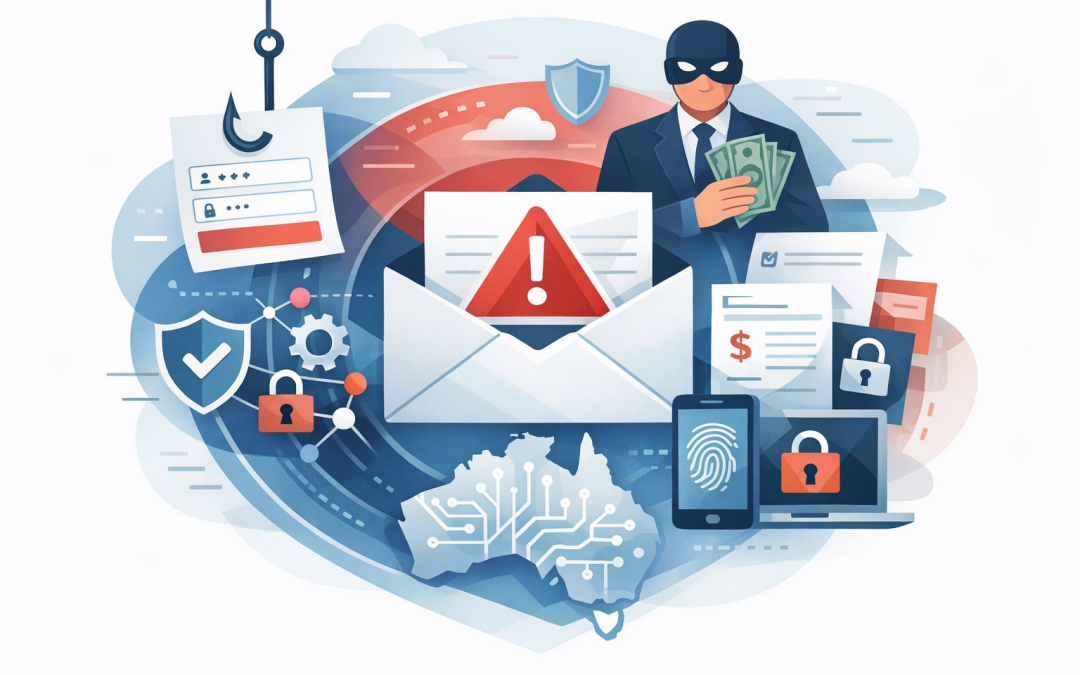
In this blog post Why Email Security Is Still a Major Risk for Australian SMBs we will look at why email remains one of the easiest ways for attackers to get inside a business, even when that business already uses Microsoft 365, spam filtering and antivirus.
If your staff are busy, your finance team is processing invoices, your sales team is replying to customers, and your executives are approving payments from their phones, email is not just communication. It is a business-critical system. That is exactly why criminals keep targeting it.
At a high level, email security is about proving three things. Is the sender really who they claim to be? Is the message safe to open? And if someone does make a mistake, can the business stop the damage quickly?
The uncomfortable truth is that many small and mid-sized businesses have only answered the first half of that problem. They may have Microsoft 365 in place, but not the right security settings. They may have multi-factor authentication, which asks users for a second proof of identity, but not for every risky login. They may have email filtering, but no process to investigate suspicious messages after they land.
Why email is still such an attractive target
Email works because people trust it. A message from a supplier, customer, bank, courier, recruiter or executive feels normal. That makes it the perfect delivery channel for phishing, invoice fraud, credential theft and malware.
Phishing is when an attacker sends a message designed to trick someone into clicking a link, opening a file or entering their password into a fake login page. Business email compromise, often called BEC, is when criminals use email to impersonate a trusted person and convince someone to transfer money, change bank details or share sensitive information.
For a 50 to 500 person business, the impact can be immediate. One compromised mailbox can expose customer conversations, supplier invoices, payroll files, legal documents and internal approvals. It can also give attackers a trusted account they can use to target your clients.
This is why email security should not be treated as an IT hygiene task. It is a revenue protection, cash flow protection and reputation protection issue.
The technology behind modern email security in plain English
Modern email security is not one product. It is a set of controls that work together.
The first layer is email authentication. This uses records called SPF, DKIM and DMARC. In plain English, these help prove whether an email claiming to come from your domain was actually sent by a system you authorised. Without them, criminals have a much easier time pretending to be your company.
The second layer is filtering. Microsoft Defender for Office 365, which protects Microsoft 365 email and collaboration tools, checks messages for suspicious links, unsafe attachments, impersonation attempts and known malicious patterns. Features like Safe Links test website links when users click them, while Safe Attachments opens files in a protected environment before users receive them.
The third layer is identity protection. This means making sure a stolen password is not enough to access the mailbox. Multi-factor authentication, Conditional Access, which applies different login rules based on risk, and sign-in monitoring all help here.
The fourth layer is device security. If someone opens email on an unmanaged laptop with no encryption, no updates and no endpoint protection, your email security has a weak spot. This is where Microsoft Intune, which manages and secures company devices, becomes important. We covered this in more detail in why every SMB needs a proper device compliance strategy today.
The final layer is response. If a malicious email gets through, can your team find who received it, who clicked it, what account was accessed, and whether the message needs to be removed from other inboxes? This is where many SMBs struggle.
Where SMBs usually get email security wrong
1. They assume Microsoft 365 is secure by default
Microsoft 365 is a strong platform, but it is not automatically configured for every business risk. Many tenants were set up years ago to get email working quickly. Security settings were often left at basic defaults.
That might have been acceptable when the business had 15 staff. It is not enough when you have 150 staff, multiple locations, external contractors and sensitive customer data flowing through mailboxes every day.
Common gaps include weak anti-phishing policies, no impersonation protection for executives, incomplete audit logging, poor alerting, and email authentication records that are missing or misconfigured. We see this regularly when reviewing environments for Australian businesses, and it is closely related to the issues discussed in why Microsoft 365 security remains a blind spot for SMBs.
The business outcome is simple. Better configuration reduces the chance of a costly incident without necessarily buying more tools.
2. They focus on spam, not impersonation
Old email security was about blocking obvious spam. Modern email attacks are much more personal.
An attacker might register a domain that looks almost identical to yours. They might email payroll pretending to be the CEO. They might compromise a supplier mailbox and send a genuine-looking invoice with changed bank details.
These attacks often contain no malware. There may be no dangerous attachment. The message works because it looks believable and arrives at the right moment.
This is why executive impersonation protection, supplier validation processes and finance approval workflows matter. A good email security strategy includes both technology and business process.
3. They protect inboxes but ignore accounts
Many email incidents are really identity incidents. The attacker is not trying to infect a computer. They are trying to steal a password and log in as the user.
Once they are in, they may create hidden forwarding rules, monitor conversations, reset passwords for other services, or wait until an invoice discussion appears. Then they step in at the perfect time.
This is why mailbox auditing, risky sign-in alerts, impossible travel detection and conditional access policies are important. Impossible travel means a user appears to log in from two distant places in a timeframe that would not be physically possible.
For decision-makers, the point is not the technical detail. The point is control. If a user’s password is stolen, the business needs a second line of defence.
4. They forget about mobile devices and personal laptops
Email follows people everywhere. Staff read mail on phones, home laptops, tablets and shared devices. That flexibility is useful, but it also increases risk.
If a personal laptop is infected, an attacker may steal browser sessions or saved passwords. If an employee leaves and still has email on a personal phone, sensitive data may remain outside the company’s control.
Microsoft Intune helps solve this by enforcing practical rules across devices. For example, require a PIN, encrypt company data, block access from risky devices, and remove company email when someone leaves.
This is not about making life harder for staff. It is about making sure business email does not become a data leak sitting in someone’s pocket.
5. They have tools but no response plan
A common pattern we see is tool overlap without ownership. The business has Microsoft Defender, a third-party spam filter, endpoint security, a ticketing system and maybe a security dashboard. But when a suspicious email is reported, nobody is quite sure what happens next.
Good email security needs a simple response playbook. Who reviews reported phishing? Who can remove a message from all mailboxes? Who resets passwords? Who checks whether a mailbox was accessed? Who contacts affected customers if data was exposed?
Microsoft Defender can help by connecting email, identity, endpoint and cloud signals. In plain English, that means it can show whether an email attack also led to a risky login or device activity. We explored this broader protection model in how Microsoft Defender protects SMBs from modern cyber attacks.
A real-world scenario many SMBs will recognise
Consider a 180-person professional services business with offices in Melbourne and Sydney. The company uses Microsoft 365, has MFA enabled for most users, and pays for a separate email filtering product. On paper, it looks reasonably protected.
During a review, the real picture is different. Several executives are not covered by impersonation protection. DMARC is set to monitoring only, which means spoofed messages are reported but not blocked. A finance manager can approve supplier bank changes by email alone. Contractors can access email from unmanaged personal laptops.
None of these issues looks dramatic by itself. Together, they create a clear path for invoice fraud or mailbox compromise.
The fix is not a six-month security program. It is a focused set of actions: tighten Defender for Office 365 policies, enforce MFA properly, protect high-risk users, improve email authentication, require managed devices for sensitive roles, and add a finance callback rule for bank detail changes.
The business outcome is practical. Less chance of fraudulent payments, fewer risky logins, better audit readiness, and a clearer path toward Essential 8, the Australian government’s cybersecurity framework that many organisations are now expected or required to follow.
How email security supports Essential 8 readiness
The Essential 8 is not an email security standard by itself. It is a baseline set of cyber controls designed to make it harder for attackers to compromise systems.
Email security supports several parts of that baseline. Multi-factor authentication helps protect accounts. Application control helps stop unapproved software from running. Patch management reduces weaknesses in devices and applications. Regular backups help the business recover if ransomware or data loss occurs.
For SMBs, the important point is that Essential 8 is not just a compliance checkbox. It is a practical way to reduce common risks that lead to real business disruption.
At CloudPro Inc, we often connect email security reviews with Essential 8 maturity planning. That gives business leaders a clearer picture of what to fix first, what can wait, and what will reduce the most risk for the least disruption.
What good email security looks like for a mid-sized business
A sensible email security setup does not need to be overcomplicated. It should be easy to explain to the leadership team and easy for staff to live with.
- Authenticate your domain. Set up SPF, DKIM and DMARC properly so criminals cannot easily pretend to send email from your business.
- Protect high-risk people. Apply stronger controls to executives, finance, HR, IT administrators and anyone who approves payments or handles sensitive data.
- Use strong phishing protection. Configure Microsoft Defender for Office 365 to check suspicious links, attachments and impersonation attempts.
- Require MFA everywhere it matters. Do not rely on passwords alone, especially for remote access and administrator accounts.
- Manage the devices that access email. Use Intune to reduce risk from personal or poorly maintained devices.
- Train staff with realistic examples. Short, practical training beats long annual compliance videos.
- Build a response process. Make sure suspicious emails are reported, investigated and removed quickly.
- Review regularly. Email threats change, staff change, suppliers change and Microsoft 365 settings change. A once-off setup is not enough.
The role of AI in email attacks and defence
AI has made phishing easier to scale and harder to spot. Attackers can now write cleaner emails, translate messages naturally, summarise stolen conversations and create convincing variations quickly.
That does not mean every phishing email is powered by advanced AI. Many are still basic. But the quality gap is closing, and businesses should not rely on staff spotting bad grammar as a defence.
AI can also help defenders. Security tools can look for unusual behaviour, suspicious patterns and risky sign-ins faster than a human team can. The key is making sure these tools are configured properly and monitored by people who know what to do with the alerts.
CloudPro Inc works across Microsoft 365, Microsoft Defender, Azure, OpenAI, Anthropic Claude and Wiz. That mix matters because email risk does not sit in one place anymore. It touches identity, devices, cloud systems, data and user behaviour.
Practical next steps for business leaders
If you are responsible for IT, risk or operations, you do not need to become an email security expert. But you should be able to ask better questions.
- Are SPF, DKIM and DMARC configured correctly for all company domains?
- Are executives and finance staff protected against impersonation?
- Can we see who clicked a suspicious link?
- Can we remove a malicious email from all inboxes quickly?
- Are personal devices allowed to access company email?
- Are administrator accounts protected with stronger controls?
- Do we test our finance process for fake invoice and bank detail change requests?
- Do we know how email security maps to our Essential 8 maturity goals?
If the answer to several of these is “not sure”, that is a useful signal. It does not mean your business is doing everything wrong. It means your risk is probably not as visible as it should be.
Email security is not solved by one setting
Email remains one of the biggest risks for SMBs because it sits at the intersection of people, money, identity and trust. Attackers know this. They do not need to break down the front door if they can convince someone inside to open it.
The good news is that most email risk can be reduced with practical, staged improvements. Configure Microsoft 365 properly. Strengthen identity controls. Manage devices. Protect high-risk users. Train staff with real scenarios. Build a response process that works on a bad day, not just in a policy document.
CloudPro Inc is a Melbourne-based Microsoft Partner and Wiz Security Integrator with more than 20 years of enterprise IT experience. We help Australian and international businesses make Microsoft 365, Defender, Intune, Azure and cloud security work in the real world, without turning it into a giant consulting exercise.
If you are not sure whether your current email setup is protecting the business as well as it should, we are happy to take a practical look. No scare tactics, no hard sell — just a clear view of what is working, what is risky, and what to fix first.
Discover more from CPI Consulting
Subscribe to get the latest posts sent to your email.