
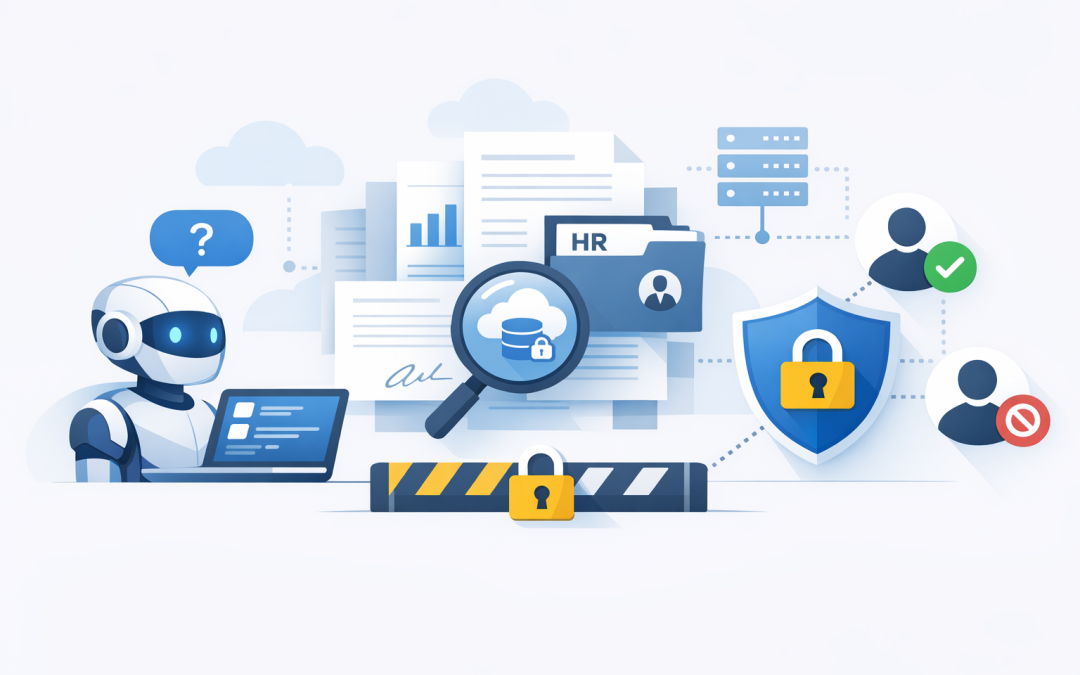
In this blog post Build Permission Aware Knowledge Bases With Foundry IQ and Azure AI we will explain how organisations can give staff a useful AI knowledge assistant without accidentally exposing payroll files, board papers, customer contracts, or other sensitive information.
Most businesses already have the raw material for a powerful AI assistant. It is sitting in SharePoint, Teams, OneDrive, intranet pages, policy folders, project documents, PDFs, and cloud storage. The problem is not whether the information exists. The problem is whether the right person can find the right answer quickly, without seeing something they should not see.
That is where Foundry IQ and Azure AI Search come in. At a high level, Foundry IQ is a managed knowledge layer in Microsoft Foundry that helps AI agents search across approved business content. Azure AI Search is the search engine underneath that indexes, ranks, and retrieves the most relevant information.
In plain English, this means your AI assistant can answer questions using your business documents, while still respecting access rules. If a finance manager can access a budget document, the assistant can use it for that person. If a frontline employee cannot access that same document, the assistant should not use it in their answer.
The real problem is not AI accuracy, it is AI access
Many AI pilots fail for a simple reason. They start with an impressive demo, but nobody has properly answered the security question.
Can the assistant see HR files? Can it summarise board reports? Can it answer questions from restricted customer contracts? Can it expose information from a project folder someone should not have access to?
For a CIO, CTO, or IT manager, this is where the risk becomes real. A chatbot that gives a slightly wrong answer is frustrating. A chatbot that leaks confidential information is a governance problem, a privacy problem, and potentially a reportable incident.
This is why permission-aware knowledge bases matter. They are designed so the AI does not simply search everything. It searches only what the user is allowed to access.
What Foundry IQ and Azure AI Search actually do
Foundry IQ helps create reusable knowledge bases for AI agents. A knowledge base is a controlled collection of business information that an AI assistant can use when answering questions.
Azure AI Search provides the indexing and retrieval layer behind that knowledge base. Indexing means turning your documents into searchable content. Retrieval means finding the most relevant pieces of information when someone asks a question.
There are a few important concepts worth understanding in plain English:
- Knowledge sources are the places your information comes from, such as SharePoint, Azure Blob Storage, OneLake, or existing search indexes.
- Indexing is the process of reading documents and preparing them so they can be searched quickly.
- Chunking means breaking long documents into smaller sections so the AI can find the exact paragraph or page that matters.
- Embeddings are mathematical summaries of text that help the system understand meaning, not just keywords.
- Agentic retrieval means the system can break a complex question into smaller searches, compare results, and return a more useful answer.
- Permission enforcement means results are filtered based on the user’s identity and access rights before the AI responds.
For decision-makers, the outcome is more important than the plumbing. Staff get faster answers from approved business knowledge. IT gets a more controlled architecture. The business reduces the risk of people relying on outdated documents, guesswork, or unsecured consumer AI tools.
Why this is different from a basic document chatbot
A basic document chatbot is usually built by uploading a folder of files and asking an AI model to answer questions from them. That can be fine for a small internal trial. It is not enough for an enterprise-grade knowledge assistant.
The moment you connect AI to real company data, you need to think about identity, permissions, auditability, data ownership, and ongoing maintenance. These are the same issues that already matter in Microsoft 365 and Azure. AI does not remove them. It makes them more important.
Foundry IQ is useful because it sits closer to the way organisations already manage Microsoft data. Instead of creating a disconnected AI island, it can be designed around Microsoft Entra ID, which is Microsoft’s identity platform, and existing access controls in Microsoft 365 and Azure.
We covered the broader application development side in Build AI applications With Azure AI Foundry. The next step is making those applications safer and more useful by connecting them to business knowledge in a controlled way.
A practical scenario
Imagine a 180-person professional services firm with offices in Melbourne, Sydney, and Brisbane. The business has grown quickly. Policies are in SharePoint, project notes are in Teams, signed agreements are stored in restricted folders, and delivery templates are scattered across multiple sites.
Staff regularly ask questions like:
- Which template should I use for this client engagement?
- What is our travel policy for interstate work?
- What are the support obligations in this customer contract?
- Has legal approved this clause before?
- What did we decide in the last project steering committee?
Without a proper knowledge base, people waste time hunting through folders or asking the same questions in Teams. Some use old versions of documents. Others paste information into public AI tools because they are under pressure to move quickly.
A permission-aware knowledge base changes that pattern. A consultant can ask the assistant for the latest approved delivery template and receive an answer grounded in the current document library. A finance user can ask about budget assumptions and receive answers from finance material. A consultant without finance access does not receive those budget details.
The business outcome is simple: less time wasted, fewer mistakes, and lower data leakage risk.
How the technology works behind the scenes
The architecture usually has five layers.
1. Identity
The user signs in with their work account. In Microsoft environments, this usually means Microsoft Entra ID. This is what allows the system to understand who is asking the question.
Identity is the starting point for trust. If the assistant does not know who the user is, it cannot reliably decide what that person should be allowed to see.
2. Knowledge sources
The organisation chooses which content sources should be available. This might include a SharePoint policy library, Azure storage account, project documentation repository, or curated knowledge set.
This step is where many projects need discipline. Do not connect everything on day one. Start with high-value, well-governed content such as policies, procedures, product information, service desk knowledge, or approved templates.
3. Indexing and enrichment
Azure AI Search reads the approved content and creates a search index. Think of this as a smart catalogue of your business documents.
The system can split documents into smaller sections, extract useful metadata, and prepare the content for keyword search and meaning-based search. Meaning-based search is helpful because people rarely ask questions using the exact wording in a document.
4. Retrieval
When a user asks a question, the system searches the knowledge base for relevant content. With agentic retrieval, the search process can be more sophisticated than a single keyword lookup.
For example, if someone asks, “What are our obligations if a customer terminates early?”, the system may need to search contract terms, support obligations, billing policies, and legal guidance. It can break the question into smaller parts, retrieve the best evidence, and help the AI form a grounded response.
5. Answer generation
The AI model then uses the retrieved content to produce a response. This is often called grounding. Grounding means the AI is answering from approved source material rather than making a best guess from general training data.
We explored this idea further in Boost Accuracy with Azure AI Groundedness. For business leaders, the key point is that grounded AI is easier to trust, test, and govern.
A simple example of the setup
The exact configuration will vary depending on your environment, but the logic often looks like this:
{
 "knowledgeBase": "company-policy-assistant",
 "sources": [
 {
 "type": "SharePoint",
 "site": "Corporate Policies",
 "permissionMode": "respectExistingUserAccess"
 },
 {
 "type": "AzureBlobStorage",
 "container": "approved-templates",
 "permissionMode": "managedAccess"
 }
 ],
 "retrieval": {
 "searchMode": "hybrid",
 "useSemanticRanking": true,
 "returnCitations": true
 },
 "security": {
 "identityProvider": "Microsoft Entra ID",
 "enforceUserPermissionsAtQueryTime": true
 }
}
This is not production code. It is a simplified view of the design pattern. The important point is that security is not something added at the end. It is part of the knowledge base design from the beginning.
Business benefits for Australian organisations
Faster answers without more support tickets
Internal teams often ask IT, HR, finance, or operations the same questions repeatedly. A well-designed knowledge assistant can answer common questions from approved documents and reduce interruptions.
For a 50 to 500 person organisation, even small time savings add up quickly. If 100 employees save 15 minutes a week, that is more than 2,000 hours a year returned to productive work.
Lower risk of sensitive data exposure
Permission-aware retrieval helps reduce the risk of AI exposing information to the wrong person. This is especially important for HR records, customer contracts, legal documents, financial reports, and board material.
It also supports better alignment with the Essential 8, the Australian government’s cybersecurity framework that many organisations use to improve resilience. While Essential 8 does not provide a specific AI checklist, the same principles apply: control access, patch weaknesses, protect privileged information, and reduce the chance of avoidable incidents.
Better use of Microsoft 365 investments
Many organisations already pay for Microsoft 365, SharePoint, Teams, Defender, and Azure services. The opportunity is to make that existing environment more useful rather than buying another disconnected AI platform.
As a Microsoft Partner, CloudProInc often sees businesses with good tools but poor information architecture. The AI project exposes the real issue: permissions are messy, document ownership is unclear, and nobody knows which version of a file is the source of truth.
A safer path from AI pilot to production
AI pilots are easy to start. Production AI is harder because it needs governance, monitoring, security, cost control, and support.
Foundry IQ and Azure AI Search help create a more repeatable pattern. You can start with one knowledge base, connect it to one assistant, test it with a defined user group, and then expand carefully.
This connects closely with the platform thinking we discussed in What Microsoft AI Foundry Means for Australian Organisations Designing Enterprise AI Platforms.
Common mistakes to avoid
Connecting too much data too early
The fastest way to create risk is to connect every document library and hope the AI sorts it out. It will not.
Start with a narrow use case. Choose content that is current, useful, and owned by a business team. Good first candidates include HR policies, IT support articles, product documentation, onboarding material, and standard operating procedures.
Ignoring permissions hygiene
If your SharePoint permissions are already messy, AI will expose the mess. Before building a knowledge assistant, review who has access to sensitive libraries and whether that access is still appropriate.
This is not glamorous work, but it is essential. A permission-aware AI system is only as good as the permissions underneath it.
Skipping human review
Even grounded AI needs review, especially in legal, financial, HR, safety, or customer-facing use cases. The assistant should help people work faster, not replace judgement in high-risk decisions.
A practical approach is to classify answers by risk. Low-risk answers can be automated. Medium-risk answers can include source links and disclaimers. High-risk answers should route users to the right team or process.
Forgetting cost management
AI search and model usage have running costs. These costs are manageable, but only if they are designed properly from the start.
Set usage limits, monitor query volumes, choose the right model for the job, and avoid indexing low-value content. Bigger is not always better. A smaller, cleaner knowledge base often performs better and costs less.
A practical implementation roadmap
- Pick one business problem. For example, reduce HR policy questions, improve service desk answers, or help project teams find approved templates.
- Identify trusted content. Choose documents that are current, approved, and owned by someone in the business.
- Review permissions. Confirm that access rules in SharePoint, Azure, or your document system match real business requirements.
- Create the knowledge base. Configure Foundry IQ and Azure AI Search to index the approved sources.
- Connect an AI agent. Use Microsoft Foundry to connect the knowledge base to an assistant or workflow.
- Test with real users. Include people with different permission levels to confirm they only receive answers they are allowed to see.
- Measure business value. Track time saved, ticket reduction, answer accuracy, user adoption, and risk reduction.
- Expand carefully. Add more content sources only after the first use case is stable and governed.
If your organisation is also exploring AI agents that can take action, not just answer questions, it is worth reading Designing Secure AI Agent Infrastructure on Azure. Permission-aware knowledge is one part of the bigger security picture.
Where CloudProInc helps
Building a permission-aware knowledge base is not just an AI task. It touches Microsoft 365, Azure, identity, security, compliance, information architecture, and user adoption.
CloudProInc brings 20+ years of enterprise IT experience across Azure, Microsoft 365, Intune, Windows 365, Microsoft Defender, Wiz, OpenAI, and Claude. As a Melbourne-based Microsoft Partner and Wiz Security Integrator, we focus on practical designs that business leaders can understand and IT teams can actually operate.
That usually means starting small, proving value, and building the governance model before expanding. It also means being honest when the first job is not AI at all, but cleaning up permissions, document ownership, or security controls.
Final thought
Foundry IQ and Azure AI Search can help turn scattered business information into a secure, searchable knowledge layer for AI. The value is not just better answers. It is faster work, lower risk, stronger governance, and better use of the Microsoft environment you may already own.
If you are not sure whether your organisation is ready for a permission-aware AI knowledge base, CloudProInc is happy to take a practical look at your current setup and identify the safest first step. No hard sell, just clear advice on what will reduce risk and deliver value.
Discover more from CPI Consulting
Subscribe to get the latest posts sent to your email.