
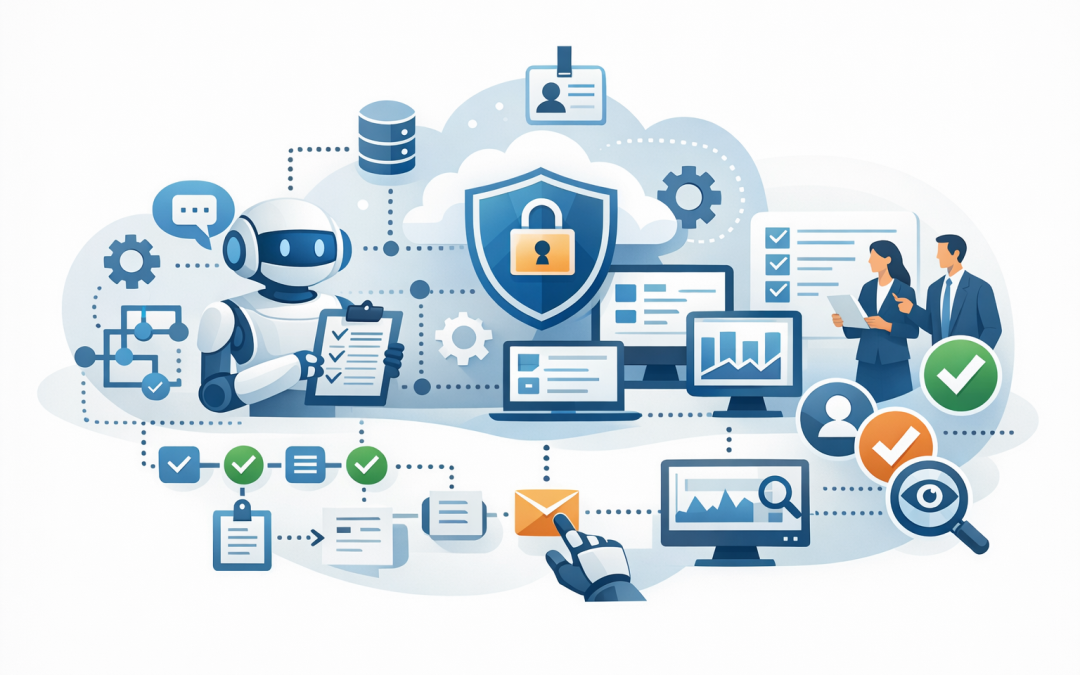
In this blog post Build Production AI Agents with Microsoft Agent Framework and .NET we will look at how to move AI agents from impressive demos into secure, useful business systems that people can trust.
Many organisations are now in the same awkward position. Someone has built a clever AI proof of concept, usually a chatbot that can answer a few questions or summarise documents, but nobody is quite sure how to put it in front of staff without creating security, cost, compliance, or support problems.
That gap between demo and production is where most AI projects slow down. The model can write a good answer, but the business still needs identity, permissions, monitoring, approval steps, data protection, cost controls, and a way to connect safely to real systems.
Microsoft Agent Framework helps solve that problem. At a high level, it is a Microsoft framework for building AI agents and multi-agent workflows in .NET and Python. An AI agent is more than a chatbot. It is software that can understand a request, decide what steps are needed, call approved tools, use business data, and return an answer or trigger an action.
For organisations already invested in Microsoft 365, Azure, Entra ID, Defender, Intune, and .NET applications, this matters. It means AI agents can be built into the same ecosystem your IT team already knows, rather than becoming another disconnected experiment that is hard to govern.
Why production AI agents are different from AI demos
A demo only needs to work once. A production AI agent needs to work safely every day, with different users, different permissions, changing data, and real business consequences.
For example, asking an AI assistant to summarise a policy document is low risk. Asking it to create a supplier payment request, update a customer record, or provision a new employee account is very different.
That is why production AI agents need clear boundaries. They need to know what they are allowed to do, when a human must approve an action, what data they can access, and how their decisions are logged.
This builds on ideas we covered in what Microsoft Agent Framework means for real-world AI delivery. The important shift is that Agent Framework is not just about making AI smarter. It is about making AI safer to operate inside a real business.
The technology in plain English
Microsoft Agent Framework gives developers a structured way to build agents using .NET, which is Microsoft’s long-standing software development platform used in many business applications. Instead of writing every AI interaction from scratch, developers can use standard building blocks for agents, tools, memory, workflows, hosting, and monitoring.
The main parts are:
- Agent: the AI-powered worker that receives a request, reasons through it, and responds.
- Model: the large language model, or LLM, which is the AI engine that understands and generates text. This may be Azure OpenAI, OpenAI, Anthropic Claude, or another supported provider.
- Tools: approved functions the agent can call, such as searching documents, creating a ticket, checking a customer record, or querying a database.
- Workflow: a controlled sequence of steps. This is useful when the business process must happen in a particular order.
- Memory and state: the information the agent keeps during a conversation or task, such as what has already been checked.
- Observability: monitoring that shows what the agent did, which tools it used, how long it took, and how much it cost.
In simple terms, Agent Framework gives your developers guardrails and plumbing. The AI still provides the reasoning, but the framework helps ensure it operates inside a controlled application rather than behaving like an unmanaged chatbot.
Start with the business workflow, not the agent
The best AI agent projects do not start with the question, “What can AI do?” They start with, “Where are people losing time, repeating work, or making avoidable mistakes?”
Good early candidates include service desk triage, customer enquiry routing, contract review support, internal policy search, onboarding checklists, compliance evidence collection, and sales proposal preparation.
These workflows usually have three things in common. They are repetitive, they require people to gather information from multiple places, and they are important enough that mistakes cost time or money.
A poor first use case is one where the agent has vague goals, broad system access, and no clear owner. That is how AI projects become expensive science experiments.
A practical production pattern in .NET
A production agent built with Microsoft Agent Framework and .NET usually follows a simple pattern.
- The user asks for help through a web app, Microsoft Teams interface, or internal portal.
- The .NET application authenticates the user using Microsoft Entra ID, which is Microsoft’s identity and access system.
- The agent receives the request with clear instructions and only the permissions that user should have.
- The agent calls approved tools, such as a ticketing system, document search, CRM, or HR platform.
- If the action is sensitive, the workflow pauses for human approval.
- The result, cost, and activity are logged for support, audit, and improvement.
A very simple .NET agent can look like this at the application level:
using Azure.AI.Projects;
using Azure.Identity;
using Microsoft.Agents.AI;

var endpoint = Environment.GetEnvironmentVariable("FOUNDRY_PROJECT_ENDPOINT")!;
var model = Environment.GetEnvironmentVariable("AI_MODEL_NAME")!;

var agent = new AIProjectClient(
 new Uri(endpoint),
 new DefaultAzureCredential())
 .AsAIAgent(
 model: model,
 name: "ServiceDeskTriageAgent",
 instructions: "You help triage internal IT requests. Ask for missing details. Do not create tickets without user confirmation.");

var response = await agent.RunAsync(
 "A new starter begins Monday and needs a laptop, Microsoft 365 access, and security groups.");

Console.WriteLine(response);
This is not the full production system, of course. The real value comes when the agent is connected to approved tools, identity controls, monitoring, and workflow rules.
Where tools create the business value
An agent without tools is mostly a conversation. An agent with well-designed tools can complete useful work.
For example, a service desk agent might have tools to:
- Search internal knowledge base articles.
- Check whether the user already has a ticket open.
- Create a draft ticket with the right category and priority.
- Suggest the correct Microsoft 365 licence.
- Escalate the request if it involves privileged access.
The key phrase is “well-designed tools”. You do not want an AI agent with unrestricted access to every system. You want small, specific, permission-controlled actions that are easy to monitor.
This is also where security design becomes critical. We explored this in more depth in designing secure AI agent infrastructure on Azure, but the short version is simple: treat every agent like a business application with an identity, permissions, logs, and a risk profile.
Agents versus workflows
One of the most useful parts of Microsoft Agent Framework is that it supports both agents and workflows.
Use an agent when the task is open-ended. For example, “Help me understand why this customer complaint is urgent” or “Summarise these documents and suggest next steps.”
Use a workflow when the process needs control. For example, “Review this supplier onboarding request, check required documents, run a risk check, ask finance for approval, then create the vendor record.”
This distinction matters for CIOs and CTOs because it affects risk. The more sensitive the action, the more you should favour explicit workflows, approvals, and audit trails over autonomous decision-making.
A real-world scenario
Consider a 180-person professional services firm with a small internal IT team. They receive around 600 service requests a month across access requests, device issues, software installs, onboarding, and “how do I” questions.
If an AI agent saves just 10 minutes per request by collecting the right details, suggesting the right knowledge article, and drafting the ticket correctly, that is about 100 hours a month returned to the team.
The bigger win is not only labour savings. Staff get faster answers, urgent requests are escalated sooner, and the IT team spends less time chasing missing information.
For an Australian business working toward Essential 8, the Australian government’s cyber security framework that many organisations use to reduce common attack risks, the same agent could also help collect evidence. For example, it could help identify missing patching reports, endpoint protection gaps, or unmanaged devices, while still leaving final decisions to IT.
What production readiness should include
Before putting an AI agent in front of staff or customers, tech leaders should ask six practical questions.
- Who can use it? Access should be tied to business roles, not shared accounts.
- What data can it see? The agent should only access information the user is allowed to access.
- What actions can it take? High-risk actions should require approval.
- How is it monitored? You should be able to see tool calls, errors, latency, and token usage.
- How are costs controlled? Set limits, track consumption, and avoid sending unnecessary data to the model.
- How is it tested? Agents need scenario testing, security testing, and ongoing review as prompts, tools, and data change.
This is where CloudProInc’s Microsoft and security background becomes valuable. As a Microsoft Partner and Wiz Security Integrator, we look at the whole environment: Azure, Microsoft 365, Intune, Defender, identity, data protection, and cloud security posture. The agent is only one part of the system.
How this fits with A2A, MCP, and agent memory
As agent projects mature, businesses often need agents to work with other agents or external tools. Agent-to-Agent, often shortened to A2A, is a way for agents to communicate across systems in a more standard way. Model Context Protocol, or MCP, is a common pattern for connecting AI systems to tools and data sources.
If those concepts are already on your roadmap, our post on building interoperable AI agents with A2A and Agent Framework goes deeper into that architecture.
Memory is another important piece. A useful agent should not force users to repeat the same context every time. But memory must be designed carefully so it does not store sensitive information unnecessarily. We covered that in how Microsoft Foundry Agent Memory makes AI agents more useful.
What leaders should do next
If you are a CIO, CTO, or IT manager, you do not need to start by choosing every technical component. Start by choosing one workflow where better triage, faster information gathering, or safer automation would create a measurable outcome.
Then ask your team to design the agent like a production application from day one. That means identity, least-privilege access, logging, approvals, cost controls, testing, and a clear owner.
Microsoft Agent Framework and .NET make this practical for organisations already using the Microsoft stack. They give your developers a familiar foundation, while Azure, Microsoft 365, Defender, Intune, OpenAI, Claude, and Wiz can provide the surrounding controls needed for real-world use.
CloudProInc is based in Melbourne and works with clients across Australia and internationally on practical cloud, AI, and cyber security projects. If you are unsure whether your AI idea is ready for production, or whether your current proof of concept is creating hidden risk, we are happy to take a look and give you a straight answer — no strings attached.
Discover more from CPI Consulting
Subscribe to get the latest posts sent to your email.