
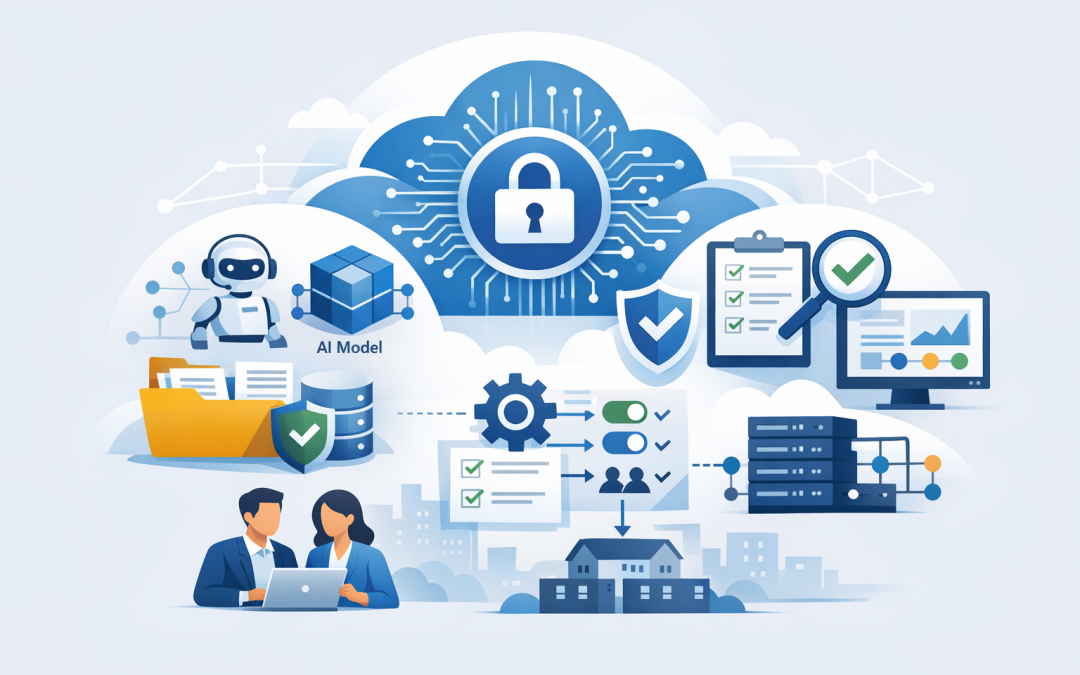
In this blog post How Azure AI Foundry Helps SMBs Build Practical AI Solutions we will look at how small and mid-sized businesses can use AI without turning it into an expensive science project.


Many organisations are stuck in the same place. Staff are using ChatGPT, Copilot, or Claude informally. A few teams have run promising trials. Someone has built a clever demo. But when leadership asks, “Can we use this safely with our data and customers?”, the answer gets messy.
That is where Azure AI Foundry helps. It gives businesses a structured way to build AI applications and agents inside the Microsoft cloud, with controls around models, data, security, testing, and cost. In plain English, it is a workshop for building useful AI tools without starting from scratch every time.
For SMBs, that matters because the goal is not to “do AI”. The goal is to reduce manual work, improve service, make better decisions, and protect the business while doing it.
What Azure AI Foundry actually does
Azure AI Foundry, now commonly referred to across Microsoft as Microsoft Foundry, is a platform for building AI apps and AI agents. An AI app might summarise documents, answer staff questions, classify support tickets, or draft customer responses. An AI agent goes one step further by using tools, following steps, and taking action across systems under defined rules.
Think of it like a controlled environment where your team can choose an AI model, connect it to approved business information, test how it behaves, and then deploy it securely.
The important point is control. Instead of staff copying company information into random tools, Azure AI Foundry allows a business to build AI experiences that respect identity, permissions, logging, data boundaries, and governance.
At CloudProInc, we see this as the difference between “AI experimentation” and “AI operations”. Experimentation proves an idea can work. Operations prove it can work safely, repeatedly, and at a cost the business understands.
The technology behind Azure AI Foundry in plain English
Azure AI Foundry brings together several parts of the AI stack.
- Models are the AI engines, such as GPT models, Claude models, Microsoft models, and other specialist options. Different models suit different jobs.
- Agents are AI assistants that can follow instructions, use tools, retrieve information, and complete multi-step tasks.
- Grounding means connecting the AI to trusted business information, such as policies, procedures, product documents, customer records, or knowledge bases.
- Evaluation means testing whether the AI gives useful, accurate, safe answers before staff or customers rely on it.
- Governance means setting rules around who can build, approve, deploy, monitor, and change AI systems.
A simple AI solution might look like this:
Employee question
 ↓
AI agent checks permissions
 ↓
Agent searches approved company documents
 ↓
AI model drafts an answer
 ↓
Safety and quality checks run
 ↓
Employee receives a response with useful context
This is very different from a public chatbot. The AI is not just guessing from the internet. It is working from approved business information, inside a controlled Microsoft environment, with monitoring and access rules.
Why SMBs should care now
AI is no longer only for large enterprises with big data science teams. The tools have become practical enough for 50 to 500 person businesses, especially those already using Microsoft 365, Azure, SharePoint, Teams, and Defender.
The risk is that many SMBs approach AI in one of two unhelpful ways. They either avoid it completely because it feels risky, or they allow uncontrolled use because “everyone is already doing it anyway”.
Neither path is ideal. Avoiding AI may leave your business slower than competitors. Uncontrolled AI use may expose confidential information, create poor customer outcomes, or introduce compliance issues.
Azure AI Foundry gives tech leaders a middle path. Start with a clear use case. Use approved data. Test the outputs. Monitor usage. Scale only when the business case is proven.
Practical AI use cases for SMBs
The best AI projects are usually not glamorous. They remove annoying, repetitive work that eats time every week.
1. Internal knowledge assistant
Most businesses have information scattered across SharePoint, Teams, PDFs, emails, and old file shares. Staff waste time asking the same questions or searching for the latest version of a document.
An Azure AI Foundry solution can answer questions from approved internal content. For example, “What is our leave policy?”, “How do I onboard a new supplier?”, or “Which form do I use for a customer refund?”
The business outcome is simple. Less time searching. Fewer interruptions. Faster onboarding for new staff.
2. Customer service triage
Support teams often spend too much time reading, categorising, and routing incoming requests. AI can classify tickets, detect urgency, suggest responses, and highlight missing information.
For a 100-person business, even saving 10 minutes per ticket across hundreds of monthly requests can become a meaningful productivity gain.
The key is not to let AI blindly reply to customers on day one. Start with “draft and recommend”, where a person reviews the response. Once confidence grows, selected low-risk responses can be automated.
3. Document review and summarisation
Many Australian SMBs handle contracts, tenders, policies, reports, invoices, or compliance documents. AI can summarise long documents, extract key dates, identify obligations, and compare versions.
This does not replace legal, finance, or compliance judgement. It reduces the time spent finding the important parts so specialists can focus on decisions.
4. Security and compliance support
Essential 8, the Australian government’s cybersecurity framework that many organisations are now required or expected to follow, can be difficult to manage if evidence is scattered across systems.
AI can help IT and leadership teams summarise security posture, prepare internal reporting, review policy gaps, and turn technical security alerts into plain-English actions.
For example, Microsoft Defender can identify risks across devices, identity, and email. Wiz can show cloud security exposure across Azure environments. AI can help turn those findings into prioritised business actions, such as “these five risks affect customer data” or “these three issues block Essential 8 maturity progress”.
A real-world scenario
Imagine a 180-person professional services firm in Melbourne. The leadership team wants AI, but IT is already stretched managing Microsoft 365, endpoint security, compliance reporting, and cloud infrastructure.
Staff are asking HR, finance, and operations the same questions every week. The company has policies in SharePoint, procedures in PDFs, and project templates across multiple Teams channels.
A practical first Azure AI Foundry project could be an internal operations assistant. It would only use approved company documents, respect Microsoft 365 permissions, and answer questions in plain English. If the answer is uncertain, it would say so and point the user to the source document or team owner.
The first version might focus on HR and operations only. Once usage data shows which questions are common, the business can improve documents, expand to finance, and later add workflow actions such as creating a draft request or opening a service ticket.
This is the right shape for an SMB AI project. Small enough to deliver. Useful enough to measure. Controlled enough to trust.
What most SMBs get wrong about AI projects
The biggest mistake is starting with the model instead of the business problem.
It is tempting to ask, “Should we use GPT or Claude?” That question matters, but it is not the first question. A better starting point is, “Which process is slow, expensive, risky, or frustrating today?”
Once the business problem is clear, model choice becomes easier. Some models are better for reasoning. Some are better for speed and cost. Some handle long documents well. Some are suitable for coding or agent workflows. Azure AI Foundry gives teams a way to compare and use different models inside one governed environment.
Another mistake is skipping evaluation. AI systems can sound confident even when they are wrong. Foundry’s evaluation features help test outputs for quality, safety, relevance, and behaviour before a solution is released widely.
For decision-makers, this is not a technical detail. It is risk management.
How to start without wasting money
CloudProInc usually recommends a staged approach for SMBs.
- Pick one painful process. Choose something measurable, such as support triage, policy search, report drafting, or document review.
- Confirm the data is ready. AI performs poorly when source documents are outdated, duplicated, or poorly owned.
- Define acceptable risk. Decide whether AI can answer directly, draft for human review, or only summarise information.
- Build a controlled pilot. Use a small user group, approved data, and clear success measures.
- Measure value. Track time saved, errors reduced, tickets resolved, or compliance effort avoided.
- Secure before scaling. Review identity, permissions, logging, data protection, and threat monitoring before expanding use.
This approach is especially important for Australian organisations working through Essential 8, privacy obligations, supplier requirements, or cyber insurance questionnaires.
Where Azure AI Foundry fits with your Microsoft environment
If your business already runs on Microsoft 365 and Azure, Azure AI Foundry can fit naturally into your existing environment.
Microsoft Intune, which manages and secures company devices, helps ensure staff access AI tools from compliant laptops and phones. Microsoft Defender helps detect threats across identity, email, devices, and cloud services. Azure provides the cloud foundation. Microsoft 365 holds much of the business knowledge staff already use every day.
For cloud security, Wiz adds another layer by giving visibility into risks across cloud environments. As a Microsoft Partner and Wiz Security Integrator, CloudProInc often looks at AI through both lenses: can it improve productivity, and can it be operated safely?
If you want a deeper technical walkthrough, our earlier post Build AI applications With Azure AI Foundry covers the development side in more detail. We have also explored how Foundry supports larger enterprise AI platforms in What Microsoft AI Foundry Means for Australian Organisations Designing Enterprise AI Platforms.
The business case in one sentence
Azure AI Foundry helps SMBs turn AI from an uncontrolled experiment into a practical business capability.
That means fewer manual tasks, faster access to information, better customer service, stronger compliance reporting, and less risk from staff using unapproved AI tools.
The winners will not be the companies that run the flashiest demo. They will be the companies that pick sensible use cases, connect AI to trusted data, test it properly, and make it safe enough for everyday work.
Final thoughts
AI does not need to be overwhelming. For most SMBs, the best first step is not building a complex agent that touches every system. It is choosing one business problem and proving that AI can save time, reduce risk, or improve service in a controlled way.
CloudProInc is based in Melbourne and works with organisations across Australia and internationally. With 20+ years of enterprise IT experience across Azure, Microsoft 365, Intune, Windows 365, OpenAI, Claude, Microsoft Defender, Wiz, and Essential 8-aligned security, we help businesses make AI practical rather than theoretical.
If you are not sure where Azure AI Foundry fits in your business, or whether your current AI approach is creating more risk than value, we are happy to take a look and give you a practical view of what to do next.