
In this blog post Building Production AI Agents With Claude API and Agent SDKs we will look at how to move from impressive AI demos to useful, governed AI agents that can safely do real work in your business.
Most leadership teams are now past the “can AI answer a question?” stage. The harder question is whether AI can complete a workflow without creating new risk, surprise costs, or another tool your IT team has to babysit.
That is where production AI agents come in. An AI agent is a software worker that can understand a task, decide what steps are needed, use approved business tools, and return a result. In plain English, it is the difference between asking AI for advice and giving AI a controlled job to do.
The Claude API is the doorway that lets your applications talk to Anthropic’s Claude models. The Claude Agent SDK is a developer toolkit that packages the agent “loop” — the repeated cycle of plan, act, check, and continue — so your developers do not need to build that plumbing from scratch.
Why this matters for business leaders
A chatbot can answer “What is our leave policy?” An agent can read the leave policy, check the employee’s balance in the HR system, draft the manager approval message, and create a ticket for payroll — if you allow it to.
That “if you allow it to” is the important part.
Production AI agents are not just a coding exercise. They are a governance, security, cost, and operating model decision. If you get the foundation wrong, you may end up with an agent that has too much access, no audit trail, unclear ownership, and a monthly bill nobody expected.
At CloudProInc, we see this pattern often with mid-sized organisations. The first AI pilot looks exciting, but the move to production exposes questions that were never answered: What data can the agent see? What systems can it change? Who approves high-risk actions? How do we prove what happened later?
Claude API versus Claude Agent SDK in plain English
The Claude API is best when you want precise control. Your application sends Claude a request, Claude responds, and your application decides what happens next. If Claude needs to use a tool, such as searching a knowledge base or checking an order status, your software can control that step.
The Claude Agent SDK is useful when the workflow needs multiple steps. It gives developers a ready-made way to run an autonomous agent that can read files, search, call tools, run commands, and continue working until the task is complete.
Think of the API as hiring a very smart analyst who answers each question you ask. Think of the Agent SDK as giving that analyst a controlled workspace, a checklist, and a limited set of approved tools to complete a job.
This is closely related to our earlier article on Claude Managed Agents and enterprise governance. Managed agents raise the broader question of where the agent runs and who controls the environment. The Agent SDK raises the practical question of how your developers build and operate agents safely inside your own systems.
Start with the workflow, not the model
The most common mistake is asking, “Which AI model should we use?” before asking, “Which business process is worth automating?”
A good first production agent should have three qualities:
- High volume: the task happens often enough that automation saves real time.
- Clear rules: the agent can follow a policy, checklist, or standard operating procedure.
- Low initial risk: the first version can recommend or draft rather than directly approve, delete, pay, or publish.
Examples include triaging support requests, summarising security alerts, reviewing policy documents, preparing project status updates, checking invoices against purchase orders, or generating first-draft responses to customer enquiries.
The business outcome should be measurable. For example: reduce average ticket triage time from 20 minutes to 5 minutes, cut manual policy checks by 60%, or reduce missed security follow-ups by creating consistent summaries and next actions.
A sensible production architecture
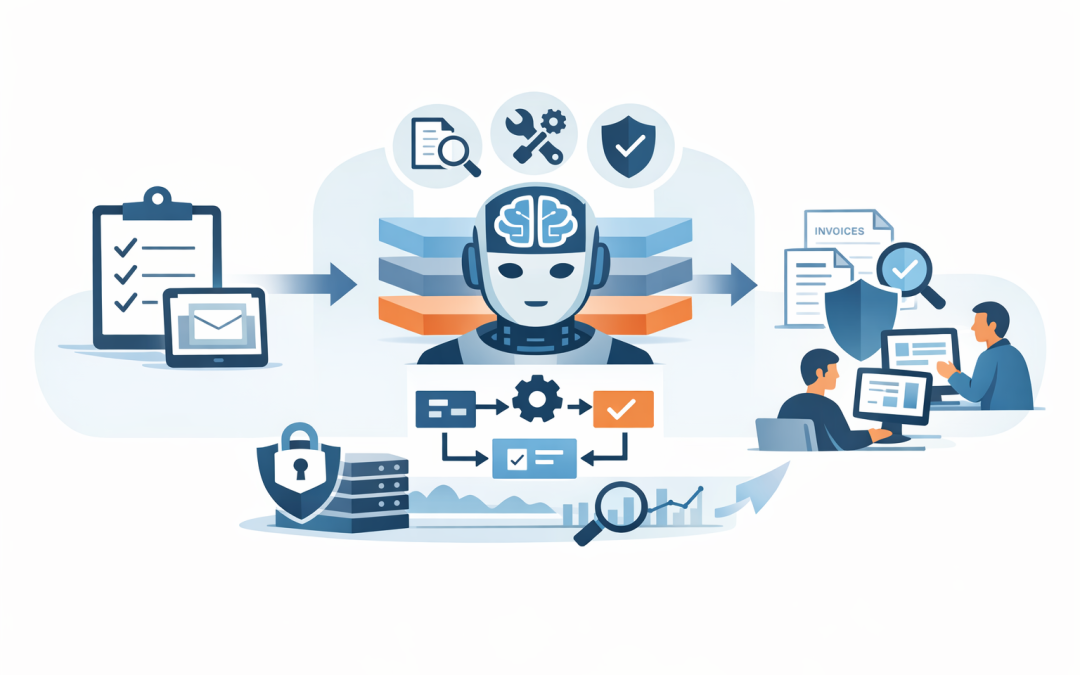
For a non-technical leader, the architecture does not need to be complicated. A safe Claude agent setup usually has five layers.
1. The user request
This is where the work starts. It might be a Teams message, a ServiceNow ticket, a web form, an email, or an internal portal request.
The key is to capture the task clearly. Vague requests lead to vague outcomes. Strong agents work best when the task has a defined goal, boundaries, and success criteria.
2. The agent brain
This is Claude, accessed through the Claude API or the Claude Agent SDK. Claude interprets the request, plans the steps, and decides whether it needs to use a tool.
The system instructions matter. They tell the agent what it is allowed to do, what it must never do, when to ask a human, and how to format the final answer.
3. Approved tools
Tools are the business systems the agent can use. That may include Microsoft 365, SharePoint, Azure DevOps, GitHub, a CRM, a finance platform, or a document repository.
This is where Model Context Protocol, or MCP, becomes useful. MCP is a standard way to connect AI agents to tools and data sources, so every integration does not have to be built from scratch.
4. Security controls
Security controls decide what the agent can access and what actions need approval. This includes least privilege access, which means the agent only gets the minimum permissions needed for its job.
For Australian organisations, these controls should align with Essential 8, the Australian government’s cybersecurity framework that many organisations now use as a baseline for reducing cyber risk. Agents should not become a shortcut around identity controls, patching, logging, device management, or application control.
5. Monitoring and cost controls
Every production agent needs logs, alerts, usage limits, and reporting. Leaders should be able to see what the agent did, what it cost, where it failed, and whether it actually improved the business process.
This is especially important because agent workloads can run many steps in the background. We covered this risk in more detail in Anthropic’s Agent SDK billing change and AI cost governance.
A simple developer example
The code below is deliberately simple. It shows the general idea: create an agent, give it a task, and restrict the tools it can use.
import { query } from "@anthropic-ai/claude-agent-sdk";

const prompt = `
Review the policy files in ./policies and the request files in ./requests.
Find any purchase requests that appear to breach policy.
Return a summary only. Do not edit files or approve anything.
`;

for await (const message of query({
 prompt,
 options: {
 allowedTools: ["Read", "Glob", "Grep"],
 systemPrompt: `
You are a procurement review assistant.
You may read and search files, but you must not change, delete, approve, or submit anything.
If a decision requires judgement, flag it for human review.
`
 }
})) {
 console.log(message);
}
In business terms, this agent is allowed to read and search documents, but not change them. That is a sensible first step because it reduces manual review time without handing over approval authority.
A later version might draft an approval note in Microsoft Teams, create a task in Planner, or update a record in a finance system. But those actions should only be added after the organisation has agreed on permissions, approvals, and audit requirements.
Where Claude fits with Microsoft environments
Many Australian businesses already run on Microsoft 365, Azure, Entra ID, Intune, and Defender. That matters because the safest AI agent is usually the one that fits into your existing identity, security, and compliance model.
Microsoft Intune, which manages and secures company devices, can help ensure agents are only accessed from compliant devices. Microsoft Defender, which monitors threats across users, devices, email, and cloud workloads, can help detect suspicious behaviour. Azure can provide the hosting, networking, logging, and access controls around the agent.
For Azure-first organisations, our article on Claude on Azure and safer enterprise AI agents explains why infrastructure choice matters. If your team is building in .NET, it is also worth comparing this approach with Microsoft Agent Framework and .NET.
Security questions every CIO should ask
Before any Claude agent goes live, ask these questions:
- What business process does this agent own, and who is accountable for it?
- What data can it read, and does that include personal or sensitive information?
- What systems can it change?
- Which actions require human approval?
- How are prompts, outputs, tool calls, and errors logged?
- How do we stop the agent if it behaves unexpectedly?
- What is the monthly cost limit?
- How does this align with Essential 8 and Australian privacy obligations?
If your current IT provider cannot answer these plainly, the project is not ready for production.
Real-world scenario
Imagine a 180-person professional services company where operations staff spend hours each week checking purchase requests against internal policy. The work is repetitive, but errors are expensive because non-compliant purchases create budget surprises and audit issues.
A practical first agent could read purchase request documents, compare them with policy, flag missing approvals, and draft a summary for the finance manager. It would not approve the purchase. It would not update the finance system. It would simply remove the first layer of manual checking.
The outcome is not “AI innovation” for its own sake. The outcome is faster approvals, fewer missed policy breaches, better audit evidence, and less time wasted on low-value document review.
How to get started without creating a mess
- Pick one workflow. Start with a process that is painful, frequent, and well understood.
- Define the risk boundary. Decide what the agent can read, draft, recommend, or change.
- Build a read-only pilot. Prove value before giving the agent write access.
- Add approvals. Put humans in the loop for anything involving money, customer commitments, security changes, or personal data.
- Measure the result. Track time saved, quality improved, errors reduced, and monthly AI spend.
This is where a practical partner matters. CloudProInc is a Melbourne-based Microsoft Partner and Wiz Security Integrator with more than 20 years of enterprise IT experience across Azure, Microsoft 365, Intune, Windows 365, Defender, Wiz, OpenAI, and Claude. Our role is usually to help leaders turn AI ambition into a controlled operating model that IT, security, and the business can all live with.
The bottom line
Claude API and the Claude Agent SDK make it much easier to build agents that can do real work. But production agents need more than clever prompts. They need clear business ownership, limited permissions, audit trails, cost controls, and security architecture from day one.
If you are exploring Claude agents and you are not sure whether your first use case is safe, cost-effective, or production-ready, we are happy to take a look. No hard sell — just a practical conversation about what should be automated, what should stay human, and how to build it properly.
Discover more from CPI Consulting
Subscribe to get the latest posts sent to your email.