
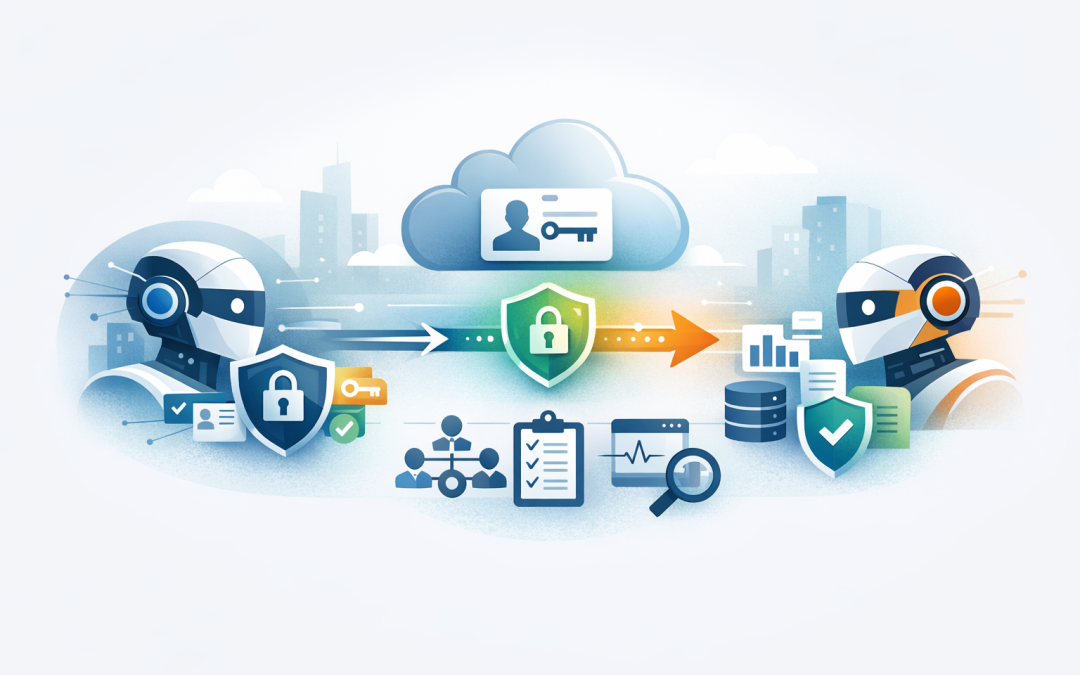
In this blog post Implementing Secure A2A Auth in Microsoft Foundry Agent Service we will explain how to let Microsoft Foundry agents talk to other agents safely, without turning your AI project into another unmanaged security risk.
Most organisations are now past the “can AI answer a question?” stage. The bigger question is whether an AI agent can safely do useful work across sales, finance, service desk, HR, security and operations systems.
That is where A2A authentication matters. A2A stands for Agent-to-Agent. In plain English, it is a standard way for one AI agent to ask another AI agent to do something, while keeping identity, permissions and audit trails under control.
Microsoft Foundry Agent Service is Microsoft’s platform for building, running and managing AI agents. When you combine it with Microsoft Entra ID, which is Microsoft’s identity and access control platform, you can give each agent a proper digital identity instead of relying on shared passwords, copied API keys or hidden secrets in code.
Why this matters to business leaders
The risk with agent-to-agent communication is not that agents talk to each other. The risk is that they talk to each other without anyone being clear on who is allowed to do what.
Imagine a customer service agent asking a finance agent to check an overdue invoice. That sounds useful. But should the customer service agent be able to see full credit history, bank account details or internal write-off notes?
Now imagine the same setup at scale across dozens of agents. Without proper authentication, you can quickly end up with AI agents that have too much access, unclear ownership and poor auditability.
For Australian organisations working towards Essential 8, the Australian Government’s cybersecurity framework that many boards and insurers now expect businesses to follow, this is not a small issue. Identity control, least privilege access and logging are all part of running AI responsibly.
The technology behind A2A authentication in simple terms
A2A, or Agent-to-Agent, gives agents a common language. Instead of every AI tool needing a custom integration, an agent can expose an A2A endpoint, which is a secure web address other agents can call.
That endpoint usually publishes an agent card. Think of the agent card as a business card for the agent. It describes what the agent can do, how it can be contacted and what protocol version it supports.
Authentication is the gatekeeper. It answers a simple question before the work starts: “Who is calling, and are they allowed to do this?”
In Microsoft Foundry Agent Service, the strongest pattern is to use Microsoft Entra ID rather than long-lived API keys. Entra ID can issue short-lived access tokens, apply access rules, support managed identities and produce logs that security teams can review later.
A managed identity is a secure identity automatically managed by Microsoft Azure. It lets your agent prove who it is without storing a password or secret in your application.
Where this fits with your existing AI agent architecture
If you have read our earlier guide on connecting Microsoft Foundry agents to external A2A endpoints, this article goes one layer deeper. We are focusing on the authentication design that decides whether the connection is safe enough for real business use.
It also builds on our post about securing A2A agent communication using Microsoft Entra ID. That article explains the “why”. This one explains the practical implementation pattern.
If your agents are also connecting into CRMs, ERPs, service desks or document platforms, the same thinking applies to MCP and OpenAPI connections. We covered that broader integration pattern in connecting Foundry agents to business systems with MCP and OpenAPI.
The three authentication decisions you need to make first
Before anyone writes code, your leadership and technical teams should agree on three decisions.
1. Is the agent acting as itself or as the user?
There are two common models.
- Shared agent identity: every user triggers the same agent identity. This works when the agent should provide the same answer or action for everyone.
- Individual user context: the agent acts with the permissions of the signed-in user. This is needed when access must reflect each person’s role.
For example, an internal policy agent can often use a shared identity because everyone can read the same policy library. A finance approvals agent should usually use individual user context because a team leader and CFO should not see or approve the same things.
2. Are API keys acceptable or should you use Entra ID?
API keys are simple. They are also easy to copy, hard to trace to a specific person and often forgotten until they become a security incident.
For prototypes, an API key may be fine. For production, Microsoft Entra ID is usually the better choice because it supports identity-based control, role-based access and better logging.
Role-based access control, often called RBAC, simply means assigning permissions based on a role. For example, your invoice-checking agent may be allowed to read invoice status but not change supplier bank details.
3. Who owns the agent identity lifecycle?
AI agents should be treated like employees, service accounts or privileged applications. They need owners, access reviews, logging and a retirement process.
This is where many organisations get into trouble. They build a useful proof of concept, connect it to real systems and never come back to clean up access.
A practical implementation pattern
A safe A2A authentication design in Microsoft Foundry Agent Service usually follows this pattern.
- Create or identify the Foundry agent that will call another agent.
- Confirm the remote A2A endpoint supports the authentication method you want to use.
- Use Microsoft Entra ID where possible for production workloads.
- Assign only the minimum permissions the calling agent needs.
- Store secrets in a managed connection or secure vault if a key is unavoidable.
- Test the connection with a low-risk task first.
- Turn on logging and monitor unusual calls, failures and permission errors.
The business outcome is simple: your agents can collaborate without giving every agent broad access to everything.
Example architecture for a secure A2A call
Let’s use a common scenario.
A 180-person professional services firm wants a Microsoft Foundry agent to help project managers ask questions like, “Which client projects are at risk this month?” The main project agent needs to call a finance agent for billing status and a resource planning agent for staff availability.
The wrong approach would be to give the project agent a single high-privilege key that can read everything in finance and HR.
The better approach is to give each agent its own identity in Microsoft Entra ID. The project agent can call the finance agent through A2A, but the finance agent only returns approved billing signals such as “invoice overdue”, “within terms” or “requires finance review”. It does not expose bank details, payroll data or unrelated client records.
That design gives leaders the insight they need while reducing the amount of sensitive data moving between systems.
Sample configuration flow
The exact code will vary depending on whether you are using Python, C#, REST APIs or the Foundry portal. The principle is the same: create the A2A connection, attach authentication and ensure the calling agent has permission.
Here is a simplified example of what the process can look like using a REST-style approach. This is not intended to be copied directly into production. It shows the moving parts your team should expect.
# 1. Get an access token for Microsoft Foundry
TOKEN=$(az account get-access-token \
 --resource https://ai.azure.com \
 --query accessToken -o tsv)

# 2. Define your Foundry project endpoint
BASE_URL="https://YOUR-FOUNDRY-ACCOUNT.services.ai.azure.com/api/projects/YOUR-PROJECT"

# 3. Create or update an A2A connection with Entra-based authentication
curl -X POST "$BASE_URL/connections" \
 -H "Authorization: Bearer $TOKEN" \
 -H "Content-Type: application/json" \
 -d '{
 "name": "finance-agent-a2a",
 "type": "a2a",
 "endpoint": "https://finance-agent.example.internal/a2a",
 "authentication": {
 "type": "MicrosoftEntraID",
 "audience": "api://finance-agent"
 }
 }'
The important part is not the syntax. The important part is that the agent is not relying on a hard-coded password. It is asking Entra ID for a short-lived token that proves the agent’s identity to the receiving endpoint.
What the receiving A2A agent should validate
Authentication is not complete just because a token exists. The receiving agent needs to validate that token properly.
At a minimum, it should check:
- Issuer: did the token come from the trusted Microsoft Entra tenant?
- Audience: was the token meant for this agent endpoint?
- Caller identity: which agent or application is calling?
- Permissions: is this caller allowed to perform the requested task?
- Expiry: is the token still valid?
In business terms, this is the difference between “someone has a pass” and “this specific person has the right pass for this room, today”.
Common mistakes we see
Using one powerful identity for every agent
This feels convenient at first. It becomes painful when you need to investigate an incident, prove compliance or remove one agent’s access without breaking everything else.
Leaving prototype keys in production
Proofs of concept often move faster than governance. If an API key was used to test an A2A endpoint, make sure it is replaced or tightly controlled before real business data is involved.
Not separating read and write access
An agent that can read invoice status does not automatically need to create credit notes. Start with read-only access wherever possible, then add write permissions only when there is a clear business case.
Forgetting monitoring
A secure design still needs visibility. Monitor which agents are calling which endpoints, how often calls fail and whether any agent is attempting actions outside its normal pattern.
How this supports Essential 8 and governance
Essential 8 is not an AI framework, but its principles are highly relevant. The Australian Cyber Security Centre expects organisations to control privileged access, reduce unnecessary permissions and maintain good operational discipline.
A2A authentication helps by making agent access visible and controllable. Instead of anonymous automation, you get identifiable agents, defined permissions and logs that can support security reviews.
This is also useful for privacy and board reporting. If an AI agent touches customer, employee or financial data, leaders need confidence that access is intentional, limited and reviewable.
Where CloudProInc helps
CloudProInc is a Melbourne-based Microsoft Partner and Wiz Security Integrator with more than 20 years of enterprise IT experience. We work with Australian and international organisations that want AI to improve productivity without weakening security.
In practical terms, that means helping teams design the agent identity model, configure Microsoft Foundry Agent Service, apply Microsoft Entra ID authentication, review Azure and Microsoft 365 permissions, and monitor the environment with tools such as Microsoft Defender and Wiz.
We are not interested in building impressive demos that cannot survive security review. The goal is to help you build agents that are useful, secure and manageable.
A simple checklist before you go live
- Have you documented which agents can call which A2A endpoints?
- Does each production agent have its own identity?
- Are you using Microsoft Entra ID instead of static keys wherever possible?
- Have you assigned the minimum permissions required?
- Are read and write permissions separated?
- Can you trace agent activity in logs?
- Is there an owner responsible for each agent?
- Do you have a process to remove access when an agent is retired?
Final thought
A2A authentication in Microsoft Foundry Agent Service is not just a technical setting. It is the control layer that decides whether your AI agents can safely become part of everyday operations.
Done well, it reduces manual work, improves response times and gives leaders confidence that AI is operating inside clear boundaries. Done poorly, it creates another hidden access path into your business systems.
If you are planning to connect Microsoft Foundry agents to other agents or business systems, CloudProInc can help review the design before it becomes difficult to unwind. If you are not sure whether your current AI setup is secure enough for production, we are happy to take a look — no strings attached.
Discover more from CPI Consulting
Subscribe to get the latest posts sent to your email.