
In this blog post Connecting Claude to Business Data and Services with MCP we will look at how business leaders can give Claude access to the right company information and services without opening the door to uncontrolled risk.
Most companies are now past the “can AI write a decent email?” stage. The real frustration is simpler: your people still have to copy information from Microsoft 365, CRM systems, finance tools, ticketing platforms and spreadsheets into an AI chat window before anything useful happens.
That creates two problems. First, it wastes time. Second, it tempts staff to paste sensitive business data into tools without proper controls, which is exactly the kind of behaviour that keeps CIOs, CTOs and risk owners awake at night.
The high level idea behind MCP
MCP stands for Model Context Protocol. In plain English, it is a standard way for AI tools such as Claude to connect to business systems, company data and approved services.
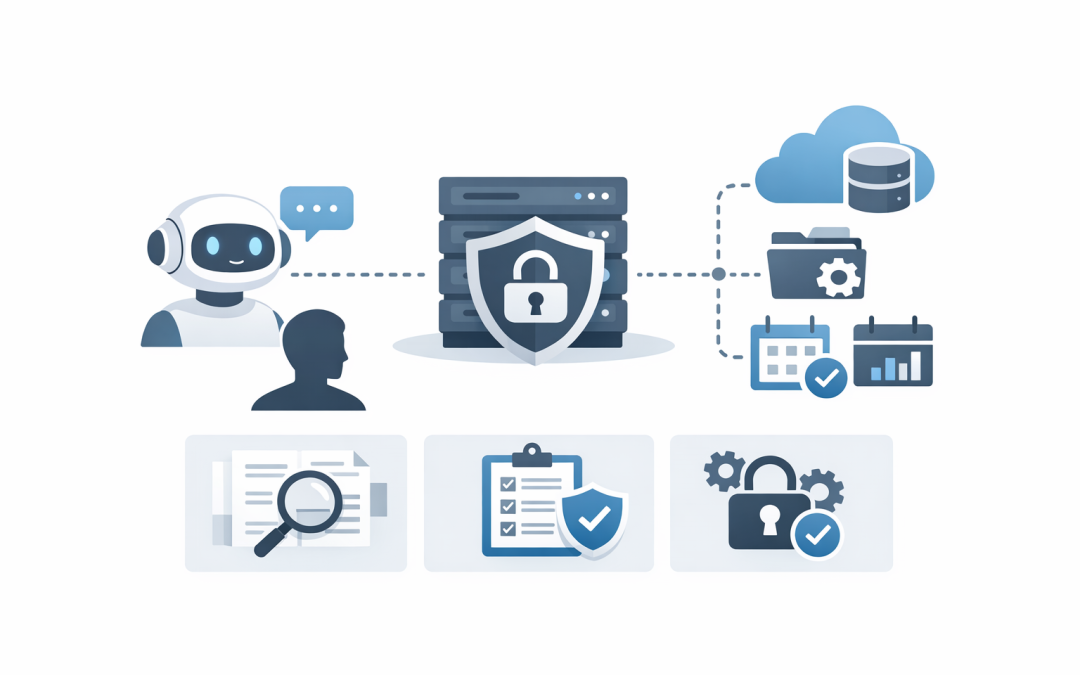
Think of it like a controlled service desk window for AI. Claude does not need full access to your whole environment. Instead, it can ask an approved MCP server for specific information or request a specific action, such as searching a knowledge base, checking an order status, creating a draft ticket or summarising project notes.
The important word is “controlled”. MCP is powerful because it can help Claude move from being a clever writing assistant to a useful business assistant. But that same power needs proper access rules, logging, approvals and security design.
Why this matters for business leaders
Many AI pilots fail because they sit outside the real flow of work. Staff use Claude or another AI tool for writing, brainstorming and summarising, but the AI cannot see the systems where the work actually happens.
So employees still jump between apps, export reports, paste data into prompts, re-check answers manually, and then copy the result back into another system. The AI helps, but only at the edges.
MCP changes that pattern. It gives Claude a structured way to work with approved business tools, while keeping the organisation in control of what can be read, changed, created or deleted.
If you have already read our post on connecting Foundry agents to business systems with MCP and OpenAPI, the idea is similar. The difference here is that we are focusing on Claude, how MCP fits into Claude-based workflows, and what decision-makers should check before approving it.
What MCP actually does behind the scenes
At a simple level, MCP has three main parts.
- The AI application: This is where the user interacts with Claude, such as Claude Enterprise, Claude Desktop or an application that uses the Claude API.
- The MCP server: This is a controlled connector that exposes approved data or actions from a business system.
- The business system: This could be Microsoft 365, Azure, ServiceNow, Jira, Salesforce, a SQL database, a document management system, or an internal application.
The MCP server tells Claude what it can do. For example, it might say: “I can search customer records”, “I can list open support tickets”, or “I can create a draft change request”.
Claude can then decide when a tool is useful for the user’s request. But the server decides what is allowed, what data is returned, and whether an action needs extra approval.
A simple example
Imagine your operations manager asks Claude:
“Which customer onboarding projects are running late, and what are the common blockers?”
Without MCP, someone has to gather the project data first. They might export tasks from a project tool, copy meeting notes from Microsoft Teams, pull customer status updates from a CRM, and then paste selected information into Claude.
With MCP, Claude can use approved connectors to request the latest project status, read relevant notes, and summarise the blockers. The employee gets an answer faster, and the business gets better control because the data access happens through managed pathways instead of manual copy and paste.
Here is a simplified example of how a tool might be described to Claude through an MCP server:
{
 "tool": "search_open_projects",
 "description": "Search approved project records for active customer onboarding work",
 "allowed_actions": ["read"],
 "approval_required": false,
 "data_returned": ["project_name", "status", "owner", "key_risks"]
}
This is not meant to be developer documentation. The point is that the tool is specific. It does not say “Claude can access everything”. It says Claude can perform a defined task, against approved data, with known limits.
Where MCP can deliver a business outcome
1. Reducing manual work across busy teams
For a 50 to 500 person business, the biggest AI opportunity is often not a futuristic automation project. It is removing the daily friction that costs people 10, 20 or 30 minutes at a time.
Common examples include preparing account summaries before customer meetings, reviewing open support issues, summarising policy documents, checking project risk logs, or finding the latest approved procedure.
If a team of 40 people saves even 15 minutes a day, that is more than 80 hours a month returned to the business. MCP helps make those savings more realistic because Claude can work with current business information instead of relying on whatever someone remembers to paste into the chat.
2. Reducing risky data handling
Uncontrolled AI use often starts with good intentions. A staff member wants to save time, so they paste a customer contract, HR issue, financial extract or internal incident report into an AI tool.
That may create privacy, confidentiality and compliance concerns. In Australia, leaders need to think about the Privacy Act, contractual obligations, industry requirements and the Essential 8, which is the Australian government’s cybersecurity framework that many organisations use to improve their security maturity.
MCP does not solve governance by itself. But it gives you a cleaner architecture. Instead of staff moving data around manually, you can design approved connectors, limit what Claude can see, and log how the AI interacts with business systems.
3. Improving decision quality
AI is much more useful when it has the right context. Generic answers are fine for general advice, but business decisions need current data, internal rules, customer history and operational reality.
For example, a CIO asking Claude to assess software renewal risk needs more than a generic checklist. Claude may need contract dates, user counts, support tickets, security findings, usage reports and budget constraints.
MCP can help bring those signals together. The outcome is not just a faster answer. It is a better-informed answer, with less time spent chasing information across disconnected systems.
4. Making AI adoption easier to govern
Many executives are rightly cautious about AI agents, especially when those agents can take actions. An AI that only writes text is one thing. An AI that can update tickets, change records or trigger workflows is a different risk category.
This is why we recommend separating read-only tools from action tools. A read-only tool can retrieve information. An action tool can create, update, submit, approve or delete something.
In our earlier article on designing secure tool use for Claude agents in business systems, we covered approval flows, audit logs and safe tool design in more depth. MCP should be treated as part of that same governance model, not as a shortcut around it.
A practical business scenario
Consider a 180-person professional services firm with offices in Melbourne and Sydney. The leadership team wants AI to help account managers prepare for client meetings.
Today, each account manager checks email, CRM notes, project updates, support tickets and billing status before a meeting. It takes 20 to 30 minutes per client, and the quality depends on how disciplined each person is.
With a well-designed Claude and MCP setup, the account manager could ask:
“Prepare a client meeting brief for Contoso covering open issues, project delays, upcoming renewals, unpaid invoices and suggested talking points.”
Claude could retrieve approved information from connected systems, summarise it, and highlight risks. It would not need access to every mailbox, every finance record or every customer file. It would only use the tools and data the business has approved.
The business outcome is clear: less preparation time, more consistent client conversations, fewer missed risks, and better use of the systems the company already pays for.
What to connect first
The best first MCP project is rarely the most complex one. Start with a workflow that is painful, repetitive and low risk.
- Knowledge base search: Let Claude search approved policies, procedures and support articles.
- Ticket summaries: Let Claude summarise open IT or customer support tickets.
- Project status briefs: Let Claude read project records and produce weekly summaries.
- Meeting preparation: Let Claude gather approved customer or internal context before meetings.
- Security reporting: Let Claude summarise Microsoft Defender or Wiz findings for leadership review.
At CloudPro Inc, this is the kind of work we like because it is practical. As a Melbourne-based Microsoft Partner and Wiz Security Integrator, we often see the best results when AI is connected to real Microsoft 365, Azure, security and business workflows, not treated as a separate experiment.
The security questions every leader should ask
Before connecting Claude to business systems with MCP, ask these questions.
- Who is allowed to use each connector? Access should follow job role and business need, not broad convenience.
- What data can the connector read? Avoid connecting entire systems when only a small data set is needed.
- Can the connector change anything? If yes, define approval steps and rollback options.
- Is every action logged? You should be able to see who asked, what tool was used, and what happened.
- How is identity handled? Claude should respect the user’s permissions rather than becoming a shared super-user.
- What happens if the AI gets it wrong? High-impact actions should require human review.
These questions also matter for Essential 8 maturity. Application control, patching, restricted admin privileges, multi-factor authentication and logging all become more important when AI tools can reach deeper into business systems.
How this fits with Claude API and .NET applications
Some organisations will use Claude through a business subscription. Others will embed Claude into their own applications through the Claude API, which allows software to send requests to Claude and receive responses programmatically.
If you are building into existing .NET or ASP.NET Core applications, MCP can sit beside that application architecture as a safer way to expose tools and data. The key is to avoid hardcoding broad access into the application itself.
We covered the application side in integrating Claude API into .NET and ASP.NET Core apps safely. MCP extends that discussion by focusing on how Claude reaches business systems once the AI experience is inside your workflow.
Common mistakes to avoid
- Connecting too much too soon: Start narrow. Prove value. Expand safely.
- Using one shared service account: This makes auditing harder and can create excessive access.
- Skipping approval steps: Read-only is different from action-taking. Treat them differently.
- Ignoring cost controls: AI usage can grow quickly if every workflow calls the model repeatedly.
- Forgetting change management: Staff need clear guidance on what AI can and cannot be used for.
These are not theoretical risks. They are the same practical issues we see across cloud, Microsoft 365, Intune, which manages and secures company devices, Windows 365, Microsoft Defender and Wiz projects. The technology changes, but the governance principles stay the same.
A sensible adoption plan
If you are considering MCP for Claude, we suggest a staged approach.
- Pick one business workflow: Choose a process with clear time savings or risk reduction.
- Map the data: Identify which systems are needed and which data should remain off limits.
- Design read-only first: Start by letting Claude retrieve and summarise information.
- Add approvals for actions: Only allow updates, submissions or workflow triggers once controls are proven.
- Monitor usage and outcomes: Track time saved, errors reduced, user adoption and security events.
This gives executives a clean way to assess whether AI is worth further investment. You are not betting the business on a broad rollout. You are testing one workflow, with measurable outcomes and clear controls.
The bottom line
Connecting Claude to business data and services with MCP is not just a technical integration project. It is a business design decision about productivity, risk, compliance and control.
Done well, MCP can help Claude become a useful part of daily work. Done poorly, it can create a new layer of shadow IT, unclear access and unmanaged automation.
The goal is not to connect Claude to everything. The goal is to connect it to the right systems, for the right people, with the right controls, so your business gets the benefit without taking unnecessary risk.
CloudPro Inc brings 20+ years of enterprise IT experience across Azure, Microsoft 365, Intune, Windows 365, OpenAI, Claude, Microsoft Defender and Wiz. We are based in Melbourne and work with clients across Australia and internationally, with a hands-on approach that suits organisations that want practical outcomes rather than a giant faceless MSP.
If you are not sure whether MCP belongs in your AI roadmap, or whether your current provider is thinking about the security implications properly, we are happy to take a look — no strings attached.
Discover more from CPI Consulting
Subscribe to get the latest posts sent to your email.