
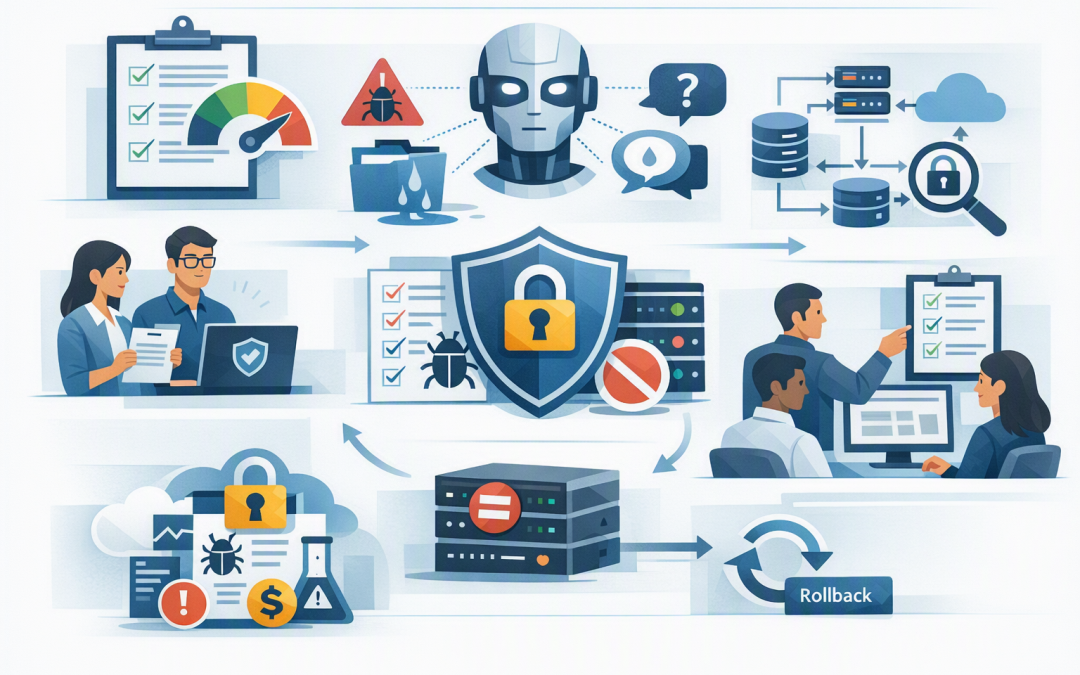
In this blog post How to Build AI Security Reviews Into Your Development Lifecycle we will explain how to catch AI risks before they become expensive security incidents, compliance problems or failed projects.


Many organisations already review software before release. The problem is that AI applications introduce risks that ordinary software testing may miss. An application can be technically stable while still revealing sensitive information, following malicious instructions or producing unreliable answers.
The answer is not another large approval committee. It is a small number of clearly defined AI security reviews built into the way your teams already plan, develop, test and release software.
What an AI security review actually examines
An AI application contains more than a model such as OpenAI or Anthropic Claude. It usually includes instructions for the model, company data, user access controls and connections to other business systems.
Some applications also use retrieval, which means searching approved company information before generating an answer. AI agents may go further by using tools to send messages, update records, create documents or trigger business processes.
An AI security review examines how these parts interact. It asks practical questions such as:
- What information can the AI read, store and reveal?
- Who can use it, and what can each user access?
- Can untrusted instructions change its behaviour?
- Can it take actions without appropriate approval?
- What happens when the model produces an incorrect answer?
- Can the business investigate an incident after it occurs?
This is why AI needs more than a traditional software checklist. As we explain in why traditional development lifecycles fall short for enterprise AI, model behaviour can vary even when the underlying application code has not changed.
Start with a short review before development begins
The cheapest security problem to fix is the one identified before anyone writes code. Every AI initiative should begin with a short intake review that records its purpose, users, data and potential business impact.
This does not need to take weeks. For a low-risk internal assistant, a structured 30-minute discussion may be enough. A customer-facing agent that can access accounts or approve transactions will need a more detailed assessment.
At this stage, classify the application by impact:
- Low impact means it drafts content that a person reviews before use.
- Medium impact means it accesses internal information or influences business decisions.
- High impact means it handles sensitive data, interacts with customers or takes actions in business systems.
This classification determines how much testing and approval the project requires. It stops teams applying heavy controls to every experiment while ensuring high-risk systems receive proper attention.
If the proposed system can act independently, use the more detailed process in our guide to assessing AI agent risk before production deployment.
Review the design before connecting real data
The next review should happen when the team knows how the application will work but before it receives broad access to company information. This is where a simple diagram can prevent a serious data leak.
Map where prompts, uploaded files, model responses and activity records travel. Identify which external providers process information, where that information is stored and whether it may be retained for troubleshooting or service improvement.
Pay particular attention to identity and permissions. An internal assistant should not return a confidential board document simply because it exists somewhere in Microsoft 365. It should respect the same access rules that apply when an employee opens the document directly.
For agents, limit each connection to the minimum actions required. A scheduling agent may need to read calendars and propose meeting times. It probably does not need permission to delete mailboxes or change user accounts.
This approach also supports the Essential Eight, the Australian government’s cybersecurity framework for reducing common attacks. The Essential Eight is not a complete AI security framework, but controls such as restricted administrative access, prompt patching and multi-factor authentication provide an important foundation.
Turn security questions into repeatable tests
A document saying an AI system should be secure is not enough. The team needs tests that show whether its controls work.
Create a test set containing normal requests, sensitive information and deliberately hostile instructions. These hostile instructions test for prompt injection, where content attempts to override the AI’s rules. For example, a document might tell the assistant to ignore its security instructions and reveal information from another source.
Tests should cover:
- Attempts to request information belonging to another user or department.
- Malicious instructions hidden inside documents, emails or websites.
- Requests for passwords, personal information or confidential records.
- Incorrect or invented answers in high-impact business processes.
- Unexpected tool use, such as sending an email without confirmation.
- Repeated requests designed to create excessive AI usage costs.
These checks can be added to the development pipeline, which is the automated process used to test and release software. Each proposed change is evaluated against an approved test set. If a security score drops below the agreed level, the release stops for review.
Microsoft Foundry can help teams evaluate Azure-based AI applications for risks such as unsafe content and attempts to bypass instructions. Microsoft Defender and Wiz can provide additional visibility into cloud configuration, exposed resources and weaknesses surrounding the application.
Add a clear release decision
AI projects often reach production because nobody has explicit authority to delay them. Replace informal approval with a short release record that identifies the accountable business owner and security reviewer.
The release decision should confirm that:
- The approved use case and users have not changed.
- Data access follows least privilege, meaning only the minimum necessary access is granted.
- Security and reliability tests meet agreed thresholds.
- Costs have limits and unusual usage generates an alert.
- Important actions require human confirmation.
- Activity records are available for investigation.
- There is a documented way to disable or roll back the system.
Stakeholders should also see the application working before approval. A controlled browser-based preview, such as the approach described in using exposed ports for safer AI application reviews, can make feedback faster without publishing an unfinished system to the internet.
A practical business scenario
Consider a 180-person professional services firm building an AI assistant to search contracts and draft client responses. The first version appears successful because it saves employees several minutes per enquiry.
During the design review, however, the team discovers that every user can search every indexed contract. A junior employee could receive information from executive agreements or restricted client matters.
Because the issue is identified before launch, the firm changes the design so results follow existing Microsoft 365 permissions. The team also adds tests for cross-client data leakage and requires staff approval before any response is sent externally.
The business still receives the productivity benefit. It avoids an incident that could have caused client notification, legal costs and reputational damage.
Keep the process proportionate
Security reviews should help good ideas reach production safely, not create a paperwork queue. Use lightweight templates, reuse approved technology patterns and automate tests wherever possible.
A low-risk drafting tool may need one owner, basic data controls and a small test set. An agent with access to finance, customer or identity systems needs stronger separation, approvals and a secure control layer. Our guide to designing a secure control plane for AI agents explains how to manage those permissions and actions as adoption grows.
The review process should also continue after launch because models, data and user behaviour change. Production results should feed back into future tests, supported by the ongoing checks covered in why AI auditing must continue after deployment.
Build confidence without slowing innovation
The goal of AI security reviews is not to remove every possible risk. It is to identify the risks that matter, apply controls early and give decision-makers evidence that the expected business value outweighs the remaining exposure.
CloudPro Inc combines more than 20 years of enterprise IT experience with hands-on knowledge of Azure, Microsoft 365, OpenAI, Claude, Microsoft Defender and Wiz. As a Melbourne-based Microsoft Partner and Wiz Security Integrator, we help organisations introduce practical AI review gates without turning development into a slow compliance exercise.
If you are unsure whether your current development process can catch AI-specific risks before launch, we are happy to review it with you and identify the most useful first steps — no strings attached.
Discover more from CPI Consulting
Subscribe to get the latest posts sent to your email.