
In this blog post The Hidden Intelligence Behind Copilot Agents That Get Work Done we will explain why some Copilot agents become valuable digital team members while others produce inconsistent answers, create more checking work and quietly lose employee trust.


At a high level, a Copilot agent is an AI assistant designed for a specific business role. Instead of simply answering general questions, it can understand a request, find relevant company information, decide what steps are required and use approved business systems to complete work.
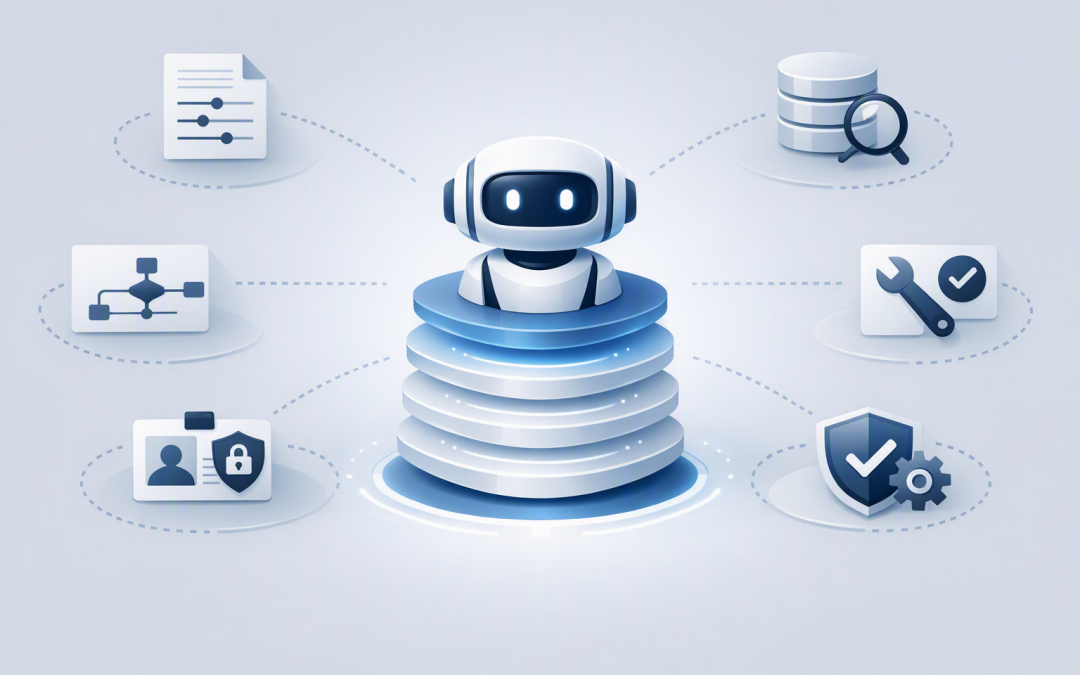
The important point is that the language model is only one part of the system. The useful intelligence comes from the layers around it: instructions, business data, decision logic, tools, permissions and governance.
A Copilot agent is more than an AI model
It is easy to assume that choosing the most powerful AI model will produce the best agent. In practice, a well-designed agent using a suitable model will usually outperform a poorly configured agent using a more advanced one.
Microsoft 365 Copilot agents generally follow one of two approaches. Declarative agents use Microsoft’s existing Copilot models and orchestration, while custom engine agents allow greater control over models, integrations and workflow logic.
For decision-makers, this is similar to hiring an employee. Intelligence matters, but performance also depends on clear responsibilities, reliable information, system access and sensible supervision.
The six layers creating the hidden intelligence
1. Instructions define the agent’s role
Every effective agent starts with clear operating instructions. These describe what the agent should do, which users it serves, how it should communicate and when it must stop or ask for approval.
“Help employees with HR questions” is too broad. A stronger instruction might tell the agent to answer leave and policy questions using approved documents, avoid interpreting employment law and direct sensitive matters to HR.
This reduces inconsistent answers and prevents the agent from drifting into decisions it should not make. It also gives the business a clear way to test whether the agent is behaving correctly.
2. Grounding connects AI to business knowledge
An AI model knows how to work with language, but it does not automatically know your current pricing, internal policies, customer contracts or operating procedures.
Grounding solves this problem by retrieving relevant information from approved sources when a question is asked. This approach is often called retrieval-augmented generation, or RAG, which simply means giving the AI trusted business information before it prepares an answer.
A grounded finance agent might search approved SharePoint documents for the latest expense policy. An ungrounded assistant may provide a confident answer based on general knowledge that does not match your rules.
Good grounding reduces errors, search time and duplicated work. However, it also exposes poor information management. If SharePoint contains outdated documents or conflicting policies, the agent may retrieve them faster rather than fix them.
3. Orchestration decides what happens next
Orchestration is the agent’s decision-making layer. It interprets the request, breaks larger jobs into steps and selects the right knowledge, tool or specialist agent for each step.
Imagine a manager asking, “Prepare me for tomorrow’s customer renewal meeting.” The agent may need to retrieve the contract, summarise recent support cases, check unpaid invoices and draft talking points.
Modern generative orchestration can dynamically select knowledge and tools instead of relying entirely on rigid, prewritten conversation paths. The benefit is flexibility, but the trade-off is that instructions and guardrails need careful testing.
4. Tools turn answers into actions
A basic agent tells an employee what to do. A more capable agent can help complete the work.
Tools connect the agent to approved systems and functions. Depending on its design, an agent might create a service ticket, update a customer record, prepare a document, send an approval request or retrieve information from an external platform.
This is where much of the productivity value appears. Saving two minutes finding a policy is useful. Removing ten manual steps from a customer onboarding process has a much larger business impact.
It is also where risk increases. Actions that change records, communicate externally or approve spending should have strict limits and, where appropriate, human approval.
5. Identity and permissions determine what the agent can see
An agent should not become a shortcut around your existing security. In Microsoft 365, Copilot is designed to respect the access permissions already assigned to the user.
That is reassuring, but it can also reveal an existing problem. If employees already have access to documents they should not see, the agent may make that overshared information easier to find.
Before connecting an agent to SharePoint, OneDrive or external business systems, review permissions, remove broad access groups and identify sensitive data. This supports the discipline expected by the Essential Eight, the Australian Government’s cybersecurity framework for reducing common attack risks.
6. Governance keeps the agent useful over time
An agent is not finished when it is published. Documents change, systems are replaced, employee responsibilities move and attackers find new ways to manipulate AI systems.
Governance should cover ownership, approved users, available tools, data access, activity monitoring, testing and retirement. Australian cyber guidance recommends introducing agentic AI carefully, starting with lower-risk tasks and maintaining strong identity controls, monitoring and human oversight.
The Office of the Australian Information Commissioner also recommends caution when personal or sensitive information is entered into AI products. Privacy impact assessments and clear data-handling rules should therefore be part of the design, not an afterthought.
What the architecture looks like in practice
The configuration behind an agent can be surprisingly understandable. The following simplified example is not deployable code, but it shows the decisions that need to be made.
{
 "role": "Customer renewal assistant",
 "knowledge": [
 "Approved contracts",
 "CRM account records",
 "Support case summaries"
 ],
 "actions": [
 "Draft renewal briefing",
 "Create follow-up task"
 ],
 "guardrails": [
 "Do not change contract terms",
 "Do not email customers without approval",
 "Escalate missing or conflicting information"
 ]
}
The model provides language and reasoning. The surrounding configuration determines whether that reasoning is relevant, safe and connected to a measurable business process.
For more complex environments, the architecture may include multiple specialist agents, external application programming interfaces and Model Context Protocol connections. Model Context Protocol, or MCP, is a standard way for AI systems to discover and use approved tools. Our guide to GitHub Copilot SDK architecture explores these components in more depth.
A practical business scenario
Consider a 200-person professional services company. Employees regularly interrupt finance, HR and IT teams to find policies, prepare forms and check routine requests.
The company initially launches a general agent connected to a large collection of documents. It answers quickly, but staff still verify most responses because the content is outdated and the agent’s responsibilities are unclear.
The business then narrows the scope. It creates separate agents for employee onboarding, expense questions and IT access requests. Each agent receives approved knowledge, limited tools, a named owner and clear escalation rules.
If the new process saves each employee an average of 12 minutes per working day, it returns approximately 8,800 hours of productive capacity each year. The value comes from the complete design, not merely from adding an AI chat window.
What tech leaders should check before investing
- Start with one costly problem. Choose a repetitive process with measurable delays, errors or labour costs.
- Define the agent’s boundaries. Document what it can answer, what it can do and what requires approval.
- Clean the knowledge sources. Remove outdated content and assign owners to important documents.
- Review permissions first. An agent should not be deployed over an overshared data environment.
- Measure outcomes. Track time saved, completion rates, escalations, incorrect answers and user adoption.
- Plan ongoing ownership. Someone must maintain instructions, tools, knowledge and security controls.
If you are moving beyond small experiments, our guide to governed AI agents with Microsoft Foundry explains how to introduce stronger control without slowing useful innovation.
The real advantage is controlled intelligence
The hidden intelligence behind Copilot agents is not a single model or feature. It is the combination of clear instructions, current business knowledge, thoughtful orchestration, controlled actions, correct permissions and continuous governance.
CloudProInc brings more than 20 years of enterprise IT experience to this challenge. As a Microsoft Partner and Wiz Security Integrator, our Melbourne-based team works across Microsoft 365, Azure, Copilot, OpenAI, Claude, Defender and cloud security to connect AI projects with practical business and risk outcomes.
If you are not sure whether a Copilot agent would remove real work or simply create another technology pilot, we are happy to review the process and help you identify a sensible starting point — no strings attached.