
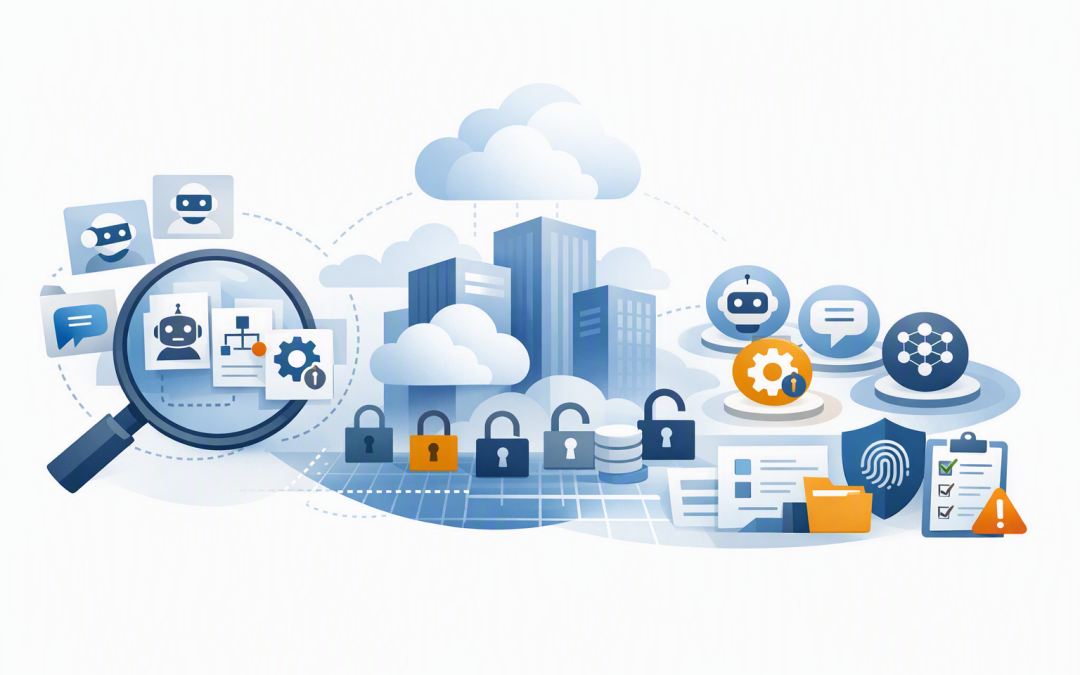
In this blog post How Many AI Agents Are Running in Your Microsoft Tenant Today we will explain why most organisations cannot produce a reliable answer, what counts as an AI agent, and how to build an inventory that helps control security risk, cost and compliance.


At a high level, an AI agent is software that uses an AI model to complete a task. Unlike a standard chatbot, it may also search company information, connect to business applications, create records, send messages or start automated processes.
Your Microsoft tenant is the digital boundary containing your organisation’s Microsoft identities, applications and cloud services. The problem is that agents can now be created in several parts of that environment, as well as on external platforms, without appearing in one obvious place.
Why the number is harder to find than it sounds
Ask an IT leader how many employees, laptops or Microsoft 365 licences the business has, and they can usually find an answer. Ask how many AI agents exist, who owns them and what data they can access, and the response is often much less certain.
One team may be building customer service agents in Microsoft Copilot Studio. Developers may be testing agents in Microsoft Foundry, while employees create smaller agents through Microsoft 365 Copilot.
There may also be custom agents using OpenAI or Anthropic Claude, third-party agents supplied with business software, and older experiments running under generic application accounts. Each platform tells only part of the story.
Microsoft Agent 365 now provides a central registry for discovering and governing agents. However, external and custom agents still need to be connected or registered correctly before that central view becomes complete.
What technology sits behind an AI agent
Most business agents have five main components. Understanding them makes the risks much easier to assess.
- The model: The AI engine that interprets instructions and generates a response, such as an OpenAI or Claude model.
- Instructions: The rules describing the agent’s role, limits and expected behaviour.
- Knowledge: The documents, websites, databases or business records the agent can search.
- Tools: The connections that allow it to perform actions, such as updating a CRM, creating a support ticket or sending an email.
- Identity: The digital account the agent uses to prove who it is and determine what it can access.
That final component is particularly important. An agent with its own Microsoft Entra identity can be managed much like an employee account, with an owner, defined permissions and an audit history.
Agents using shared passwords, broad application permissions or a developer’s personal account are much harder to govern. If the employee leaves or the project is abandoned, the access may remain.
For more detail on the underlying design, see our guide to designing secure AI agent infrastructure on Azure.
Decide what running actually means
A single agent count can be misleading because “running” has several meanings. An agent may exist without being published, or it may be available to employees but rarely used.
A useful inventory should separate agents into five categories:
- Registered: The agent exists in a platform or central registry.
- Published: It has been made available for use.
- Assigned: Specific employees or groups can access it.
- Active: It has been used during a defined period, such as the last 30 days.
- Autonomous: It can run on a schedule or event without someone starting each task.
For business reporting, we recommend showing all five numbers. An unused test agent may still have access to sensitive information, while an autonomous agent may generate cost and make changes even when nobody is watching it.
The business risks hidden agents create
Uncontrolled access to company information
An agent connected to SharePoint, email, customer records or finance systems can process a large amount of information quickly. If permissions are too broad, it may retrieve information its users should never have seen.
The risk increases when agents connect to multiple systems. Our article on connecting Microsoft Foundry agents to business systems explains why each connection needs a defined purpose, owner and permission boundary.
Costs without clear business value
Agents can consume AI models, cloud computing, storage, search services and paid connectors. A small proof of concept may be inexpensive, but duplicated agents and repeated automated tasks can quietly increase monthly bills.
This is especially difficult when each department uses a separate subscription or project. As discussed in AI agents are scaling faster than you can control their cost, spending controls need to follow the agent from experimentation through to production.
Ownerless agents that nobody wants to disable
When an employee changes roles, a consultant finishes or a pilot loses funding, its agent may remain. Six months later, IT may be reluctant to remove it because nobody knows whether an important process depends on it.
This creates operational risk as well as security risk. Every production agent should have a business owner, a technical owner, a review date and a documented retirement process.
Gaps in privacy and Essential Eight governance
The Essential Eight is the Australian government’s cybersecurity framework that many organisations use to reduce common security risks. It is not an AI-specific framework, but its principles around restricted administrative access, patching, authentication and recovery remain relevant.
Australian privacy obligations also apply when agents handle personal information. If you cannot identify which agents process customer or employee data, it becomes much harder to assess privacy risk, respond to an incident or explain how that information is being used.
A common 200-person business scenario
Consider an anonymised composite scenario based on patterns commonly seen in mid-sized organisations. A 200-person professional services firm believed it had six AI agents because those were the projects approved by its steering committee.
A broader inventory identified 22 agent-like workloads. These included unpublished Copilot Studio tests, developer experiments in Azure, two third-party service desk agents and several automations using AI through shared application credentials.
Not all 22 were dangerous or expensive. The concern was that nine had no current owner, four could access more information than required, and several duplicated the same document-search function.
After consolidation, the business reduced the inventory, assigned accountable owners and introduced monthly cost reporting. The outcome was not less AI adoption. It was safer investment in the agents that delivered measurable value.
How to create a reliable agent inventory
Start with discovery rather than a new policy document. You need to understand what already exists before deciding what good governance should look like.
- Review the Microsoft 365 agent registry. Identify Microsoft-built, partner-built and custom agents available across the organisation.
- Check Copilot Studio and Power Platform environments. Include development, testing and departmental environments, not just production.
- Review Microsoft Foundry projects and Azure subscriptions. Look for published agents, hosted runtimes, model usage and associated cloud resources.
- Inspect Microsoft Entra identities. Microsoft Entra is the service that manages company identities and access. Look for agent identities, application registrations, service accounts and credentials without clear owners.
- Find external agents. Include OpenAI, Claude, customer service platforms, CRM add-ons and employee-created automations that sit outside Microsoft’s native tools.
- Compare activity with cost. Confirm which agents are genuinely used, what they cost and whether they produce a measurable business result.
Microsoft Purview, which helps organisations understand and protect sensitive information, can add visibility into how AI applications and agents interact with business data. Microsoft Defender and Wiz can then help identify risky identities, exposed cloud resources and weak security configurations around the supporting environment.
The minimum information every agent record needs
Your inventory does not need to become another complicated database. At a minimum, record:
- Agent name and business purpose
- Business owner and technical owner
- Platform, environment and subscription
- Users or teams with access
- Data sources and connected business systems
- Actions the agent is allowed to perform
- Identity and permission level
- Monthly usage and cost
- Last activity and next review date
- Risk rating and retirement status
Long-running agents also need clear approval, failure and recovery rules. Our guide to durable AI agents for IT leaders covers these operational questions in more detail.
Visibility should come before faster adoption
AI agents can reduce manual work, improve response times and help employees find information faster. But those benefits become harder to defend when leadership cannot see what is operating, who is accountable or how much it costs.
CloudProInc combines more than 20 years of enterprise IT experience with practical expertise across Microsoft 365, Azure, Microsoft Foundry, OpenAI, Claude, Defender and Wiz. As a Melbourne-based Microsoft Partner and Wiz Security Integrator, we help organisations build an agent inventory and governance approach without turning innovation into a slow approval exercise.
If you are not sure how many agents are already operating in your environment, we are happy to help you take a practical first look — no strings attached.