
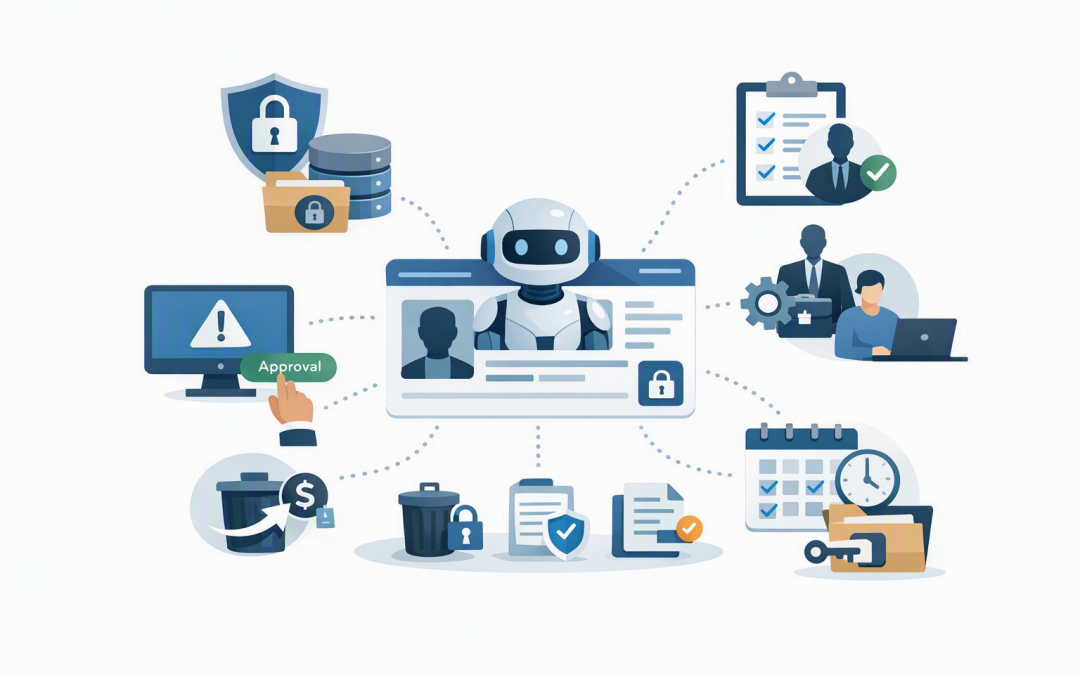
In this blog post Why Managing AI Agents Like Users Is the Only Model That Scales we will explain why AI agents need the same basic management discipline as employees: a unique identity, limited access, clear ownership, ongoing monitoring and a reliable way to remove them.


Many businesses currently manage agents as small technology projects. That works when there are two agents in a test environment. It breaks down when dozens of agents are reading documents, updating records, sending messages and consuming paid AI services across several departments.
The scalable approach is not to pretend agents are people. It is to manage them through a familiar workforce model. Every agent should have a defined job, a digital identity, approved permissions, a responsible owner and an end-of-life process.
AI agents are becoming active participants in your business
A standard AI assistant produces an answer for a person to review. An AI agent can go further by selecting tools and completing several steps towards a goal, sometimes without waiting for approval at every stage.
For example, an accounts agent might open an invoice, compare it with a purchase order, check supplier details and enter the information into a finance system. A service agent might read an email, review the customer’s history, update a case and draft a reply.
Behind the scenes, the technology usually has five parts:
- An AI model, such as OpenAI or Anthropic Claude, which interprets requests and decides what to do next.
- Instructions that describe the agent’s role, limits and expected behaviour.
- Business data from places such as Microsoft 365, SharePoint, Azure or internal systems.
- Tools that let the agent search, create, update or send information.
- A digital identity that proves which agent is requesting access and determines what it is allowed to do.
The final component is often overlooked. Yet identity is what turns an uncontrolled automation into something the business can govern.
Why shared access stops working at scale
During a pilot, developers may connect several agents using one application account or API key. An API key is essentially a secret code that lets software use another service.
This is quick, but it creates the digital equivalent of giving an entire department one building pass. If something goes wrong, you may know which pass was used without knowing who used it or why.
Shared access creates three immediate business problems. Investigations take longer, access cannot be removed from one agent without affecting others, and permissions tend to expand because every agent needs something slightly different.
The result is excessive access and weak accountability. It may also leave the business paying for agents that no longer have an active purpose, an issue explored further in why AI agent costs can grow unnoticed.
The user management model solves five practical problems
1. Every agent receives a unique identity
Employees do not normally share one Microsoft 365 account, and agents should not share one identity either. A unique identity creates a clear record of which agent accessed a file, called a service or changed a record.
Microsoft Entra Agent ID extends Microsoft’s identity and access system to AI agents. In plain English, it can give each agent its own managed digital staff pass rather than relying on shared passwords or hidden credentials.
The same principle applies to agents built with OpenAI, Claude or other platforms. The important outcome is that each production agent can be individually identified, restricted, monitored and disabled.
2. Access is based on the agent’s job
A new employee receives access based on their role. A payroll officer may need payroll records, while a salesperson does not.
Agents need the same approach, often called least-privilege access. This simply means giving an agent the minimum access required to complete its approved task.
A customer service agent may need to read account details and create support notes. It probably does not need to export the entire customer database, delete records or change payment information.
Limiting access reduces the damage caused by incorrect instructions, a compromised connection or an agent making an unexpected decision.
3. High-impact actions require approval
Businesses do not give every employee unlimited authority to issue refunds or approve contracts. Agents should also have approval limits.
Low-risk work can happen automatically. Higher-risk actions, such as sending money, deleting data, changing customer terms or distributing sensitive information, should pause for human approval.
This creates a practical balance between productivity and control. Employees avoid repetitive work while remaining responsible for decisions with financial, legal or reputational consequences.
4. Each agent has a business owner
An agent without an owner will eventually become an orphan. Its original developer moves on, its purpose changes, and nobody feels responsible for reviewing its access or cost.
Every agent needs a named business owner who is accountable for the outcome and a technical owner who maintains the system. The business owner should confirm that the agent is still needed, while the technical owner ensures it remains secure and reliable.
This builds on the managed digital workforce model described in our enterprise AI agent governance guide. Identity makes that operating model enforceable rather than aspirational.
5. Agents are reviewed and eventually offboarded
When an employee leaves, their account is disabled and their access is removed. An agent should follow a similar lifecycle.
That means recording when it was created, who approved it, which systems it can reach and when its access must be reviewed. If the agent is retired, its identity, permissions, credentials, scheduled tasks and paid services should be removed together.
This is the agent equivalent of offboarding. Without it, unused agents can remain connected to sensitive systems for years.
What this looks like in a 200-person business
Consider a 200-person professional services company with agents being tested by finance, sales, operations and customer support. Each team initially connects its agents using whichever account or integration is easiest.
Within six months, the business has 30 agents and automations. IT cannot quickly identify which ones are active, who approved them or why several still have broad SharePoint and customer management access.
Under a user-style management model, every agent is entered into a central register and assigned an identity, owner, purpose and access level. Finance agents cannot enter sales workspaces, test agents cannot reach production data, and sensitive actions need approval.
Quarterly reviews identify six unused agents. Removing them cuts unnecessary AI and integration costs, while tightening access lowers the potential impact of a security incident.
The value is not another governance document. It is faster incident response, cleaner audits, predictable spending and confidence that useful agents can be deployed without creating invisible risk.
A practical agent onboarding checklist
Before an agent receives production access, IT and the business owner should be able to answer the following questions:
- What business task does this agent perform?
- Who is accountable for its results and ongoing cost?
- Does it have its own identity rather than shared access?
- Which data and systems can it read or change?
- What actions require human approval?
- Are its important actions and costs being logged?
- When will its access and business value be reviewed?
- Can it be disabled quickly without disrupting other agents?
These checks should form part of moving an agent from testing into normal operations. Our guide to moving AI agents from prototype to production covers the wider operational controls needed for that transition.
How this supports Australian security expectations
Managing agents like users does not automatically make an organisation compliant with the Essential Eight, the Australian government’s baseline cybersecurity framework. It does, however, support the same principles behind restricting administrative privileges, controlling applications and maintaining accountable access.
For Australian organisations facing customer audits, cyber insurance reviews or government requirements, a clear agent register and access review process can also provide useful evidence. You can show what each agent does, who owns it and how its access is controlled.
Tools such as Microsoft Entra, Defender and Wiz can help establish identity, monitoring and cloud security controls. The technology matters, but the operating process around it matters just as much.
The model scales because your business already understands it
The strongest argument for managing agents like users is not that agents are human. It is that businesses already know how to manage identities, roles, approvals, monitoring and offboarding.
Extending those controls to agents is far more sustainable than creating a separate governance process for every AI platform and department. It also lets the business adopt new agent technology without rebuilding its security model each time.
CloudProInc combines more than 20 years of enterprise IT experience with practical work across Azure, Microsoft 365, Entra, OpenAI, Claude, Defender and Wiz. As a Melbourne-based Microsoft Partner and Wiz Security Integrator, we help organisations build agent controls that work in daily operations, not only on paper.
If you are not sure how many agents already have access to your business systems, or whether they can be individually controlled, we are happy to help you map the current position and identify the highest-priority gaps. No strings attached.
Discover more from CPI Consulting
Subscribe to get the latest posts sent to your email.