
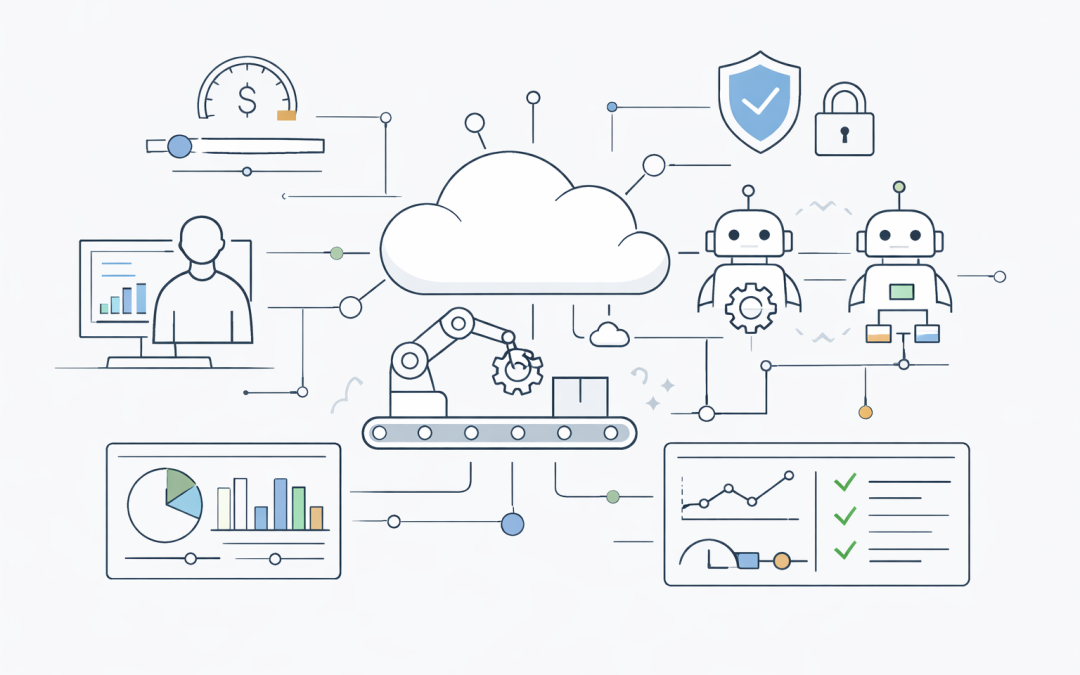
Anthropic has changed how programmatic Claude Agent SDK usage is billed, and Australian organisations experimenting with automated AI workloads should pay attention.


From 15 June 2026, Anthropic separates interactive Claude usage from programmatic agent usage. According to Anthropic’s support documentation, automated workloads such as Claude Agent SDK projects, the claude -p headless command, Claude Code GitHub Actions, and approved third-party Agent SDK tools now draw from a separate monthly Agent SDK credit rather than the normal interactive subscription allowance.
That may sound like a billing detail. In practice, it is a signal that agentic AI is moving out of the experimental phase and into the same cost, risk, and operational management category as cloud infrastructure, CI/CD, SaaS platforms, and production automation.
For Australian CIOs, CTOs, IT managers, finance leaders, and business owners, the message is simple: if AI agents can run work automatically, they can also generate cost automatically.
What has changed?
Anthropic’s new model creates a separate monthly credit pool for programmatic Agent SDK usage. The credit amount depends on the customer’s Claude plan. Public support documentation lists monthly Agent SDK credits ranging from US$20 on some lower-tier plans to US$200 on higher-tier plans and premium enterprise seats.
The important distinction is not only the dollar amount. It is the separation between two types of usage:
- Interactive usage, such as a person using Claude through chat, desktop, mobile, or an interactive coding workflow.
- Programmatic usage, where Claude is called by automation, scripts, CI/CD workflows, headless commands, third-party agent tools, or Agent SDK projects.
Unused credits do not roll over. Credits are generally allocated per user rather than pooled across a team. When the credit is exhausted, usage can either continue through additional usage credits or API-style billing if enabled, or it can stop until the next billing cycle.
That creates a direct operational question for enterprises: what happens when an automated AI workload runs out of credit in the middle of a month?
Why this matters for enterprises running automated AI workloads
Many organisations are still treating AI agents as productivity tools. A developer runs an assistant. A business analyst asks a model to summarise a document. A product team experiments with a workflow. These use cases are visible and relatively easy to control because a human is usually in the loop.
Automated AI workloads are different.
An agent running in a GitHub Action, a scheduled script, a DevOps pipeline, or a background business process can consume tokens repeatedly without a person watching every step. It may review pull requests, generate test cases, summarise tickets, inspect logs, analyse documents, or call other tools as part of a multi-step workflow.
That creates practical enterprise risks:
- Unexpected cost growth when agents run more often than expected.
- Failed automation when credits are exhausted and overflow billing is not enabled.
- Uncontrolled overage when overflow billing is enabled but not governed.
- Poor accountability when usage is tied to individual users instead of business services or cost centres.
- Procurement confusion when teams mix subscription credits, API billing, third-party tools, and cloud-hosted AI services.
- Security and compliance exposure when agents access repositories, tickets, documents, customer data, or internal systems without clear controls.
This is the same pattern Australian organisations have already seen with cloud consumption. A small proof of concept becomes a business-critical service. A background job grows. A test environment stays online. A team adds automation without tagging, chargeback, alerting, or ownership. The monthly bill then becomes the first governance mechanism — and by then it is too late.
Agentic AI needs better discipline from day one.
The real issue is not the credit amount
It would be easy to focus only on whether US$20, US$100, or US$200 per user is enough. For some light usage, it may be. For heavy automation, it may not be close.
But the deeper issue is that AI agents create variable consumption. They do not behave like traditional per-seat software. They behave more like cloud services: usage depends on volume, complexity, model choice, prompt design, context size, retries, tool calls, and workflow frequency.
A simple agent that reviews one pull request per day may be inexpensive. A poorly designed agent that scans large repositories, retries failed steps, calls multiple tools, and runs on every commit across several teams can become expensive quickly.
The same applies outside engineering. A finance agent that processes documents, a service desk agent that reviews tickets, or a compliance agent that summarises evidence can all create ongoing consumption. If those workloads are connected to business-critical processes, the organisation must decide whether to cap, throttle, route, or continue usage when budgets are reached.
This is why AI cost governance is becoming a board-level and executive-level topic, not just a developer tooling issue.
How Australian organisations should think about agentic AI cost governance
Our team recommends treating automated AI workloads as governed digital services, not informal productivity experiments. That means applying practical controls before usage scales.
1. Separate interactive AI from automated AI
Interactive AI and automated AI should not be managed in the same way.
Interactive tools support human productivity. Automated agents execute repeatable work. They may run unattended, trigger downstream actions, and consume resources at scale.
Organisations should maintain separate policies for:
- Staff using AI assistants manually.
- Developers using AI in IDEs and terminals.
- CI/CD or GitHub Actions workflows using AI.
- Scheduled or background AI jobs.
- Business workflow agents connected to internal systems.
- Third-party tools that authenticate through user accounts.
This separation makes it easier to define ownership, cost limits, security requirements, approval processes, and monitoring.
2. Assign every AI workload an owner and cost centre
If an AI agent has no owner, it should not be running in an enterprise environment.
Every automated workload should have:
- A business owner.
- A technical owner.
- A cost centre or project code.
- A defined purpose.
- An approved data access scope.
- A monthly budget or consumption threshold.
- A documented response plan if usage stops or exceeds budget.
This is basic cloud financial management, but many organisations have not yet applied it to AI agents.
3. Decide what happens when credits run out
Anthropic’s model highlights an important design decision: should automation stop when credits are exhausted, or should it continue with overage billing?
There is no single right answer. It depends on the workload.
For low-risk experiments, stopping may be acceptable. For business-critical automation, unexpected failure may cause operational issues. For high-volume workloads, unrestricted overflow billing may create financial risk.
Enterprises should classify workloads into categories such as:
- Experimental: hard cap, no overflow.
- Team productivity: capped with alerts and manager approval for overflow.
- Operational support: controlled overflow with monitoring and service ownership.
- Business critical: dedicated API billing, service account ownership, observability, and formal budget controls.
The key is to make the decision deliberately, not discover it after a failed workflow or a surprise bill.
4. Use service accounts and API keys for production automation
Where possible, production automation should not depend on an individual user’s subscription credit.
If a workflow is important enough to be part of an operational process, it should usually run through a controlled API key, service account, or enterprise-managed integration. This allows better tracking, better security, clearer billing, and less dependency on one staff member’s account or plan type.
This approach also helps with auditability. Australian organisations working under Essential Eight maturity expectations, internal cyber policies, privacy obligations, or sector-specific compliance requirements need to know which systems accessed which data, when, and why.
5. Monitor token usage like cloud consumption
AI usage needs dashboards, alerts, and review cycles.
Useful metrics include:
- Usage by team, project, model, and workflow.
- Daily and monthly token consumption.
- Cost per successful task.
- Failed or retried agent runs.
- Average context size.
- Tool calls per workflow.
- Overage events.
- Usage outside business hours.
These metrics help leaders distinguish valuable automation from expensive noise. They also support better architecture decisions, such as when to use smaller models, when to shorten context, when to cache outputs, and when to redesign a workflow.
6. Build AI governance into existing cloud and security practices
Agentic AI governance should not sit in a separate silo. It should connect to existing enterprise practices across cloud, cybersecurity, procurement, privacy, and risk.
For Australian organisations, this should include alignment with:
- Cloud cost management and FinOps processes.
- Identity and access management.
- Logging and monitoring standards.
- Secure software delivery controls.
- Essential Eight-aligned operational discipline.
- ACSC guidance around secure AI and careful adoption of agentic AI services.
- Privacy and data handling obligations.
- Vendor risk and procurement reviews.
The aim is not to slow innovation. The aim is to prevent uncontrolled automation from becoming a financial, security, or compliance problem.
A practical checklist for leaders
Before scaling Agent SDK or similar agentic AI workloads, Australian business and technology leaders should ask:
- Which automated AI workloads are currently running?
- Are they interactive experiments or unattended automation?
- Who owns each workload?
- Which accounts, credentials, repositories, systems, and data can each agent access?
- What is the monthly budget for each workflow?
- Are usage credits, overflow billing, or API overages enabled?
- What happens if the credit limit is reached?
- Are logs and usage reports available to technology, finance, and security teams?
- Are high-risk workflows reviewed before production use?
- Do procurement and risk teams understand the billing model?
If the organisation cannot answer these questions, it is not ready to scale automated AI agents safely.
The broader lesson: agentic AI is now operational infrastructure
Anthropic’s billing change is not just about Claude. It reflects a broader shift across the AI market.
As AI vendors support longer-running agents, coding assistants, background workflows, and third-party integrations, the economics of AI are changing. Businesses are moving from predictable seat-based subscriptions to consumption-based automation.
That is powerful, but it requires discipline.
The organisations that succeed with agentic AI will not be the ones that simply give every team access to the newest model. They will be the ones that combine experimentation with practical controls: ownership, budgets, monitoring, access management, procurement oversight, and clear business value.
Call to action
Australian organisations should review their automated AI usage now, especially any Agent SDK, headless command, CI/CD, GitHub Actions, or third-party agent workflows connected to Claude or similar platforms.
Our team can help assess existing AI agent usage, map cost and security exposure, and design practical governance controls for safe enterprise adoption.
If your organisation is moving from AI experiments to automated AI workflows, now is the time to put cost governance, access control, and operational monitoring in place before usage scales.