
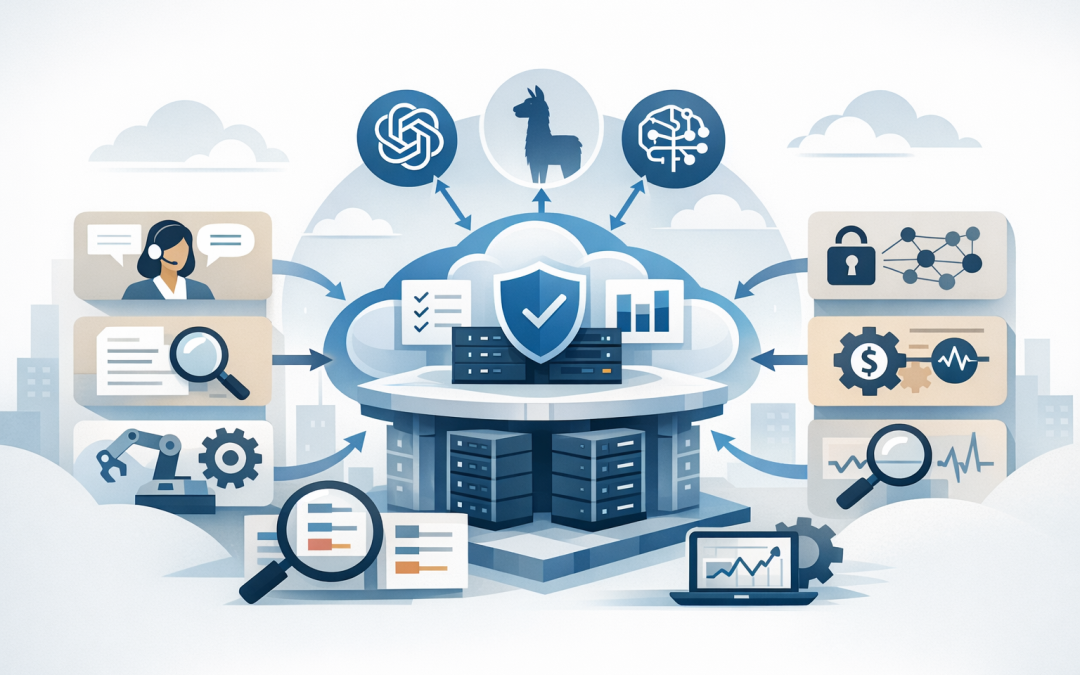
In this blog post Selecting OpenAI Claude and Meta Models in Microsoft Foundry we will explain how technology leaders can choose and deploy the right AI models without creating a cost, security or governance problem.
Many businesses have moved past the question of whether AI works. The harder question is now: which AI model should we use, where should it run, who can access it, and how do we stop the monthly bill from getting out of hand?
That is where Microsoft Foundry becomes important. At a high level, Microsoft Foundry is Microsoft’s platform for building, testing, deploying and governing AI applications and agents. Instead of every team signing up to separate AI tools with separate logins, separate invoices and separate security risks, Foundry gives your organisation one place to compare and manage models from OpenAI, Anthropic Claude, Meta and other marketplace providers.
Think of it like an enterprise app store for AI models, but with Azure security, billing, access control and monitoring wrapped around it. For a CIO or CTO, that matters because the model itself is only one part of the decision. The bigger issue is whether the AI service can be governed properly once real staff, real customers and real business data are involved.
The problem is not model choice, it is model sprawl
We are seeing a familiar pattern across mid-sized organisations. Marketing wants one AI tool. Developers want another. Finance is testing document summarisation. Operations wants an internal chatbot. Someone has already entered company data into a public AI service without telling IT.
None of this usually happens with bad intent. It happens because staff are trying to work faster. But without central governance, the business ends up with unclear data exposure, duplicated subscriptions, inconsistent answers and no clean way to measure return on investment.
Microsoft Foundry helps reduce that sprawl by giving IT leaders a controlled place to select and deploy models. Azure OpenAI models, Claude models, Meta Llama models and other marketplace models can be evaluated through a more consistent enterprise process rather than chosen randomly by individual teams.
If you have already read our post on building AI applications with Azure AI Foundry, this article goes one step further. We are focusing on the model selection and deployment decision that comes before production rollout.
What Microsoft Foundry is doing behind the scenes
The main technology behind Microsoft Foundry is a model catalogue connected to Azure deployment, identity, monitoring and billing services. A “model” is the AI engine that processes your request and generates a response. Different models are better at different tasks, just as different staff members have different strengths.
OpenAI models are often strong general-purpose options for chat, reasoning, software assistance, document work and business copilots. Claude models from Anthropic are often considered for long-form writing, document analysis, reasoning and careful instruction following. Meta Llama models are open-weight models, meaning they can be attractive where flexibility, cost control or deployment choice matters.
Marketplace models extend that choice further. These may include models from providers such as Mistral, Cohere, DeepSeek, Hugging Face and others. Some are sold directly through Azure. Others are partner or community models that require acceptance of marketplace terms and may have different billing, support and availability arrangements.
The practical benefit is choice. The risk is that choice creates complexity. Your team needs to know which model is approved for which business use case, what data can be sent to it, what it costs, and whether it is suitable for production.
Start with the business task, not the model name
The most common mistake is starting with the most powerful model. That is like buying a high-end server for a job that only needs a spreadsheet. It might work, but it may cost more than necessary.
Start by grouping AI use cases into business tasks:
- Internal knowledge assistant: staff ask questions about policies, procedures, contracts or support documents.
- Customer service support: AI drafts suggested responses for staff to review.
- Document review: AI summarises long reports, tenders, legal documents or board papers.
- Developer productivity: AI helps write, review or explain code.
- Workflow automation: AI classifies emails, extracts data or routes requests to the right team.
Once the task is clear, the model decision becomes easier. You can test accuracy, speed, cost and security against a real business outcome instead of comparing models using generic benchmarks that may not reflect your organisation.
When OpenAI models make sense
OpenAI models in Microsoft Foundry are usually a strong starting point for organisations already standardising on Microsoft 365 and Azure. They are well suited to general enterprise use cases such as internal assistants, knowledge search, drafting, summarisation and structured business workflows.
For example, a 150-person professional services firm might use an OpenAI model to help staff summarise project notes, draft client updates and search internal procedures. The business outcome is not “we deployed AI”. The outcome is that staff spend less time searching and rewriting, and more time serving clients.
The key is to avoid giving the model direct access to everything. Use role-based access, which means staff only receive answers based on information they are already allowed to see. Connect the model to approved business data sources, not random file shares full of old or sensitive content.
When Claude models make sense
Claude models are worth considering when your use case involves long documents, nuanced reasoning or careful written outputs. That may include contract review support, policy comparison, board paper summaries, complex research tasks or drafting sensitive communications.
We covered Claude model availability and architecture considerations in more detail in Claude Opus 4.8 in Azure AI Foundry and why Australian CIOs should compare Claude across Microsoft Foundry and Anthropic.
The important leadership point is this: do not choose Claude just because it is impressive in a demo. Choose it when the quality improvement is worth the cost and when the deployment model fits your security, compliance and data handling requirements.
For Australian organisations working toward Essential 8, the Australian government’s cybersecurity framework that many organisations are now required or expected to follow, this matters. AI does not remove the need for access control, patching, logging, identity protection or data governance. It makes those controls more important.
When Meta Llama models make sense
Meta Llama models can be useful where you want more flexibility, different cost profiles or a model that can be tuned for a narrower task. In plain English, tuning means adapting a model to perform better on your specific type of work, such as classifying support tickets or extracting information from standard forms.
Llama may be a good option for high-volume, lower-risk tasks where using a top-tier frontier model for every request would be wasteful. For example, an operations team processing thousands of simple internal requests may not need the most advanced model available. A smaller, cheaper model may deliver the same business result at a lower cost.
The trade-off is that open-weight and marketplace models require closer review. You need to check licensing, support arrangements, availability in your preferred Azure region, deployment type and whether the model meets your organisation’s security and compliance requirements.
What marketplace models add and what to watch
Marketplace models give your organisation more choice. That can be valuable when a specialist model performs better for a specific industry, language, data type or cost target.
However, more choice also means more due diligence. Some marketplace models are third-party products. That means your team should review the terms, billing model, support path, data handling conditions and production readiness before approving them for business use.
A simple governance rule helps: no marketplace model should move into production until it has an owner, an approved use case, a cost limit, a data classification decision and a rollback plan.
A practical deployment approach for CIOs and CTOs
You do not need to turn model selection into a six-month committee process. But you do need a controlled path from experiment to production.
- Pick three real use cases. Choose problems that have measurable value, such as reducing support handling time or speeding up document review.
- Test two or three models per use case. Compare OpenAI, Claude, Meta or marketplace models using your own sample tasks.
- Measure quality and cost together. The best model is not always the most expensive one. Track accuracy, response time and estimated monthly spend.
- Set data rules early. Decide what information can be used, what must be excluded, and whether sensitive data needs masking.
- Use Microsoft Entra ID. This is Microsoft’s identity system, used to control who can access which applications and data.
- Apply content safety controls. These help reduce harmful, unsafe or inappropriate AI outputs.
- Monitor usage from day one. Track who is using the model, how often, for what purpose and at what cost.
A simple technical example
For non-technical leaders, the key idea is that once a model is deployed in Foundry, an application can call it through an endpoint. An endpoint is simply the secure address the application uses to send a request and receive a response.
A simplified developer workflow might look like this:
// 1. User asks a question in your internal business app
// 2. The app checks the user's identity and permissions
// 3. The app sends the approved question to the selected Foundry model
// 4. The model returns a response
// 5. The app logs usage, cost and safety results

const response = await aiClient.chat.completions.create({
 model: "approved-business-model",
 messages: [
 { role: "system", content: "Answer using approved company documents only." },
 { role: "user", content: "Summarise our remote work policy for managers." }
 ]
});

console.log;
The code is not the important part. The important part is the control around the code: approved model, approved data, identity checks, logging, cost monitoring and safety rules.
A real-world scenario
Consider a 220-person Australian company with Microsoft 365, Azure and a small internal IT team. Different departments were testing AI tools independently. The monthly spend was not huge yet, but no one could confidently say what company information had been uploaded or which tools were approved.
A practical Foundry approach would be to centralise model testing, approve two or three standard models, connect them only to governed data, and publish simple staff rules. For example: OpenAI for general internal productivity, Claude for long document review, and a smaller Meta Llama model for high-volume classification tasks.
The business outcome is clearer control. Fewer unmanaged subscriptions. Lower risk of data leakage. Better reporting to executives. And a more realistic view of whether AI is actually saving time.
The governance questions every leader should ask
Before deploying OpenAI, Claude, Meta or marketplace models in Microsoft Foundry, ask these questions:
- What business problem are we solving?
- Who owns the model and the use case?
- What data is the model allowed to access?
- Is the model approved for production or only testing?
- How will we track cost per department or application?
- What happens if the model gives a wrong answer?
- Can we switch models later without rebuilding the whole application?
- Does this support our Essential 8 and broader cybersecurity obligations?
That last question is often overlooked. AI governance should sit beside your cybersecurity program, not outside it. Microsoft Defender, which helps detect and respond to security threats, Intune, which manages and secures company devices, and tools such as Wiz, which helps identify cloud security risks, all become part of the wider AI operating model.
How CloudProInc helps
CloudProInc works with organisations that want the benefits of AI without losing control of cost, security or compliance. As a Melbourne-based Microsoft Partner and Wiz Security Integrator, we bring practical experience across Azure, Microsoft 365, Intune, Windows 365, Microsoft Defender, Wiz, OpenAI and Anthropic Claude.
Our usual advice is simple: start small, measure properly, and build governance before the pilot becomes production by accident. The best AI strategy is not the one with the most models. It is the one your business can afford, secure and trust.
If you are not sure which OpenAI, Claude, Meta or marketplace models belong in your Microsoft Foundry environment, we are happy to take a practical look. No hype, no hard sell — just clear advice on what is safe, what is useful, and what is likely to save your business time or money.
Discover more from CPI Consulting
Subscribe to get the latest posts sent to your email.