
In this blog post What to Do About SMS and Voice MFA in Microsoft Entra by 2027 we will explain what is changing, why it matters, and what your business should do before Microsoft retires native SMS and voice authentication.


If your staff still receive a text message or phone call to approve Microsoft 365 sign-ins, this change affects you. It may not feel urgent today, but by February 2027, organisations that rely on SMS or voice as their only MFA method could face user lockouts, helpdesk pressure, added telecom costs, and avoidable security risk.
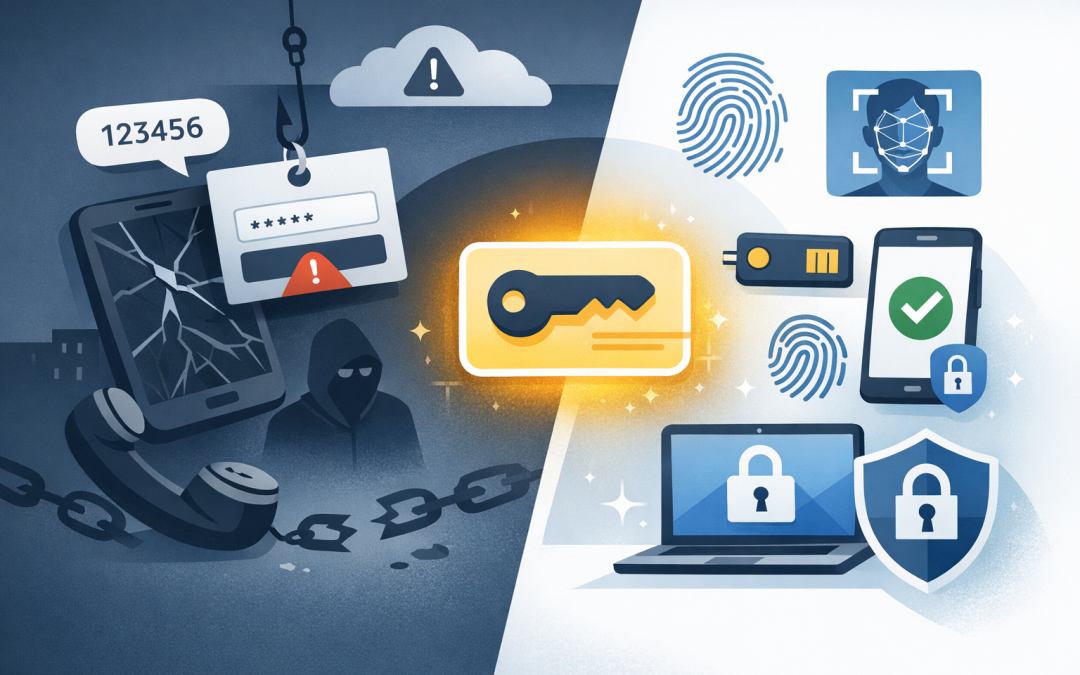
At a high level, Microsoft is moving businesses away from older phone-based multi-factor authentication and toward passkeys. A passkey is a safer way to prove someone is who they say they are, usually using a device, face scan, fingerprint, PIN, or security key instead of a code sent over the phone network.
This matters because attackers have become very good at stealing passwords and tricking people into handing over one-time codes. SMS and voice MFA are still better than password-only access, but they are no longer strong enough for many modern threats.
What is actually changing in Microsoft Entra ID
Microsoft Entra ID is the identity system behind Microsoft 365, Azure, and many business applications. In plain English, it controls who can sign in, what they can access, and what checks they must pass before they get in.
Microsoft has announced two important changes:
- From 1 September 2026, users who are enabled for SMS or voice MFA will start being prompted to register passkeys.
- From 1 February 2027, Microsoft-provided SMS and voice delivery will be retired as a native Entra ID capability.
After that point, users whose only MFA option is SMS or voice may be blocked until they register a passkey. There is no practical upside in waiting until the deadline.
If your organisation still needs SMS or voice for a specific reason, such as a user group with accessibility needs, shared frontline scenarios, or legacy operating constraints, Microsoft is moving toward customer-managed telecom providers through the Microsoft Security Store. That likely means more administration and potentially extra cost.
Why SMS and voice MFA are being phased out
SMS MFA works by sending a one-time code to a user’s phone. Voice MFA calls the user and asks them to approve or enter a code. For years, this was a sensible step up from passwords alone.
The problem is that phone numbers are not identity. They can be redirected, socially engineered, intercepted, or moved to another SIM card through SIM swapping. Attackers also use fake Microsoft login pages that ask users to enter both their password and SMS code in real time.
That is why phone-based MFA is often called “phishable”. It relies on a human seeing a code and typing it somewhere. If the page looks convincing enough, the user may hand the code straight to an attacker.
We covered this wider issue in Why Microsoft 365 Security Is More Than Just Turning on MFA. The short version is simple: MFA is important, but the type of MFA matters.
What passkeys are in plain English
A passkey replaces the old pattern of “password plus code” with a safer sign-in method based on cryptographic keys. That sounds technical, but the concept is straightforward.
Think of it like a lock and key pair. Microsoft keeps the lock. Your device keeps the private key. When you sign in, your device proves it has the right key without sending the key itself across the internet.
That makes passkeys much harder to phish. If a user lands on a fake login page, the passkey will not work for that fake site in the same way a typed SMS code might. The user experience is often easier too: approve with Windows Hello, a fingerprint, Face ID, Microsoft Authenticator, or a hardware security key.
For business leaders, the outcome is not “new authentication technology”. The outcome is fewer account takeovers, fewer password resets, less helpdesk noise, and stronger protection for Microsoft 365 data.
The business risk of doing nothing
For a 50 to 500 person organisation, this is not just an IT setting. It affects payroll, finance, sales, operations, and anyone who depends on Microsoft 365 to work.
If you leave the change until early 2027, you could face three avoidable problems.
1. Staff may be interrupted at sign-in
Users who only have SMS or voice configured may be forced to register a passkey before they can continue. That might be fine for a tech-savvy office worker on a managed laptop. It is less fine for a travelling executive, a warehouse supervisor, a contractor, or a frontline worker trying to access email before a shift.
The business cost is lost time. Even a few minutes per person becomes expensive when it happens across a whole company in the same week.
2. Your helpdesk will carry the pain
Authentication changes always generate questions. “Why am I being asked for this?” “Is this a scam?” “What if I changed phones?” “Can I still use my old number?”
If the rollout is planned, those questions are manageable. If it happens by surprise, your internal IT team or external provider becomes reactive, and reactive work is nearly always more expensive.
3. Your security baseline may fall behind
Many Australian organisations are already working toward the Essential 8, the Australian Government’s cybersecurity framework that helps reduce common cyber risks. Stronger MFA supports that direction, especially when combined with conditional access, device management, patching, and monitoring.
Moving from SMS to passkeys is not just about Microsoft’s deadline. It is about proving that your organisation is taking identity security seriously.
A real-world scenario
Consider a 180-person professional services firm with offices in Melbourne, Sydney, and Brisbane. Most staff use Microsoft 365 every day. MFA was enabled years ago, but the default method was SMS because it was quick and easy.
On paper, the business looked protected. In reality, more than half the workforce depended on phone numbers for sign-in. Several senior staff had personal mobile numbers tied to work accounts, and contractors were still covered by old MFA settings no one had reviewed.
The fix was not complicated, but it needed planning. First, the organisation identified who was still using SMS or voice. Then it piloted passkeys with the finance team and executive assistants, because those users were higher risk. After that, it moved standard office users to Microsoft Authenticator passkeys and Windows Hello for Business, while keeping a small exception group for people who genuinely needed an alternative.
The result was fewer risky sign-ins, fewer password-related tickets, and a cleaner path toward Essential 8-aligned identity controls. The important point: this was done calmly over weeks, not in a panic before a deadline.
What tech leaders should do now
You do not need to become an identity expert to manage this well. But you do need a clear plan and a provider who understands Microsoft Entra ID beyond the basics.
Step 1. Find out who still uses SMS or voice
Ask your IT team or provider for a report showing users enabled for SMS and voice MFA. Do not only ask who used SMS last week. Some users may be enabled for it as a fallback, which still matters.
The report should separate employees, contractors, shared accounts, administrators, and break-glass emergency accounts. Admin accounts need special attention because they can cause the most damage if compromised.
Step 2. Choose the right replacement methods
For most Microsoft 365 environments, the main options are passkeys, Windows Hello for Business, Microsoft Authenticator, and FIDO2 security keys. Windows Hello for Business lets users sign in with a PIN, fingerprint, or face recognition on a trusted work device. FIDO2 security keys are physical keys used for strong sign-in, often suited to administrators or high-risk users.
The right answer may vary by role. Executives, finance staff, IT administrators, and users with access to sensitive client data may need stronger controls than occasional users.
Step 3. Pilot before you roll out
Start with a small group. Include a mix of office workers, remote staff, executives, and less technical users. Watch where people get stuck.
A good pilot gives you better instructions, fewer support calls, and more confidence before you move everyone else.
Step 4. Update your access policies
This is where many businesses need help. Microsoft Entra Conditional Access policies decide when extra checks are required, such as when someone signs in from a new country, unmanaged device, or risky session.
Passkeys are stronger, but they should sit inside a wider security setup. That includes Microsoft Intune, which manages and secures company devices, Microsoft Defender, which helps detect threats, and monitoring tools that show unusual account behaviour.
If phishing is already on your board or risk register, our related article How to Reduce Phishing Risk with Microsoft 365 Defender is a useful next read.
Step 5. Communicate in plain language
Do not send staff a technical email about “authentication method retirement”. Tell them what is changing, why it is safer, what they need to do, and how to get help.
Also make it clear that not every MFA prompt is safe. Attackers still trick users into approving sign-ins or using legitimate login flows in the wrong way, as we discussed in AI-Powered Device Code Phishing Now Bypasses MFA.
Questions to ask your current IT provider
If you are not sure whether this is being handled, ask these questions:
- How many of our users are still enabled for SMS or voice MFA?
- Which users have SMS or voice as their only registered method?
- Are administrator accounts using phishing-resistant MFA?
- Do we have a passkey rollout plan before September 2026?
- How will this affect contractors, shared devices, and frontline users?
- Are our Conditional Access policies aligned with Essential 8 expectations?
- What happens if a user loses their phone, laptop, or security key?
If the answers are vague, that is a sign to look more closely. Identity security is now one of the most important parts of your Microsoft 365 environment.
The bottom line
SMS and voice MFA helped many businesses improve security quickly. But the risk has changed, and Microsoft is now forcing the next step.
For Australian organisations, this is a good opportunity to tidy up identity settings, reduce phishing risk, improve user sign-in, and support Essential 8 compliance work. The key is to act before the change becomes urgent.
CloudProInc is a Melbourne-based Microsoft Partner and Wiz Security Integrator with 20+ years of enterprise IT experience across Azure, Microsoft 365, Intune, Windows 365, OpenAI, Claude, Defender, and Wiz. We help businesses across Australia and internationally make these changes without turning them into a major disruption.
If you are not sure how many people in your organisation still rely on SMS or voice MFA, we are happy to take a look and give you a clear, practical view of what needs to change before 2027.
Discover more from CPI Consulting
Subscribe to get the latest posts sent to your email.