
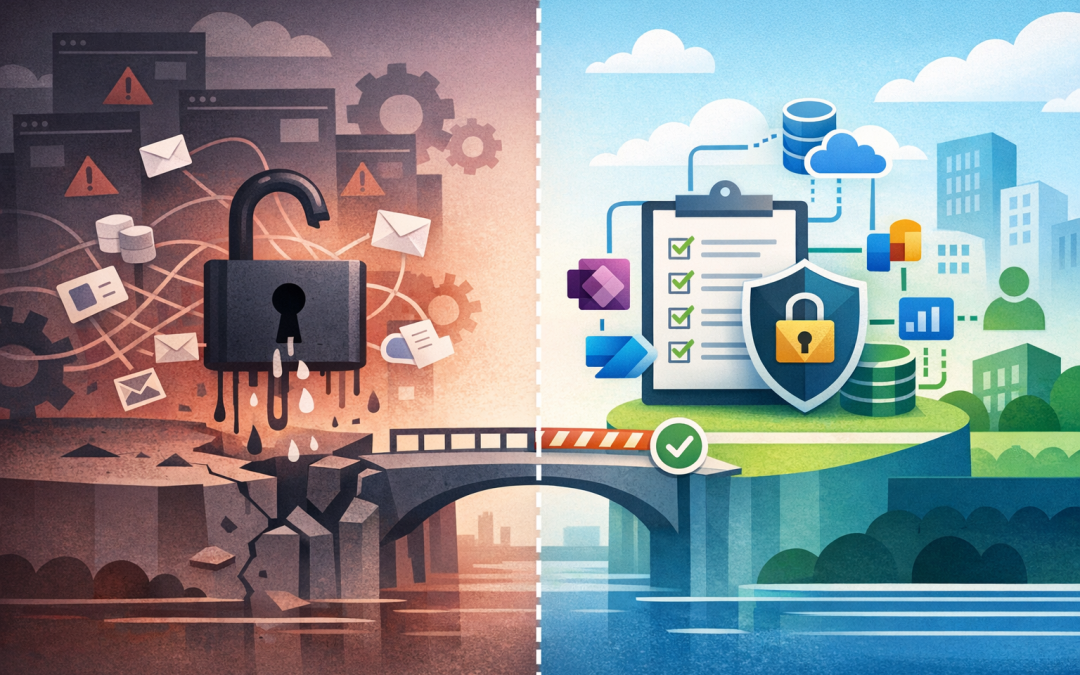
In this blog post Why Power Platform Needs Governance Before Business Risk Grows we will look at why low-code tools need clear rules before they quietly turn into a security, compliance, and cost problem.


Many organisations start using Microsoft Power Platform with the best intentions. Someone in finance builds a small approval workflow. Operations creates a simple app to track site visits. HR automates onboarding emails. Everyone saves time, and IT is pleased the business is solving its own problems.
Then, a year later, nobody can answer simple questions. Who owns that app? What data does it connect to? Why is a workflow sending customer records to a personal mailbox? Why did licensing costs jump? That is the point where productivity turns into risk.
Power Platform is powerful because it lets people build business apps, reports, automations, and chatbots without needing a traditional software development team. The challenge is that the same speed that makes it useful can also bypass normal IT controls if governance is not in place.
What Power Platform actually does in plain English
Microsoft Power Platform is a set of tools that helps staff build useful business solutions quickly. Power Apps creates apps. Power Automate creates workflows between systems. Power BI turns data into reports. Copilot Studio helps create chatbots and AI-driven assistants. Dataverse stores structured business data in a controlled way.
The platform also uses connectors. A connector is simply a bridge between Power Platform and another system, such as SharePoint, Outlook, Teams, Salesforce, SQL, Xero, Dropbox, or hundreds of other services.
That bridge is where the value comes from. It is also where risk starts. If a workflow can read payroll data from one system and send it somewhere else, the business needs rules around who can build it, approve it, monitor it, and shut it down if something goes wrong.
The real problem is not citizen development
Citizen development means business users building their own apps or automations instead of waiting for IT. That is not a bad thing. In fact, for many 50 to 500 person organisations, it is one of the best ways to remove manual work without hiring a large development team.
The problem is uncontrolled citizen development. That usually happens when the business encourages automation but does not set boundaries.
We often see the same pattern. A team creates a useful workflow. Other teams copy it. More connectors are added. The person who built it leaves. The workflow keeps running, sometimes with broad access to customer, employee, or financial data.
At that point, the organisation has business-critical software with no owner, no documentation, no support model, and no audit trail that a leader would trust.
Why governance matters before the risk becomes visible
Governance is not about slowing people down. It is about making sure the right people can build the right things safely.
For Power Platform, governance means clear decisions around environments, data access, connectors, ownership, approvals, monitoring, licensing, and security. In plain English, it answers: what can people build, where can they build it, what data can it touch, and who is accountable?
This matters because Power Platform often grows quietly. Unlike a major software project, there may be no steering committee, no procurement review, and no formal go-live date. It can become important before anyone realises it is important.
Five business risks Power Platform governance prevents
1. Sensitive data moving to the wrong place
The biggest risk is data leakage. A well-meaning employee might create an automation that copies data from SharePoint into a spreadsheet, emails it to a shared inbox, or syncs it to a third-party service.
They may not be trying to do anything wrong. They are just trying to get work done. But if that data includes customer details, employee records, contracts, invoices, or health information, the business may have a privacy and compliance problem.
Good governance uses data loss prevention policies, often called DLP policies. In simple terms, these policies decide which systems are allowed to share data with each other and which combinations are blocked.
For example, it may be fine for SharePoint, Teams, Outlook, and Dataverse to work together. It may not be fine for the same workflow to send sensitive data to a personal cloud storage service.
2. Apps that nobody owns
Many Power Platform issues are not caused by bad design. They are caused by abandonment.
An app gets built by a capable staff member who understands the business process. Six months later, that person changes role or leaves. The app still runs, but nobody knows how it works. When it breaks, IT is asked to support something they did not design and may not even know exists.
Governance fixes this by requiring every important app and workflow to have a named business owner and a technical owner. The business owner is accountable for the process. The technical owner makes sure it is supportable, secure, and documented.
3. Hidden licensing and capacity costs
Power Platform can be cost-effective, but costs can grow when usage is unmanaged. Premium connectors, extra environments, Dataverse storage, process automation, and chatbot usage can all affect licensing.
For a growing organisation, the issue is usually not one expensive app. It is dozens of small automations that nobody is tracking.
A practical governance model includes regular usage reviews. Which apps are active? Which ones are unused? Which flows are failing? Which teams are using premium capabilities? Which solutions are delivering real business value?
This helps leaders fund the tools that matter and remove the clutter that does not.
4. Compliance gaps across Essential 8 and privacy obligations
In Australia, many organisations are aligning to Essential 8, the Australian Government cybersecurity framework that helps reduce common cyber risks. Power Platform governance supports that work because it improves access control, monitoring, administrative discipline, and accountability.
It also matters for Australian privacy obligations. If an app collects, stores, processes, or shares personal information, the business needs to know where that information is going and who can access it.
This is similar to the point we often make about AI governance. Before tools like Copilot or AI agents are rolled out, permissions and data access need to be under control. We covered this in more detail in why SMBs need AI governance before Copilot and AI agents rollouts.
5. Automations that break business processes
Automation is great until the wrong process gets automated.
A poorly designed workflow might approve invoices without the right checks, notify the wrong team, duplicate customer records, or trigger actions based on outdated data. These are not just IT issues. They become operational issues.
Governance introduces simple review points for higher-risk workflows. If an automation touches finance, payroll, customer data, legal documents, or external communications, it should go through a stronger approval process than a team reminder flow.
A real-world scenario most leaders will recognise
Imagine a 180-person professional services firm. The operations team builds a Power App to manage client onboarding. It connects to SharePoint, Outlook, Teams, and a spreadsheet used by finance. It works well, so more teams start using it.
Over time, the original app becomes the main onboarding system. But it was never reviewed by IT. It has no documented support process. A workflow sends client information to an external email address used by a contractor. The person who built it leaves the business.
Nothing looks urgent until a client asks how their data is handled, or the onboarding process fails during a busy month. Suddenly, a useful internal tool becomes a board-level risk.
The fix is not to ban Power Platform. The fix is to put guardrails around it early so teams can keep moving without creating hidden exposure.
What good Power Platform governance looks like
Governance does not need to be heavy. For most mid-sized organisations, the best model is practical and lightweight.
Start with environments
An environment is a separate workspace inside Power Platform. Think of it as a controlled area where apps, automations, data, and permissions live.
At a minimum, most organisations should separate personal experimentation from business-critical solutions. A simple structure might include personal productivity, team solutions, testing, and production.
Production is where important apps run. It should have tighter permissions, clearer ownership, and stronger monitoring.
Set connector rules
Connector rules decide which systems are allowed to share data. This is one of the most important controls because it reduces accidental data leakage.
A simple starting point is to group connectors into approved business systems, limited-use systems, and blocked systems. For example:
- Approved: Microsoft 365, SharePoint, Teams, Outlook, Dataverse, approved databases.
- Limited-use: finance platforms, CRM systems, HR systems, approved third-party SaaS tools.
- Blocked: personal email, consumer file sharing, social media posting, unapproved external storage.
Create an approval path
Not every app needs a committee. But higher-risk apps need review before they become critical.
A practical approval path might ask four questions:
- Does it use sensitive, personal, financial, or customer data?
- Does it send data outside Microsoft 365 or outside Australia?
- Does it change a business record, approve spending, or trigger external communication?
- Would the business be disrupted if it stopped working?
If the answer is yes to any of these, the app deserves a closer look.
Monitor what is being built
Leaders cannot manage what they cannot see. Power Platform governance should include an inventory of apps, flows, makers, connectors, owners, and usage.
This gives IT and business leaders a shared view of what exists. It also helps identify orphaned apps, unused workflows, risky connectors, and high-value solutions worth investing in properly.
Train makers without turning them into developers
The goal is not to make every Power Platform user a software engineer. The goal is to teach business users safe habits.
They should understand when to use approved templates, how to avoid sensitive data exposure, when to ask for help, and how to document what they build. This small amount of training prevents a lot of rework later.
Where AI makes this even more important
Power Platform is now closely connected with AI through tools like Copilot Studio and AI-assisted app building. That means staff can create more capable tools faster than before.
This is useful, but it raises the stakes. A chatbot that answers staff questions may need access to internal documents. An AI-assisted workflow may summarise customer records. An agent may take action across multiple systems.
If permissions, data classification, and ownership are weak, AI will expose those weaknesses faster. This connects directly with our advice in why Copilot readiness starts with permissions and governance and before you deploy AI agents the enterprise governance checklist.
A simple first 30-day plan
If Power Platform is already in use, do not start by writing a 40-page policy. Start with visibility and risk reduction.
- Find what exists: Build an inventory of apps, flows, owners, connectors, and environments.
- Identify risky connections: Look for personal email, consumer storage, external sharing, finance data, HR data, and customer records.
- Name owners: Every business app and workflow should have a business owner and support contact.
- Apply basic connector controls: Block obvious high-risk data paths first.
- Create environment rules: Separate experimentation from production use.
- Review licensing: Check premium usage, inactive apps, and unexpected capacity growth.
- Publish maker guidance: Give staff a one-page guide on what they can build and when they need approval.
This gives the organisation control without crushing innovation.
How CloudProInc helps
CloudProInc works with organisations that want the productivity benefits of Power Platform without the hidden risk. As a Melbourne-based Microsoft Partner with 20+ years of enterprise IT experience, we help clients across Australia and internationally design practical governance across Microsoft 365, Azure, Intune, Defender, Wiz, OpenAI, Claude, and Power Platform.
Our approach is hands-on. We look at what is actually running, where the risk sits, what licensing is costing, and which controls will make the biggest difference first.
For some clients, that means a light governance framework and maker training. For others, it means environment design, DLP policy setup, monitoring, security review, and integration with broader Essential 8 and Microsoft 365 governance work.
Governance is what lets Power Platform scale safely
Power Platform should not be treated as a toy, and it should not be locked away either. Used well, it can remove manual work, improve reporting, speed up approvals, and give teams better tools without long development cycles.
But without governance, it can create hidden apps, unmanaged data flows, compliance gaps, rising costs, and processes the business depends on but nobody owns.
If you are not sure what has already been built in your Power Platform environment, or whether your current setup is safe enough, CloudProInc is happy to take a look. No scare tactics, no hard sell — just a practical review of where you are and what should happen next.
Discover more from CPI Consulting
Subscribe to get the latest posts sent to your email.