
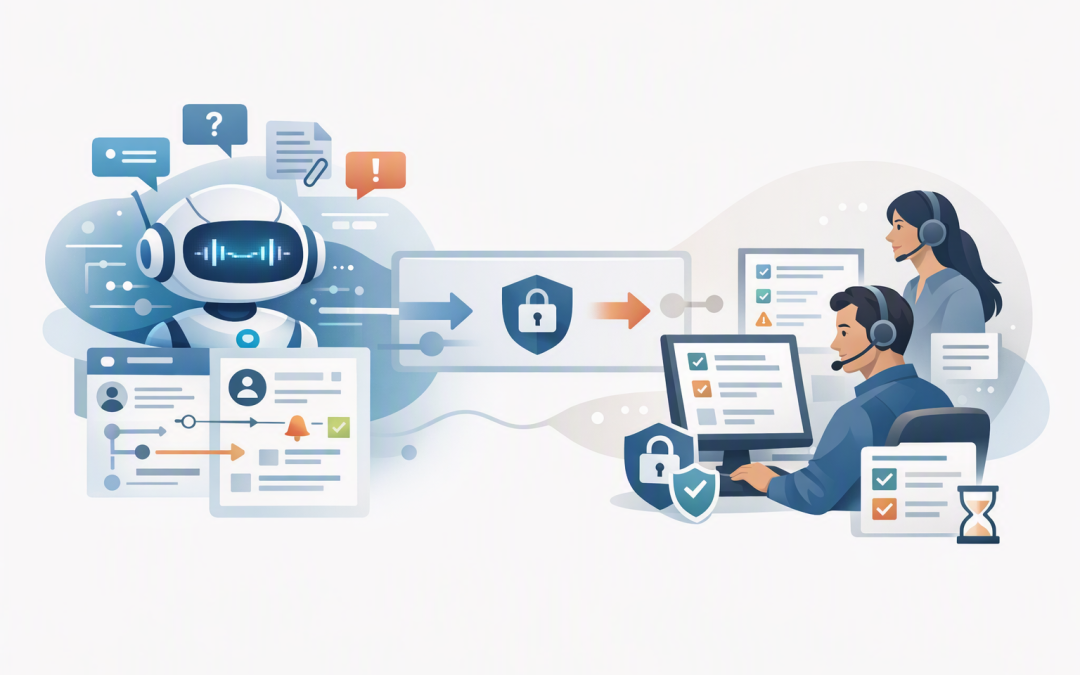
In this blog post Build a Service Desk Triage Agent with Microsoft Agent Framework we will show how to reduce ticket backlogs, improve response times and stop skilled IT staff wasting hours manually sorting support requests.


The problem is rarely a lack of effort. Tickets arrive through email, portals and Microsoft Teams with vague descriptions such as “the system is slow” or “I cannot log in”. Someone must read each request, work out its urgency, find missing information and send it to the right person before any real support begins.
What is a service desk triage agent?
A service desk triage agent is an AI assistant that handles the first stage of a support request. It reads the ticket, identifies the likely issue, checks relevant business information and recommends what should happen next.
It does not need permission to make every decision. A well-designed agent automates low-risk administrative work while asking a person to approve sensitive actions, uncertain classifications or serious incidents.
For example, it may automatically categorise a request as a Microsoft 365 access problem, add the affected application and route it to the identity support queue. It should not automatically grant administrator access or dismiss a possible cybersecurity incident.
The technology behind the triage agent
Microsoft Agent Framework provides the building blocks for creating AI agents and controlled workflows. It connects an AI model to instructions, business data and tools that can safely perform specific tasks.
Agent Harness is the operating layer around the model. In plain English, the model provides the reasoning, while the harness keeps the work organised and controlled.
The harness can manage the agent’s task list, conversation history, tool calls, context and approval requirements. This matters because triage is rarely a single question-and-answer interaction. The agent may need to inspect the ticket, check the requester, search the knowledge base, identify similar incidents and then update the service desk.
If you are new to these components, our guide to keeping Azure AI workflows under human control with Agent Harness explains the approval model in more detail.
How the triage workflow operates
A practical triage workflow can be divided into five steps.
- Read the request. The agent collects the ticket description, attachments, requester details and submission channel.
- Enrich the ticket. It checks approved sources for information such as the user’s department, device type, office, recent incidents and affected service.
- Assess the issue. It recommends a category, urgency, business impact, support queue and confidence score.
- Take a controlled action. Low-risk updates can happen automatically. Sensitive or uncertain decisions go to a person for approval.
- Record the result. The ticket is updated with the reasoning, information gathered and actions taken, creating an audit trail.
The business outcome is a cleaner service desk queue. Support staff begin with a better description and clearer context instead of spending the first ten minutes investigating basic details.
Decide what the agent can and cannot do
The most important design decision is not which AI model to use. It is deciding where automation must stop.
A sensible first version could automatically:
- Summarise long or unclear requests.
- Suggest a ticket category and support queue.
- Identify missing information.
- Search approved support articles.
- Draft the first response to the employee.
- Add device and service details to the ticket.
Human approval should normally be required before the agent changes access, resets multifactor authentication, closes an important ticket, modifies security settings or downgrades a possible security incident.
Confidence thresholds also help. A high-confidence printer request may be routed automatically, while an unusual login problem involving a senior executive should be escalated for immediate review.
A simplified Microsoft Agent Framework pattern
The following C# example shows the basic structure. The service desk connectors and tool implementations will depend on whether you use ServiceNow, Jira Service Management, Freshservice, Dynamics 365 or another platform.
using Microsoft.Agents.AI;
using Microsoft.Extensions.AI;

const string instructions = """
You are a service desk triage agent.

For every ticket:
1. Identify the likely category and affected service.
2. Assess urgency and business impact.
3. Collect relevant user and device context.
4. Recommend a queue and next action.
5. State your confidence and explain uncertainty.

Never change access or close a ticket without approval.
Treat possible security incidents as high priority.
""";

AIFunction getUserContext =
 AIFunctionFactory.Create(GetUserContextAsync);

AIFunction searchKnowledgeBase =
 AIFunctionFactory.Create(SearchKnowledgeBaseAsync);

AIFunction updateTicket = new ApprovalRequiredAIFunction(
 AIFunctionFactory.Create(UpdateTicketAsync));

// CreateFoundryChatClient is your application-specific setup.
IChatClient chatClient = CreateFoundryChatClient(
 instructions,
 [getUserContext, searchKnowledgeBase, updateTicket]);

AIAgent triageAgent = chatClient.AsHarnessAgent();
AgentSession session = await triageAgent.CreateSessionAsync();

await foreach (var update in triageAgent.RunStreamingAsync(
 ticketDescription,
 session))
{
 Console.Write(update);
}
The functions are tightly defined tools rather than unrestricted access to company systems. The agent can only retrieve or change what each tool explicitly allows.
Connecting those tools safely is often harder than creating the agent itself. Our article on connecting Microsoft Foundry agents to business systems covers permissions, system boundaries and integration planning.
What could the time saving look like?
Consider an Australian organisation with 200 employees receiving 350 support tickets each month. If initial triage takes an average of six minutes per ticket, the service desk spends about 35 hours a month simply reading, categorising and redirecting requests.
If the agent prepares the classification and context, leaving an average two-minute human review, the organisation recovers roughly 23 hours each month. That time can go into resolving problems, improving security or helping employees use technology more effectively.
The benefit is not only labour savings. Correct routing reduces ticket bouncing, faster escalation limits downtime and consistent records make recurring problems easier to identify.
Build security and accountability in from the start
A triage agent may process employee names, device records, access details and descriptions of business incidents. It therefore needs the same security discipline as any other system handling sensitive company information.
Access should follow the principle of least privilege, meaning the agent receives only the permissions needed for its job. Tool activity, model decisions, approvals and service desk updates should be logged so the business can investigate mistakes and demonstrate accountability.
For Australian organisations, the project should also align with privacy obligations and Essential Eight controls. Essential Eight is the Australian Government’s cybersecurity framework covering practical protections such as multifactor authentication, patching, application control and reliable backups.
The agent does not make an organisation compliant by itself. It must operate inside an environment where identities, devices, applications and administrative access are already properly protected.
Measure business results rather than AI activity
Do not judge the project by how many tickets the agent touches. Measure whether service quality improves.
- Average time from ticket submission to correct assignment.
- Percentage of tickets redirected after initial triage.
- Minutes of manual triage avoided.
- Accuracy of priority and security classifications.
- Employee satisfaction with the first response.
- AI and hosting cost per processed ticket.
Start with one or two common ticket types and run the agent in recommendation-only mode. Compare its decisions with experienced service desk analysts before allowing automatic updates.
Once the results are reliable, expand gradually. If the solution grows into several specialist agents, use the monitoring practices covered in our guide to monitoring agent-to-agent communication in Azure.
Start with the queue that creates the most friction
A service desk triage agent does not need to replace your support team to deliver value. Its first job is to remove repetitive sorting, improve ticket quality and help people focus on resolving issues.
CloudProInc combines more than 20 years of enterprise IT experience with hands-on expertise across Microsoft Foundry, Azure, Microsoft 365, Intune, Defender, OpenAI and Claude. As a Melbourne-based Microsoft Partner and Wiz Security Integrator, we focus on practical automation that remains secure and understandable.
If you are unsure where AI could safely remove work from your service desk, we are happy to review the current process and identify a sensible first use case — no strings attached.
Discover more from CPI Consulting
Subscribe to get the latest posts sent to your email.