
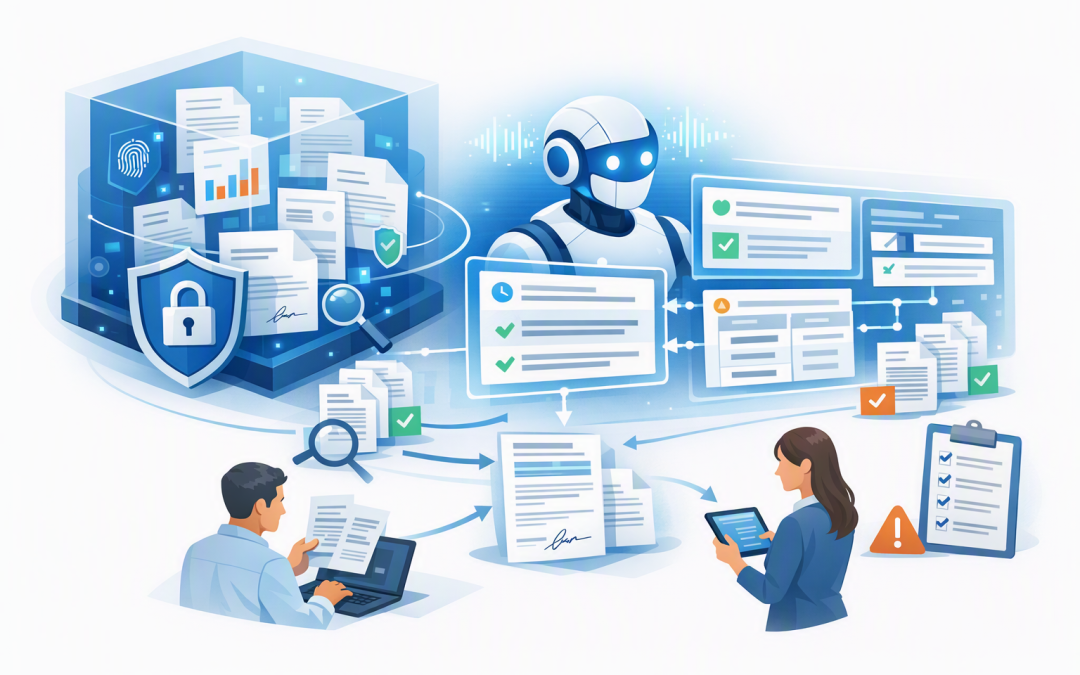
In this blog post How AI Agents Make Business Data Rooms Faster Safer and Smarter we will explain how businesses can use AI to review sensitive documents, answer complex questions and coordinate follow-up work without weakening security.


Most business data rooms are good at storing information but poor at helping people use it. Directors, legal teams and project leaders still spend hours opening files, comparing versions and searching for the one clause, figure or decision they need.
An AI agent changes that experience. It acts as a controlled digital assistant that can search the data room, interpret relevant documents and complete approved tasks while respecting the user’s existing access rights.
What is a business data room
A business data room is a secure digital workspace for confidential information. It may contain contracts, financial reports, policies, customer records, intellectual property, board papers or documents used during a merger or acquisition.
The data room might be built in Microsoft SharePoint, Azure storage or a specialist virtual data-room platform. What makes it different from an ordinary shared folder is the level of control around who can view, change, download and share each document.
The problem is that secure storage does not automatically create fast access to knowledge. A well-organised data room can still contain thousands of pages that someone must manually review.
How the technology works
An AI agent does not need unrestricted access to every file, and it usually does not need to be trained on the company’s confidential documents. A safer approach is called retrieval-augmented generation, often shortened to RAG.
RAG allows the agent to search approved business information when a question is asked. It retrieves the most relevant passages and gives them to the AI model as temporary context for its answer.
The search layer may use embeddings, which are numerical representations of meaning. In plain English, embeddings help the system find related information even when the user’s wording does not exactly match the wording in a document.
User asks a question
 ↓
System confirms the user's identity
 ↓
Search checks only permitted documents
 ↓
Relevant passages are sent to the AI model
 ↓
Agent produces an answer with document references
 ↓
Any business action requires the appropriate approval
Microsoft Foundry can provide the managed environment for creating and operating the agent. Azure AI Search can help it retrieve relevant information, while Microsoft Entra ID confirms identity and Microsoft Purview applies information-protection and retention rules.
OpenAI or Anthropic Claude models can also provide the reasoning capability, depending on the organisation’s requirements. The important decision is not simply which model to choose. It is how the complete system controls data access, actions and accountability.
We cover the broader integration pattern in connecting Microsoft Foundry agents to business systems.
Where AI agents create business value
They reduce document review time
Imagine an acquisition team reviewing 600 contracts. Instead of opening every file, the team could ask the agent to identify change-of-control clauses, unusual termination conditions or agreements due to expire within 12 months.
The agent can prepare a structured summary and link each finding back to its source. A qualified person still makes the legal or commercial decision, but the expensive first pass becomes much faster.
They answer repeated questions consistently
Data-room administrators often answer the same questions from different executives, advisers and project teams. Where is the insurance certificate? Which policy covers customer data? Was this supplier agreement renewed?
An agent can answer routine questions at any time using the approved material already in the room. This reduces interruptions and helps teams move without waiting for the person who knows where everything is stored.
They compare information across documents
The biggest delays often come from information spread across multiple files. A pricing commitment may be in a contract, its exception in an email and the final approval in a board paper.
An AI agent can bring those details together and explain where they conflict. That can help leaders identify commercial risk earlier rather than discovering it after a deal, audit or customer dispute.
They can coordinate approved follow-up work
An agent can do more than produce answers. With carefully limited connections, it can draft a risk register entry, prepare a review checklist, create a task in the service desk or notify the document owner that information is missing.
This is where agents become more useful than ordinary chatbots. As explained in our article on how AI agents will reshape the modern workplace, they can coordinate multi-step work rather than simply respond to questions.
The agent must not become a security shortcut
A data room may contain some of the most valuable information in the business. Connecting an AI agent without proper controls can turn a convenient search tool into a new path to confidential data.
The agent should apply the same document permissions as the underlying data room. If a manager cannot open a particular financial model in SharePoint, the agent must not reveal its figures in a summary.
Five controls should be treated as minimum requirements:
- Identity-based access: Every request should be tied to a verified person, ideally using multi-factor authentication.
- Document-level permissions: Search results must be filtered so users receive only information they are already authorised to see.
- Read-only access by default: The agent should not edit files, send messages or create records unless that action is necessary and specifically approved.
- Logging and monitoring: The business should be able to see who asked what, which information was accessed and what action the agent attempted.
- Human approval for high-risk actions: Legal, financial, employment and customer decisions should remain with accountable people.
The design should also account for malicious or misleading content inside the data room. A document could contain hidden instructions intended to manipulate the agent, so the system must treat document content as information to analyse, not as commands to follow.
These controls support the Essential Eight, the Australian Government’s cybersecurity framework for reducing common security risks. Multi-factor authentication, restricted administrative access, patching and reliable backups remain important even when the new interface happens to be AI.
Australian organisations should also consider their obligations under privacy legislation. Personal information should not be copied into an AI platform simply because it is technically possible. Purpose, access, storage, retention and disclosure all need to be considered before launch.
A practical business scenario
Consider a 180-person professional services company preparing for an external investment. Its data room contains seven years of contracts, insurance documents, policies, financial reports and employee records.
Eight senior employees each spend around four hours a week finding documents and answering adviser questions. Across a 12-week review, that represents almost 400 hours of skilled work before considering the external advisers waiting for responses.
A controlled AI agent could answer routine questions, flag missing documents and prepare first-pass summaries. If it removed even half of that manual effort, the business would recover roughly 200 hours while maintaining human review for important findings.
The outcome is not merely a faster chatbot. It is a shorter review process, fewer interruptions for senior staff and a clearer record of how each answer was produced.
Start with one room and one measurable problem
Do not begin by connecting an agent to every company document. Choose one defined data room and one costly workflow, such as contract review, audit preparation or policy enquiries.
- Confirm which documents belong in scope and remove obsolete copies.
- Review permissions before giving the agent access.
- Define the questions the agent should and should not answer.
- Keep the first release read-only.
- Test answers, access controls and recovery procedures with real scenarios.
- Measure hours saved, response time and incorrect or incomplete answers.
It is also worth planning how the agent will retain approved decisions without treating temporary conversations as permanent records. Our guide to keeping AI agents from losing critical business information explains how durable storage and recovery controls fit into that process.
Make the data room useful without making it less secure
AI agents can turn a static collection of files into an active business resource. They can reduce review time, improve access to important information and help teams complete routine follow-up work without adding headcount.
However, the value depends on disciplined implementation. Permissions, privacy, monitoring and human approval must be designed into the agent from the beginning, as we discuss in what makes an AI agent safe and ready for business.
CloudProInc brings more than 20 years of enterprise IT experience to this work. As a Melbourne-based Microsoft Partner and Wiz Security Integrator, we help organisations connect agents to Azure and Microsoft 365 while using Microsoft Defender, Purview and Wiz to protect the surrounding environment.
If your data room is secure but still slow and difficult to use, we are happy to help you assess where an AI agent could save time without creating unnecessary risk. No pressure and no oversized consulting project required.