
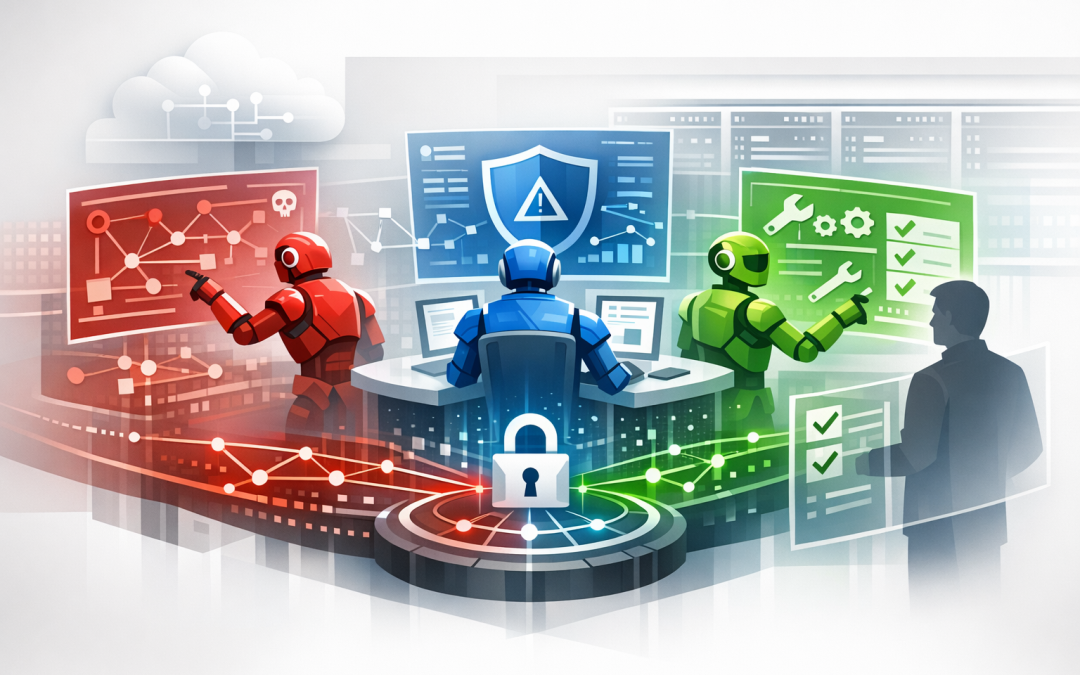
In this blog post Microsoft Project Perception Brings Autonomous Cyber Defence we will explain how Microsoft’s new security system works, why it matters and what technology leaders should do before giving AI a larger role in cyber defence.


Most security teams do not have a shortage of alerts. They have a shortage of time. Important findings sit in dashboards while analysts gather evidence, compare tools, contact system owners and work out which issue presents the greatest business risk.
Project Perception is designed to shorten that process. Instead of simply showing an analyst another warning, it coordinates specialised AI agents that can examine a threat, test how serious it is and prepare a fix. The goal is continuous defence, with people still controlling critical decisions.
What Project Perception actually does
Project Perception is what Microsoft calls an agentic security system. In plain English, that means it uses AI software workers that can plan and complete multi-step security tasks, rather than waiting for a person to issue a separate instruction at every stage.
These agents can draw on information from company devices, user identities, cloud services, applications and previous security incidents. They then work together through three broad roles.
- Red agents think like attackers. They look for exposed systems, weak access controls and possible routes an intruder could use to move through the business.
- Blue agents investigate. They examine the evidence, determine whether a weakness creates a meaningful risk and help prioritise the response.
- Green agents help fix the problem. They can recommend or prepare changes that close the weakness, improve detection and make the environment harder to attack.
The important part is the coordination. A red agent can identify a possible attack path, pass the evidence to a blue agent for investigation and then hand a confirmed issue to a green agent for remediation. This removes many of the delays caused by people moving between disconnected tools and teams.
The technology behind autonomous defence
Project Perception is not one large chatbot watching your network. It combines AI models, security information, automated workflows and controlled actions within an orchestrated system.
Security signals and organisational context
A useful investigation requires more than a suspicious login or vulnerable server. The system also needs to understand who owns the asset, what data it contains, which users can access it and whether related incidents have happened before.
Microsoft can bring together signals from services such as Microsoft Defender, which detects threats across devices, identities, email and cloud workloads, and Microsoft Sentinel, which collects and analyses security activity across the organisation. Project Perception uses that context to distinguish a minor configuration issue from a weakness that could interrupt operations or expose sensitive information.
Specialised AI models
Project Perception can use purpose-built security models, including Microsoft’s MAI-Cyber-1-Flash. This is an AI model trained for cybersecurity work such as examining software, finding vulnerabilities and proposing corrections.
Microsoft also uses MDASH, a multi-agent vulnerability identification and remediation system. Rather than asking one AI model to solve every problem, MDASH can direct different parts of a task to models and agents suited to that work. This can improve accuracy while controlling the cost of running large AI models continuously.
Orchestration and controlled action
An orchestration layer acts like a workflow manager. It decides which agent should perform each task, records the evidence, manages handovers and checks whether an action needs human approval.
This is what separates Project Perception from a conventional AI assistant. Microsoft Security Copilot helps a person investigate and make decisions. Project Perception is designed to carry work across several stages, although high-impact actions remain subject to human controls and approval.
Why this matters to a CIO or CTO
Security work can move from weeks to hours
Microsoft has shared an early deployment in which a large financial organisation reduced four weeks of threat intelligence analysis to approximately four hours. The business outcome is not simply a faster report. It is a much smaller window in which an attacker can exploit a known weakness.
For a 200-person organisation, consider an internet-facing business application with an overlooked access problem. Today, several people may need to confirm the alert, inspect user permissions, assess the application and arrange a change. An agent-led workflow could gather that evidence and prepare the recommended response before the first security meeting begins.
Your existing team can focus on judgement
Skilled security staff are expensive and difficult to recruit. Yet many spend a large part of their week collecting logs, checking repetitive alerts and documenting straightforward changes.
Project Perception could shift more of that routine work to AI agents. People remain responsible for risk decisions, but they receive a clearer explanation of what happened, what could happen next and which action is recommended.
Security tools may produce more value together
Many organisations already pay for capable Microsoft security products but use only a portion of what is available. Adding another standalone dashboard rarely fixes that problem.
Project Perception is more interesting because it is intended to coordinate information and actions across the Microsoft security environment. Businesses already using Microsoft 365, Azure and Microsoft Defender may be able to improve response without creating another isolated security process.
Autonomous does not mean unsupervised
No responsible organisation should give an early-stage AI system unrestricted permission to disable accounts, change production applications or modify network controls. A technically correct security action can still interrupt a critical business process.
Microsoft’s approach keeps people in charge of critical decisions, with actions scoped, recorded and available for review. However, each organisation must still establish its own approval thresholds, access permissions and rollback procedures.
Before enabling automated remediation, leaders should ask:
- Which systems can the agents inspect?
- Which changes can they recommend but not execute?
- Who approves actions affecting production services?
- How will decisions and evidence be recorded for audit purposes?
- What happens if an automated change causes an outage?
The same least-privilege principle applies when securing internal AI projects. Give each agent only the access needed for its job, an approach we also cover in securing Microsoft Foundry projects with controlled access and managed identities.
How Project Perception fits with Essential Eight
Project Perception does not make an organisation compliant with the Essential Eight, the Australian Government’s cybersecurity framework that many organisations use to reduce common attack risks. No single product can do that.
It may, however, help security teams identify missing patches, exposed administrator access, weak configurations and gaps in threat detection more quickly. It could also improve the evidence available to auditors and leadership teams when tracking remediation.
The fundamentals still matter. Devices must be managed, multi-factor authentication must be enforced, privileged access must be restricted and security updates must be applied promptly. AI can accelerate those controls, but it cannot compensate for unclear ownership or consistently ignored recommendations.
What leaders should do now
- Fix visibility first. Confirm that your devices, identities, applications and cloud services are properly connected to your security tools. AI cannot reason over information it cannot see.
- Review your Microsoft licensing and configuration. Determine which Defender, Sentinel, Intune and Azure capabilities you already own and whether they are configured correctly.
- Define approval boundaries. Decide which actions AI may perform, which require human sign-off and which must remain fully manual.
- Start with one measurable workflow. Vulnerability prioritisation or threat investigation is safer than attempting broad automation immediately.
- Measure business outcomes. Track investigation time, remediation time, recurring incidents and analyst workload rather than counting how many alerts the AI processes.
It is also worth understanding the wider risk. As explained in how AI is expanding the attack surface, attackers are using AI to work faster too. Project Perception is Microsoft’s answer to that speed gap, while initiatives such as Anthropic’s Project Glasswing show that autonomous vulnerability discovery is becoming a broader industry priority.
A promising shift, not a replacement for security leadership
Project Perception represents an important move from AI that explains security problems to AI that helps carry the response through to a fix. That could reduce investigation costs, close vulnerabilities faster and help smaller security teams manage a growing workload.
It is currently an emerging platform, so availability, licensing and supported workflows should be assessed carefully. The organisations likely to gain the most value will be those that already have clean security data, well-configured Microsoft services and clear accountability for approving changes.
CloudPro Inc brings more than 20 years of enterprise IT experience as a Microsoft Partner and Wiz Security Integrator. We help organisations assess Microsoft Defender, Azure, Microsoft 365, Intune and cloud security without turning the review into a sales exercise.
If you are unsure whether Project Perception fits your security strategy, or whether your current Microsoft environment is ready for agent-led defence, we are happy to take a practical look with you—no strings attached.
Discover more from CPI Consulting
Subscribe to get the latest posts sent to your email.