
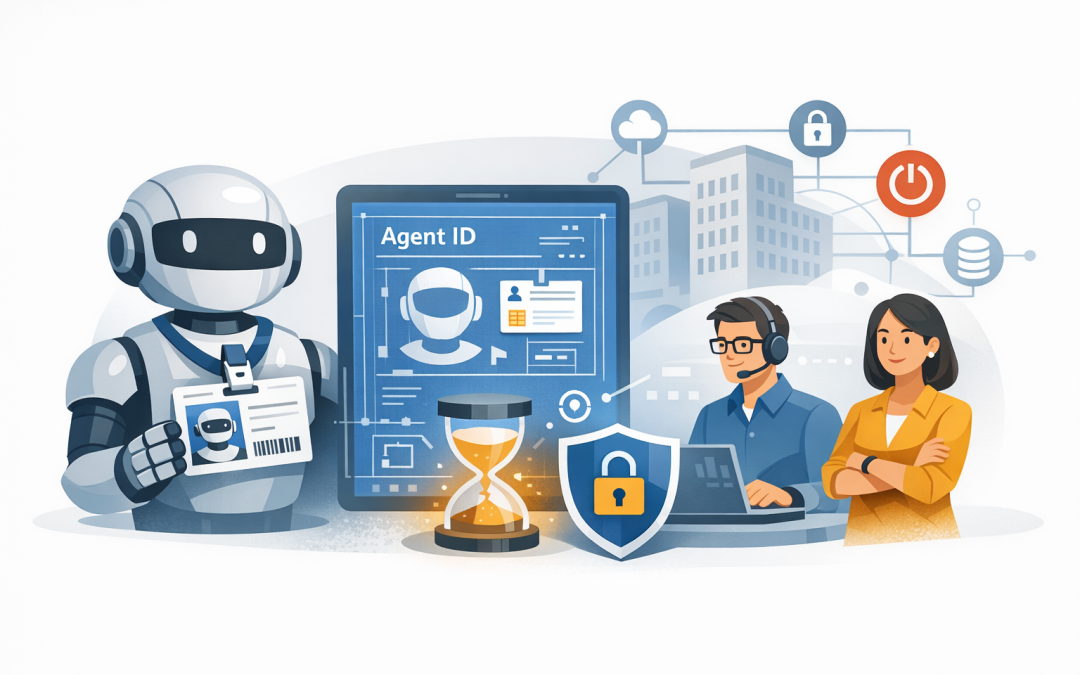
In this blog post How Microsoft Entra Agent Identities Secure Your AI Agents we will explain how to stop useful AI tools from becoming invisible, overprivileged security risks. If your agents can read documents, update customer records or trigger business processes, you need to know exactly which agent acted, what it accessed and who is accountable for it.


At a high level, Microsoft Entra Agent ID gives each AI agent a managed digital identity. Think of it as an employee pass for software: the agent is identified, receives access only to approved resources and can be blocked when its access is no longer safe or required.
Why AI agents create a new identity problem
Traditional software usually follows predictable instructions. An AI agent can interpret a request, choose a tool and take a series of actions to complete a goal.
That flexibility is valuable, but it also means the agent may touch SharePoint files, customer data, finance systems, email and internal applications. If several agents share one application account or API key, your security team may struggle to determine which agent performed an action.
The result is a familiar business problem: access grows faster than oversight. A pilot becomes a production service, the original developer moves on, and nobody is certain whether the agent still needs every permission it was given.
What Microsoft Entra Agent ID actually does
Microsoft Entra ID is Microsoft’s identity platform for controlling access to company systems. Microsoft Entra Agent ID extends that approach to AI agents, including autonomous agents working independently and interactive agents acting for a signed-in employee.
An agent identity is a specialised account representing one AI agent. Rather than storing a separate password, it uses a parent template called an agent identity blueprint to request secure, time-limited access tokens. A token is effectively a temporary digital pass that states who the agent is and what resource it may access.
The model has three important parts:
- Agent identity: The unique identity of an individual agent, making its actions easier to trace and control.
- Agent identity blueprint: A reusable template defining how a type of agent is created, authenticated and managed.
- Owner and sponsor: The technical team that manages the agent and the business person or group accountable for why it exists.
This identity layer complements the network, application and data controls discussed in our guide to designing secure AI agent infrastructure on Azure.
Five business benefits of giving every agent an identity
1. You can see which agent did what
Each agent should have its own identity rather than sharing a generic application account. This provides clearer sign-in and audit records, making unusual behaviour easier to investigate.
If an agent downloads an unexpected number of documents at 2 am, your team can identify the specific agent involved. Without separate identities, the logs may only show that a shared integration account accessed the files.
2. Access can be limited to the job
An accounts-payable agent may need to read invoices but should not be able to export the entire customer database. A human resources assistant may need access to approved policies without receiving access to confidential employee case files.
Microsoft Entra Conditional Access, which applies rules before access is granted, can allow, restrict or block agent requests based on the identity, target resource and available risk signals. This supports least privilege: giving an agent the minimum access needed to perform its approved task.
3. Security rules become repeatable
Agent identity blueprints let your team define common controls once and apply them to agents of the same type. This helps prevent every developer or department from inventing a different security model.
Each deployed agent can still receive a unique identity, allowing one agent to be investigated or disabled without interrupting every other agent created from the blueprint.
4. Someone remains accountable
Every production agent should have a named business sponsor. This might be the operations director responsible for an onboarding agent or the finance manager responsible for an invoice-processing agent.
The sponsor should regularly confirm that the agent is still needed and that its access remains appropriate. This closes a common governance gap where IT operates an agent but nobody in the business owns its purpose or risk.
5. You get a practical kill switch
If one agent behaves unexpectedly, its identity can be disabled. If a whole class of agents has a serious problem, disabling the relevant blueprint can block the identities created from it.
This can reduce the time required to contain an incident. It is much safer than searching through code repositories and cloud services to find every copy of a shared password.
A typical 200-person company scenario
Consider a professional services firm introducing an AI onboarding agent. It reads signed contracts, creates a draft customer record, prepares a project folder and sends tasks to the service team.
During the pilot, the agent uses a shared application registration with broad access to SharePoint and the customer relationship management system. The pilot works, but the security team cannot easily separate the agent’s activity from other automated processes using the same account.
A safer production design gives the onboarding agent its own Entra agent identity. Its access is limited to the onboarding document library and specific customer-record actions, while deletion and bulk export remain blocked.
The operations director becomes the sponsor, the platform team remains the technical owner, and access is reviewed every 90 days. If the agent is compromised or starts behaving incorrectly, that identity can be disabled without shutting down unrelated integrations.
The business outcome is not simply stronger security. Investigations become faster, audit evidence is clearer and the potential impact of one agent failure is significantly reduced.
A practical rollout plan
- Inventory your agents. Include formal AI projects, Copilot extensions, department-built automations and experimental agents connecting to company data.
- Classify the risk. Record what information each agent can read, what actions it can take and whether it can act without human approval.
- Define blueprints. Group agents with similar purposes and security requirements rather than creating every identity from scratch.
- Give every production agent a unique identity. Avoid shared credentials, especially for agents that modify data or initiate transactions.
- Assign an owner and sponsor. Technical ownership and business accountability are different jobs, and both are necessary.
- Monitor and review. Send relevant identity events into your security monitoring process and review access after business, staffing or system changes.
An internal design record could be as simple as the following. This is an illustrative governance example, not executable configuration:
{
 "agent": "Client onboarding assistant production",
 "blueprint": "Client onboarding agents",
 "businessSponsor": "Operations Director",
 "technicalOwner": "Cloud Platform Team",
 "allowedResources": [
 "SharePoint onboarding library",
 "CRM create draft customer"
 ],
 "blockedActions": [
 "Bulk customer export",
 "Delete customer record"
 ],
 "accessReviewDays": 90
}
For agents that communicate directly with other agents, identity must also protect those machine-to-machine conversations. Our article on securing A2A agent communication using Microsoft Entra ID explains that next layer.
Agent identity is not the whole security strategy
Entra Agent ID helps answer who the agent is and what it may access. It does not automatically stop unsafe instructions, excessive data exposure, insecure application code or a poorly configured cloud environment.
A complete design should also include data classification, human approval for high-impact actions, Microsoft Defender threat monitoring and Wiz cloud security visibility. Agent tools and connected APIs must validate every request rather than trusting an agent simply because it authenticated successfully.
Licensing also depends on the protections and governance features you plan to use. Advanced controls may require additional Microsoft Entra or Agent 365 licensing, so validate the technical design and commercial model before a broad rollout.
How this supports Australian governance
Microsoft Entra Agent ID is not an Essential Eight compliance shortcut. However, unique identities, restricted privileges, clear ownership and stronger audit records support the intent of the Essential Eight, the Australian Government’s baseline cybersecurity framework.
They also help organisations investigate unauthorised access to personal information. For businesses covered by the Australian Privacy Act and Notifiable Data Breaches scheme, being able to identify the affected agent, data and time period can make incident assessment more reliable.
Start with identity before your agent rollout grows
The best time to establish agent identities is before dozens of agents appear across departments. Retrofitting ownership, permissions and audit controls later is slower, more expensive and more likely to interrupt useful automation.
CloudProInc combines more than 20 years of enterprise IT experience with practical work across Microsoft Azure, Microsoft 365, Entra, Defender, OpenAI, Claude and Wiz. As a Melbourne-based Microsoft Partner and Wiz Security Integrator, we help organisations move AI agents from promising demonstrations into controlled business services.
If you are not sure which agents already have access to your company data, or whether their permissions are broader than necessary, we are happy to take a practical look at your current setup — no strings attached.