
In this blog post How Exposed Ports Make AI App and Report Reviews Safer and Faster we will explain how your team can review working AI-generated applications without rushing unfinished code into production.


Imagine an AI tool creates a useful sales dashboard, financial report or internal application. It works on the developer’s computer, but business stakeholders cannot properly test it without installing software, reading code or waiting for a formal deployment.
Exposed ports solve this preview problem. They create a controlled doorway into an isolated development environment, allowing authorised reviewers to open the application in a browser and interact with it before it reaches employees, customers or live business systems.
Why screenshots are not enough for AI-generated applications
AI can now produce a working prototype in hours. The slower part is often getting the right people to review what it created.
A screenshot may show that a dashboard looks professional, but it cannot prove that filters work, calculations are accurate or confidential information is hidden from the wrong users. A spreadsheet export has similar limitations because reviewers only see a frozen result.
This creates two common problems. Either the IT team spends time packaging and deploying an idea that may be rejected, or an unfinished prototype is placed in a shared environment simply because stakeholders need somewhere to view it.
Both options add cost. The second can also introduce serious security and privacy risks.
What an exposed port actually does
A port is simply a numbered doorway used by an application to receive a connection. When a web application runs on port 8000, for example, it is waiting for browser requests through doorway 8000.
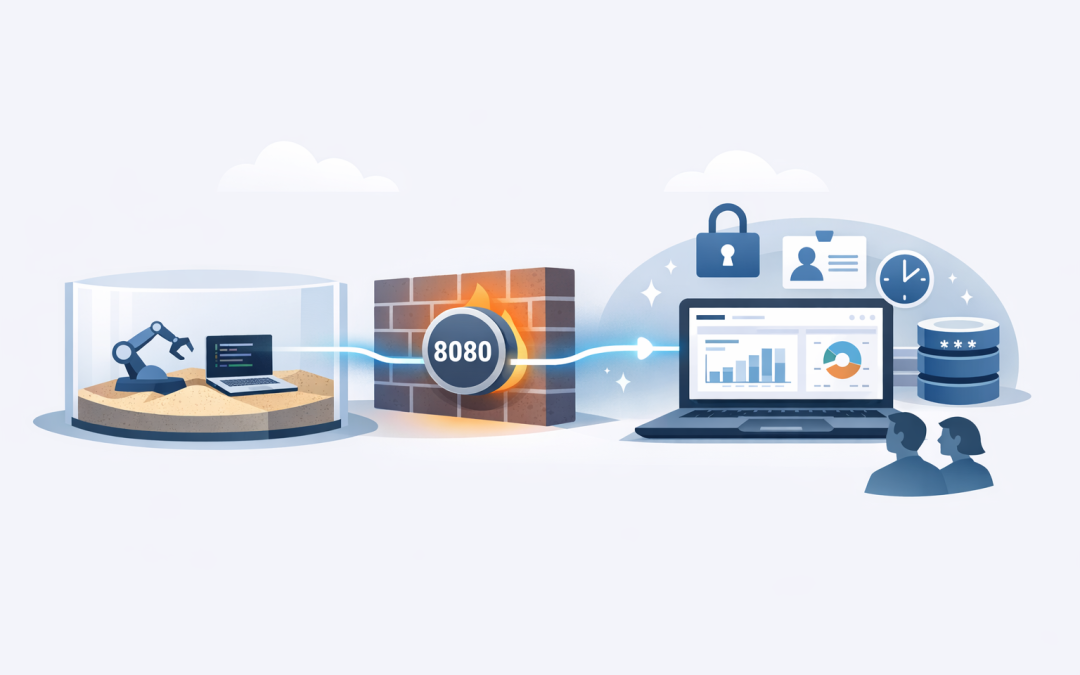
AI development platforms often run generated code inside a sandbox, which is an isolated workspace separated from the user’s main computer and production systems. The sandbox can contain files, install approved software packages, run commands and start a temporary web server.
Exposing a port connects that temporary server to a preview address. An authorised person can then open the address in a browser and use the generated application as if it had been deployed.
The basic flow is:
- The AI creates an application or interactive report inside an isolated sandbox.
- The application starts a small web server on a nominated port.
- The platform forwards that port to a temporary browser address.
- Stakeholders review the application without accessing the underlying development environment.
- The preview is closed when the review is complete.
Importantly, “exposed” should not automatically mean publicly available. A well-managed preview can be private, protected by authentication and limited to selected reviewers.
The business value is faster feedback with less risk
1. Decision-makers can test the real experience
A finance director can change a date range. An operations manager can test a workflow. A sales leader can check whether a dashboard answers the questions their team actually asks.
This produces better feedback than a meeting built around screenshots. Problems are found while they are still inexpensive to fix.
2. IT avoids deploying ideas that will not be used
AI makes it easy to generate prototypes, but that does not mean every prototype deserves a production environment. Hosting, security reviews, support and ongoing maintenance all cost money.
A temporary preview creates a sensible approval point between “the AI built something” and “the business must now operate and support it.” Only useful, validated ideas move forward.
3. Reviewers can check behaviour rather than appearance
An AI-generated report may look convincing while using the wrong formula. An internal application may work for one user but reveal information another user should not see.
Interactive previews allow reviewers to test calculations, navigation, error messages, access levels and unusual inputs. This reduces the chance of approving a polished interface that produces unreliable business outcomes.
4. Security becomes part of the review process
Preview environments give security teams an opportunity to inspect an application before it connects to live systems. They can check what data it uses, which services it calls and whether it stores sensitive information unnecessarily.
This complements the structured checks covered in our guide to assessing AI agent risk before production deployment. A preview is useful evidence during that assessment, but it is not a replacement for it.
A simple technical example
The following commands show the basic technology behind a preview. Your technical team might use the first command for a generated website or the second for an interactive Python report.
# Preview a folder containing an AI-generated website or report
python -m http.server 8000 --bind 0.0.0.0

# Preview an interactive Streamlit report
streamlit run report.py --server.address 0.0.0.0 --server.port 8501
The application listens on port 8000 or 8501 inside its isolated environment. The development platform then creates a temporary address that forwards approved browser requests to that port.
The code is only one part of the process. The more important decisions concern who can open the preview, what data it contains and how long it remains available.
Six controls every exposed preview should have
- Private access by default. Require sign-in and limit access to named reviewers or your organisation.
- Temporary availability. Shut previews down automatically after a defined review period.
- Test data. Use synthetic or de-identified information instead of customer, employee or financial records wherever possible.
- No embedded passwords. API keys, database credentials and other secrets must not be written into generated code.
- Minimal permissions. The preview should only access the files and services required for the demonstration.
- Activity records. Keep logs showing who created, accessed and closed the environment.
These controls support principles within Essential Eight, the Australian Government’s cybersecurity framework that many organisations use to reduce common security risks. In particular, they reinforce restricted administrative access, multi-factor authentication and timely software patching.
They do not make a prototype compliant by themselves. Your organisation still needs appropriate identity, device, data protection and monitoring controls.
A practical business scenario
Consider a 200-person professional services company using AI to build a project profitability dashboard. The first version combines time records, project costs and invoicing data into an interactive report.
Instead of deploying it into the company’s live reporting environment, IT launches it inside a sandbox and exposes only the report port. Access is restricted to the CFO, operations director and two project managers.
During the review, the CFO finds that subcontractor costs are being counted in the wrong month. A project manager also discovers that one filter reveals another division’s results.
Both issues are corrected before production. The business gets feedback in days rather than waiting weeks for a formal deployment, while avoiding incorrect margin reporting and an internal data exposure.
What should never be exposed for convenience
Do not use a public preview link for databases, administration consoles, model interfaces or applications containing sensitive business information. A hard-to-guess address is not an access control.
AI-generated applications also require protection against malicious instructions and unsafe content. Our guides to protecting OpenAI applications from prompt injection and using Azure Content Safety Prompt Shields explain additional controls for applications that accept user prompts or external documents.
Once a preview is approved, move it into a properly managed production service. That means formal authentication, monitoring, backups, cost controls and security scanning through platforms such as Microsoft Defender and Wiz, which identify vulnerable or incorrectly configured cloud resources.
For container-based AI services, our article on building production-ready .NET agents on Azure Container Apps covers the next stage in more detail.
Preview quickly without treating prototypes like production
Exposed ports can remove a frustrating gap between AI development and business approval. Stakeholders see a working result sooner, technical teams avoid unnecessary deployments, and security issues can be identified before an experiment becomes an operational system.
The key is to treat every preview as temporary and controlled. Keep it private, use safe data, limit permissions and close it when the review ends.
CloudPro Inc combines more than 20 years of enterprise IT experience with practical expertise across Azure, Microsoft 365, OpenAI, Claude, Microsoft Defender and Wiz. As a Melbourne-based Microsoft Partner and Wiz Security Integrator, we help organisations across Australia turn promising AI prototypes into secure, supportable business tools.
If your team is generating AI applications but is unsure how to review them safely, we are happy to look at your current process and suggest a practical approach — no strings attached.
Discover more from CPI Consulting
Subscribe to get the latest posts sent to your email.