
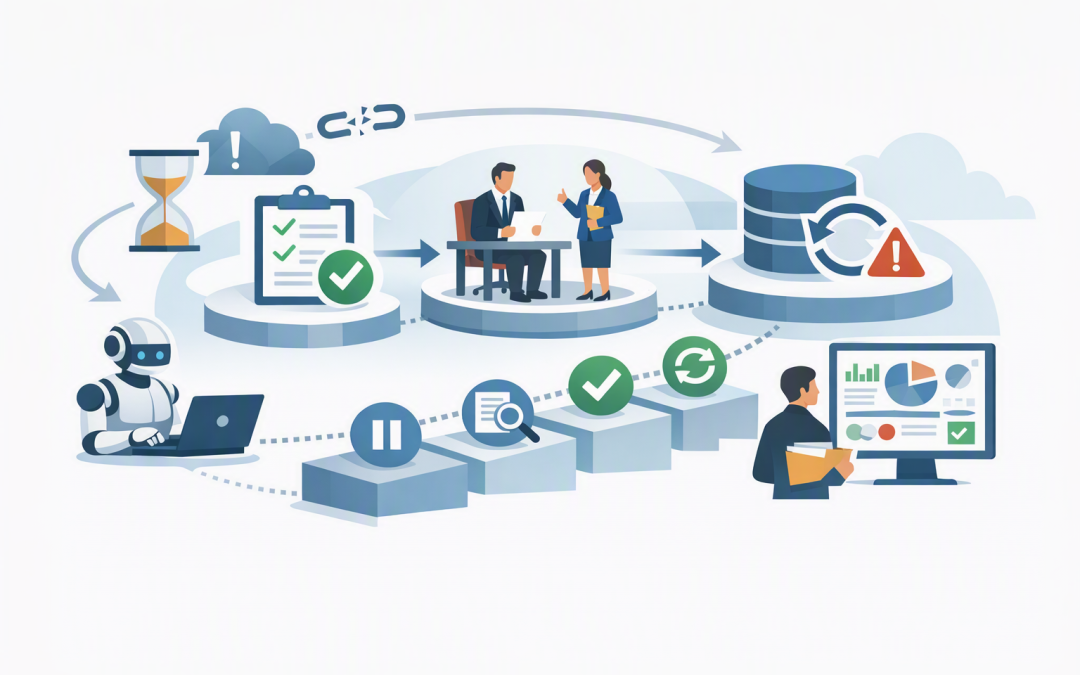
In this blog post How Resilient Tasks Make Long-Running Business AI More Reliable we will explain why an AI process that works perfectly in a demonstration can still fail when it meets real business conditions.


A supplier does not respond. A manager takes two days to approve a request. An external system times out halfway through an update. Without resilience built into the process, the AI may lose its place, repeat completed work or quietly leave a task unfinished.
Resilient tasks solve this problem by breaking a long-running AI process into controlled steps. Progress is saved after each important step, allowing the process to pause, recover and continue without starting again.
What is a resilient task
A resilient task is a unit of work designed to survive interruptions. It might involve analysing a document, checking information in a business system, requesting approval or updating a customer record.
The key difference is that the process does not depend on one uninterrupted AI session. Each step has a recorded status, clear rules and a known recovery point.
This builds on reliable AI session management, which keeps individual requests and conversations properly separated. Resilient tasks go further by coordinating the complete business process, even when that process lasts for hours, days or weeks.
The technology working behind the scenes
Microsoft’s Durable Task technology is one way to provide this capability in Azure. It allows developers to write a workflow in normal application code while the underlying service records progress, coordinates work and supports recovery after infrastructure failures.
For AI solutions, the Durable extension for Microsoft Agent Framework can add persistent sessions, automatic checkpoints and recovery to agents and multi-agent workflows. In plain English, it gives the AI a reliable process manager that remembers what has happened and what should happen next.
The main building blocks are straightforward:
- An orchestrator coordinates the process, deciding which step runs next.
- Activities perform individual jobs, such as reading a document or calling a finance system.
- Checkpoints record completed progress so the workflow can resume safely.
- External events allow the process to wait for approvals, webhooks or information from another system.
- Retry policies attempt a failed step again when the problem appears temporary.
- Monitoring records show where each process is running, waiting or failing.
A simplified workflow might look like this:
1. Receive the business request and assign a workflow ID
2. Collect and validate the required information
3. Save the completed step
4. Ask the AI to prepare a recommendation
5. Pause for human approval
6. Resume when the approval arrives
7. Update the business system
8. Record the outcome and notify the requester
The system can wait for human input without keeping the complete process continuously active. When an approval or another external event arrives, the workflow continues from its recorded position.
Why this matters to the business
Fewer processes disappear halfway through
Traditional automation often assumes every service will remain available until the job finishes. Real businesses do not work that way.
Internet connections drop, applications are updated and employees go home before approving requests. Checkpoints prevent these routine interruptions from turning into lost work, support tickets and manual investigation.
Completed actions are less likely to be repeated
Restarting an AI workflow from the beginning can have serious consequences. It may send the same customer email twice, create duplicate service tickets or submit an order more than once.
Each activity should therefore include a duplicate check or unique transaction reference. Developers sometimes call this “idempotency”, but the business meaning is simple: if a step runs twice, it must not charge, order, email or update twice.
Approvals remain part of the process
Business AI should not remove human oversight from sensitive decisions. It should make that oversight easier to manage.
A resilient workflow can prepare a recommendation, pause and wait for an authorised person. It can also enforce a deadline, send a reminder or escalate the request instead of making an unapproved decision.
This is particularly important where organisations need evidence of access controls, governance and repeatable processes. The Essential Eight, the Australian government’s cybersecurity framework that many organisations use to improve security maturity, still depends on practical controls around users, applications and privileged actions.
AI costs become easier to control
A poorly designed workflow may repeat expensive model calls whenever something fails. It may analyse the same documents again simply because a later business system was unavailable.
Resilient tasks keep completed outputs and restart from the failed step. The result can be fewer unnecessary AI calls, less duplicated processing and a clearer view of what each workflow costs.
Support teams can see what is happening
“The AI did not finish” is not enough information for an IT team. They need to know which workflow failed, which step it reached, what information was used and whether a retry is safe.
Durable Task supports the management of individual workflow instances, including querying, suspending, resuming and terminating them. That visibility makes operational support more practical and reduces the risk of staff manually restarting the wrong process.
A practical business scenario
Consider a 200-person professional services company using AI to support supplier onboarding. The process reads submitted documents, extracts company details, checks that required information is present, prepares a risk summary and sends the request to finance for approval.
The finance manager approves it the next morning. The workflow then creates the supplier in the finance system and sends confirmation.
If the finance system is unavailable at that moment, a fragile workflow may fail or restart from the beginning. That could repeat document analysis, send another approval request or create uncertainty about whether the supplier was already added.
A resilient workflow records that document checks and approval are complete. It retries only the finance-system update, checks for an existing supplier record and then finishes the process. The business outcome is faster onboarding with less manual checking and lower duplicate-payment risk.
Resilience does not replace memory or secure storage
Resilience, session management and memory solve different problems. Resilience tracks workflow progress. Session management keeps each interaction separated. Long-term AI memory preserves useful information across future interactions.
Important business records should also be stored outside the AI model in controlled systems. Our guide on protecting critical business information explains why durable storage, tested recovery and retention rules remain essential.
Questions to ask before using resilient AI workflows
- Which steps can run automatically, and which require human approval?
- Where is workflow progress stored, and who can access it?
- Can each action be safely retried without creating duplicates?
- What happens when an external system remains unavailable?
- How long should unfinished workflows be retained?
- Can support staff view, pause or cancel a process?
- Are AI requests, approvals and system updates recorded for audit purposes?
- How are security controls applied to every connected business system?
These questions should be answered before an AI agent is given authority to update records, contact customers or trigger financial activity. As explained in our guide to automating repetitive processes safely with Azure AI agents, successful automation depends as much on process design and governance as it does on the model.
Make reliability part of the AI business case
Long-running AI processes can remove substantial administrative work, but only when the organisation can trust them to finish safely. Resilient tasks provide the checkpoints, retries, approvals and recovery controls needed to move from an impressive prototype to dependable business automation.
CloudProInc combines more than 20 years of enterprise IT experience with practical expertise across Microsoft Azure, Microsoft Foundry, OpenAI, Claude and cybersecurity. As a Melbourne-based Microsoft Partner and Wiz Security Integrator, we help organisations design AI processes around measurable outcomes rather than technology for its own sake.
If you are considering a long-running AI process and are not sure how it should recover from failures, wait for approvals or avoid duplicate actions, we are happy to review the design with you — no strings attached.