
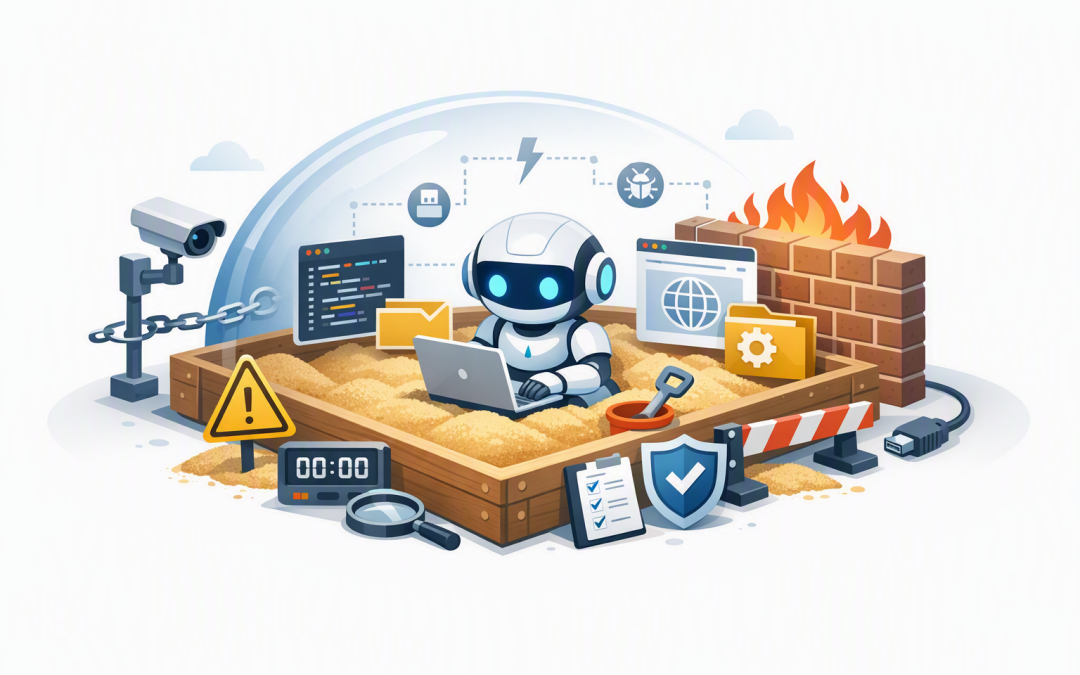
In this blog post When Your Business AI Agent Needs a Secure Sandbox to Operate Safely we will explain when isolation becomes essential, how the technology works and what practical controls Australian businesses should put around it.


Your AI pilot may begin as a harmless assistant that summarises documents or drafts emails. The risk changes when that assistant becomes an agent that can open uploaded files, write and run code, browse websites, call business systems or make changes without someone approving every step.
At that point, the question is no longer simply whether the AI model produces a good answer. You also need to ask what could happen if the agent misunderstands a request, processes a malicious file or takes the wrong action.
What is an AI agent sandbox?
A sandbox is a temporary, isolated computing environment where an AI agent can perform potentially risky work without receiving unrestricted access to your normal systems. Think of it as a secure testing room rather than giving the agent a desk inside your finance, customer or production environment.
The sandbox can contain approved software, temporary files and narrowly controlled connections. When the task finishes, the environment can be deleted, taking any unexpected changes or malicious content with it.
This is different from a traditional test environment. A test environment may remain online for months and contain reusable accounts or copies of business data, while a well-designed sandbox can be created for one task and destroyed immediately afterwards.
How the technology works
An AI agent normally combines a language model, such as OpenAI or Anthropic Claude, with tools that let it do more than generate text. Those tools might allow it to search files, query a database, create a support ticket or write a small program to analyse a spreadsheet.
The sandbox sits between the agent and the environment where that work is performed. Instead of running AI-generated code on a staff laptop or production server, an orchestration service sends the task into an isolated container or virtual session.
A container is a lightweight package containing the software needed to complete a task. Platforms such as Azure Container Apps dynamic sessions can create isolated environments for AI-generated code, while Microsoft Foundry can help organisations manage agents, tools, identities and network access.
A typical request follows this path:
- The employee asks the agent to complete a task.
- The agent decides that it needs a tool, file or piece of code.
- A policy checks whether that action is permitted.
- An isolated sandbox is created from an approved configuration.
- The task runs with limited data, time, memory and network access.
- The result is checked and returned to the employee.
- The sandbox is destroyed while security logs are retained.
The specific model matters less than many organisations assume. OpenAI, Claude and other capable models can all make mistakes, so changing the model does not remove the need for isolation and access controls.
Five signs your agent needs a sandbox
1. It writes or runs code
AI-generated code can be useful for analysing data, converting files and automating repetitive tasks. It can also delete information, consume excessive computing resources or connect to places it was never meant to reach.
Any agent that can generate and execute code should use an isolated environment. It should not run that code directly on an employee device, shared server or production cloud service.
2. It processes files from customers or the public
A PDF, spreadsheet or archive may contain malicious content, even if the sender appears legitimate. An agent that automatically opens attachments can become another path into the business.
The sandbox should scan the file, restrict what software can open it and prevent the session from reaching sensitive systems. This limits the damage if the file attempts to exploit a weakness.
3. It browses websites or operates a computer
Browser and computer-use agents can click buttons, complete forms and move information between systems. They may also follow misleading instructions embedded in a webpage, email or document.
This is sometimes called prompt injection, which is when untrusted content tries to manipulate the agent. A sandbox reduces the consequences by limiting available websites, credentials and actions.
4. It connects to third-party tools
Agents increasingly use connectors and Model Context Protocol, or MCP, which is a standard way for AI systems to discover and call external tools. This can simplify integration, but it can also give an agent access to functions that were not included in the original risk assessment.
New tools should first be tested inside a controlled sandbox. Their permissions, data access, output and failure behaviour can then be reviewed before production use.
5. A mistake could affect money, customers or compliance
An agent that drafts an internal summary presents a different risk from one that changes customer records, issues refunds or modifies cloud infrastructure. The greater the business impact, the stronger the isolation should be.
For high-impact actions, a sandbox should be combined with human approval. The agent can prepare the change, but an authorised employee confirms it before anything reaches production.
What a good sandbox policy looks like
A sandbox should not simply be an empty server with a different name. Its restrictions need to match the business risk.
session_lifetime: 15 minutes
internet_access: blocked
approved_services:
 - internal-document-api
 - malware-scanning-service
production_write_access: false
credentials: short-lived
file_retention: delete-after-session
human_approval_required:
 - customer-record-changes
 - financial-actions
 - software-deployment
logging: enabled
In plain English, this policy gives the agent 15 minutes to work, blocks general internet access and permits only two approved services. It cannot change production data, and any temporary credentials or files disappear when the session ends.
Network access should be denied by default and opened only where there is a documented need. Short-lived credentials also reduce the chance that a stolen password or access token remains useful after the task is complete.
A practical business scenario
Consider a 180-person professional services company introducing an agent to review client spreadsheets and prepare project reports. The first design allows the agent to open uploaded files, run Python code and save reports directly into the company document library.
That design saves time, but it also allows untrusted files and AI-generated code to operate close to confidential client data. One unexpected command could overwrite a report library or expose information from another engagement.
A safer design sends each spreadsheet into its own temporary sandbox. The agent receives only the uploaded file, approved analysis tools and a blank output folder, while an employee reviews the final report before it is saved.
The productivity benefit remains, but the potential impact of a mistake becomes much smaller. The isolated approach can also make security and compliance approval faster because the project team can clearly demonstrate where data goes and what the agent is allowed to do.
A sandbox is only one layer of protection
Isolation will not compensate for excessive permissions, poor monitoring or unclear ownership. Your agent still needs a dedicated identity, limited access, reliable logs, data retention rules and defined approval points.
You also need a way to stop it when something goes wrong. Our guide to creating an emergency off switch for business AI agents explains why cutting access, preserving evidence and recovering safely require more than one kill button.
Before deployment, complete a structured AI agent risk assessment. The agent’s data access, tools, possible actions and worst-case outcomes should determine the strength of the sandbox.
These controls also support the intent of the Essential Eight, the Australian Government’s cybersecurity framework for reducing common security risks. In particular, isolation complements application control, restricted administration and timely patching, although a sandbox alone does not make an organisation compliant.
When you may not need one
Not every AI assistant requires a dedicated execution sandbox. A read-only assistant that searches an approved document library, cannot run code and has no ability to change business systems may be adequately protected through identity, network and data controls.
The important point is to make that decision through risk assessment rather than convenience. As soon as you add file processing, code execution, browser control or production actions, the architecture should be reviewed again.
Put the boundary around the action
A useful rule is that the more freedom an agent receives, the smaller and stronger its operating boundary should become. Sandboxing allows businesses to gain real productivity from AI without assuming every generated command, uploaded file or external tool is trustworthy.
CloudProInc brings more than 20 years of enterprise IT experience to this problem as a Microsoft Partner and Wiz Security Integrator. Our Melbourne-based team helps organisations design practical Azure, OpenAI and Claude agent environments with security controls that match the actual business risk.
If you are unsure whether your AI agent needs a sandbox, or whether its current environment provides meaningful isolation, we are happy to review the design and identify the highest-priority gaps — no strings attached.