
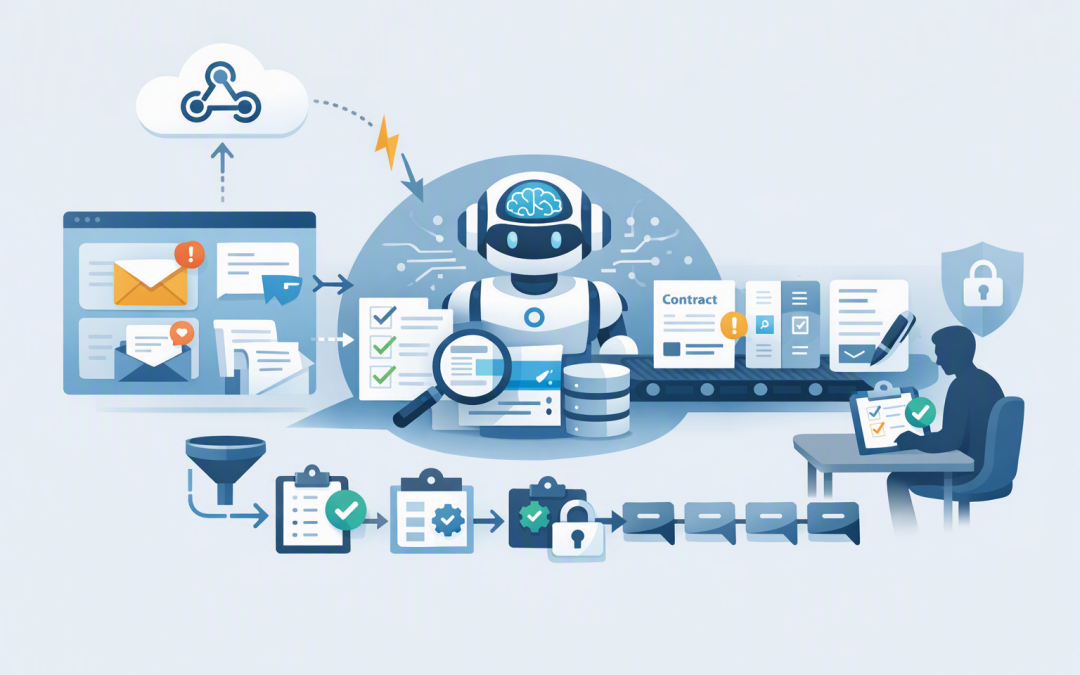
In this blog post How to Trigger AI Agents When Tickets Files and Workflows Change we will explain how businesses can make AI respond when work changes, rather than waiting for someone to open a chatbot and ask for help.


The idea is simple. When a support ticket is updated, a document is uploaded or a workflow moves to a new stage, that change sends a signal to an AI agent. The agent can then review the latest information, complete an approved task and send the result to the right person.
For technology leaders, the opportunity is not simply faster automation. It is reducing the hours employees spend checking systems, copying information and deciding what needs attention next.
Why waiting for people to notice changes is expensive
Many business processes depend on someone monitoring a queue, inbox or shared folder. A service desk employee checks for urgent tickets. An operations manager reviews newly uploaded forms. A project coordinator looks for work that has stalled.
These small checks can consume hundreds of hours across a business. They also introduce delays because important work sits untouched until the right person notices it.
Traditional automation helps when the rules are simple. For example, “If a ticket is marked critical, send an email.” An AI agent becomes useful when the task also requires reading, interpreting or deciding.
It might determine whether the ticket is genuinely urgent, summarise its history and recommend the next action. The business outcome is faster response without asking employees to watch every system continuously.
How event-driven AI agents work
The main technology is known as event-driven automation. An event is simply a recorded change, such as a ticket receiving a new comment, a SharePoint file being replaced or a purchase request moving to the approval stage.
Instead of repeatedly checking for changes, the source system sends a notification. This is often done through a webhook, which is a secure internet message telling another application that something has happened.
- A business system detects a change. This could be Jira, ServiceNow, Microsoft 365, SharePoint, a customer relationship management system or a custom application.
- The event is received securely. An Azure Function, which runs small pieces of code when needed, or Azure Logic Apps, which connects systems through visual workflows, accepts the notification.
- The event is filtered. Business rules decide whether the change deserves AI processing. A spelling correction may be ignored, while a new complaint or contract amendment is reviewed.
- The AI agent receives approved context. The agent retrieves only the information required for the task and uses an AI model such as OpenAI or Anthropic Claude to interpret it.
- The result is checked and recorded. The agent may update a ticket, draft a response or request human approval. Every action should be logged.
A basic event might look like this:
{
 "event_id": "evt-10482",
 "source": "service-desk",
 "event_type": "ticket.updated",
 "ticket_id": "INC-4281",
 "changed_field": "customer_comment",
 "risk_level": "medium",
 "requires_approval": true
}
The AI model does not need unrestricted access to the entire service desk. It receives the ticket identifier, retrieves the permitted information and performs a clearly defined task.
This separation is important. As covered in our guide to designing secure AI agent infrastructure on Azure, an agent needs its own controlled identity, permissions and audit trail.
Three practical triggers that deliver business value
1. A support ticket changes
Suppose a customer adds a comment saying that an outage is now affecting an entire branch. The ticket may still be marked as medium priority because nobody has reviewed the update.
An AI agent can read the new comment, compare it with the ticket history and recommend a priority change. It can also prepare a concise summary for the service desk manager.
The agent should not automatically close incidents or make high-risk infrastructure changes. Its value is reducing time to first action while keeping important decisions with accountable employees.
2. A file is added or modified
A new contract, policy or supplier form uploaded to SharePoint can trigger an agent through Microsoft Graph, which is the secure connection layer used to access Microsoft 365 information.
The agent might identify missing fields, extract renewal dates or compare a revised policy with the previous version. Instead of asking someone to read every document immediately, the business receives a structured summary and a list of exceptions.
Privacy controls matter here. Australian organisations should consider their obligations under the Privacy Act and the Australian Privacy Principles before sending personal or sensitive information to any AI service.
3. A workflow moves to a new stage
When an opportunity moves to contract review, an agent could check whether pricing approval, insurance documents and legal terms are present. If something is missing, it drafts a follow-up for the account manager.
This does not replace the workflow platform. It adds judgement around the workflow, helping employees deal with incomplete or inconsistent information.
If multiple agents are involved, use clear responsibilities and handoffs. Our explanation of AI agent orchestration patterns for business leaders covers when work should happen in sequence and when tasks can safely run at the same time.
What most organisations get wrong
- Triggering AI for every change. This increases costs and creates noise. Filter events so the agent only runs when judgement or content analysis is required.
- Processing the same event twice. Systems sometimes resend notifications. Each event needs a unique identifier so duplicate requests do not create duplicate emails or updates.
- Trusting incomplete event data. The notification may only say that something changed. The agent should retrieve the current record before making a decision.
- Creating feedback loops. An agent updates a ticket, which triggers the same agent again. Workflows need rules that recognise changes made by automation.
- Skipping human approval. Actions involving money, customer commitments, security settings or personal information should usually require confirmation.
A message queue can also sit between the source system and the agent. This is a holding area that prevents events from being lost when systems are busy or temporarily unavailable.
Security and compliance need to be designed in
AI agents should follow the same security standards as other business applications. Give each agent the minimum access required, protect credentials, patch supporting systems and monitor unusual behaviour.
These controls also support Essential 8, the Australian Government’s cybersecurity framework that many organisations use to reduce common security risks. AI does not remove the need for application control, restricted administrator access, multi-factor authentication, patching and reliable backups.
Every run should record what triggered the agent, what information it accessed, which model was used, what action was proposed and who approved it. Logs should avoid unnecessarily storing full documents, passwords or sensitive customer data.
Microsoft Defender can help monitor threats across Microsoft environments, while Wiz can provide visibility into cloud risks and exposed access paths. The objective is to make the agent observable rather than allowing it to become a hidden automation account.
Measure outcomes instead of counting AI requests
Success is not the number of times an agent runs. Useful measures include response time, manual steps removed, cost per completed task, error rates, human overrides and the number of exceptions detected.
Consider an illustrative 200-person company where eight employees each spend 20 minutes a day checking tickets and document queues. Removing most of that monitoring could return more than 50 hours each month, before counting faster customer responses or fewer missed approvals.
Start with one high-volume workflow where delays and manual checks are already visible. Map the trigger, the decision, the permitted data, the required approval and the expected business result before building anything.
This practical design work is also why hands-on engineers are valuable when building custom AI agents. The difficult part is rarely the prompt. It is understanding how work really moves through the organisation.
Make the agent useful without giving it unlimited control
Triggering agents when tickets, files and workflows change can remove delays, reduce repetitive work and help employees focus on decisions that require experience. The safest approach combines targeted events, limited permissions, reliable queues, human approvals and complete monitoring.
CloudPro Inc brings more than 20 years of enterprise IT experience to this work. As a Melbourne-based Microsoft Partner and Wiz Security Integrator, we help organisations connect Azure, Microsoft 365, OpenAI, Claude and security controls without turning a useful automation project into an unmanaged risk.
If you are unsure which workflow is suitable for an AI agent, or whether your current automation could safely respond to business changes, we are happy to take a practical look with you — no strings attached.