
In this blog post How to Design a Secure Control Plane for Enterprise AI Agents we will explain how to manage AI agents before scattered experiments become an expensive security and compliance problem.


Most businesses do not lose control of AI through one dramatic decision. It happens gradually. One team builds a customer service agent, another connects an agent to finance data, and someone else gives an AI assistant permission to update records in Microsoft 365.
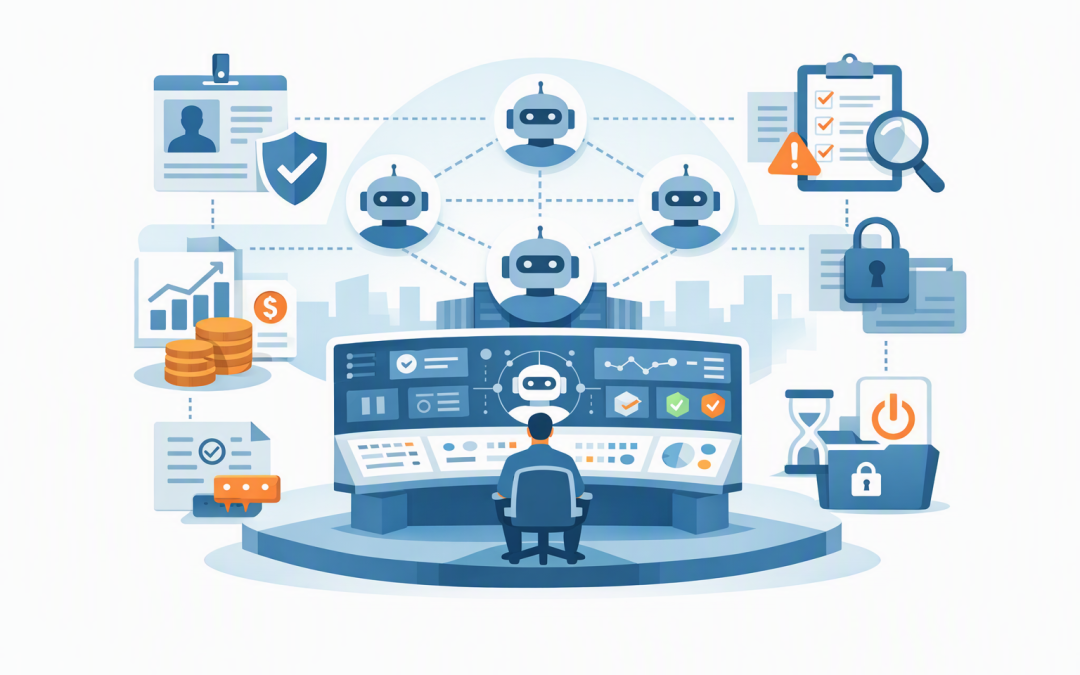
A control plane is the management layer above those agents. It gives IT and business leaders one place to see what agents exist, who owns them, what they can access, how much they cost and whether they are behaving as expected. Microsoft now treats ownership, identity, lifecycle management and monitoring as core control-plane responsibilities for enterprise agents.
Why AI agents create a different management problem
Traditional software normally waits for a person to click a button. An AI agent can interpret a request, choose a tool, retrieve information and take several actions with limited human involvement.
That is useful, but it changes the risk. A poorly controlled agent may email the wrong document, expose sensitive information, repeatedly call a paid AI model or update a business system based on an incorrect assumption.
If you are still moving beyond early trials, start with our guide on moving AI agents from prototype to production without chaos. The control plane is what allows that production environment to grow without losing visibility.
The technology behind an AI control plane
The control plane is not the AI model itself. Models such as OpenAI and Anthropic Claude provide the reasoning engine, while platforms such as Microsoft Foundry, Azure, Microsoft 365 and business applications provide data and tools.
The control plane sits across that environment. It combines identity management, policy enforcement, approvals, activity logging, cost monitoring and lifecycle controls. In plain English, it acts like the management office for a digital workforce.
Microsoft Agent 365 can provide a central registry and governance layer for agents built across Microsoft and third-party environments. Microsoft Foundry provides services for building, deploying and monitoring agents, while Microsoft Entra controls digital identities and permissions. Microsoft Defender, Purview and platforms such as Wiz add threat detection, data protection and cloud risk visibility.
Six controls every business AI environment needs
1. A complete agent register
You cannot manage agents that nobody has recorded. Every agent should have a business owner, technical owner, purpose, data classification, approved tools and review date.
This register should include agents purchased inside software products, not only those built by your developers. Otherwise, shadow AI can grow in the same way unmanaged cloud applications did.
The business outcome is accountability. When an incident, unexpected bill or audit question appears, you immediately know who is responsible and why the agent exists.
2. A separate identity for every agent
Agents should not share employee accounts, administrator passwords or permanent access keys. Each production agent needs its own controlled identity, just as each employee needs an individual login.
Microsoft Entra agent identities allow permissions to be assigned directly to an agent. This makes it possible to apply least privilege, meaning the agent receives only the access required for its specific job. It also avoids placing passwords or connection details inside prompts and code.
An invoice-processing agent, for example, may need to read invoices and create draft entries. It probably does not need permission to approve payments, change supplier bank details or download the entire finance database.
3. Policies that follow the risk
Not every action needs the same level of control. Reading an approved product catalogue is low risk. Sending a contract, deleting a customer record or changing payroll information is not.
The control plane should group actions into clear risk levels. Low-risk work can proceed automatically. Medium-risk work may require extra validation, while high-risk actions should stop for human approval.
A simple policy can be readable by both technical teams and risk owners:
agent: supplier-assistant
owner: finance-operations
allowed-actions:
 - read-approved-invoices
 - create-draft-supplier-record
human-approval-required:
 - change-bank-details
 - approve-payment
monthly-cost-limit: 1500-AUD
log-retention: 12-months
The value is not the format of this file. It is that expectations are documented and can be enforced consistently rather than buried in a developer’s prompt.
4. Monitoring that explains what happened
Traditional monitoring may tell you that an application failed. Agent monitoring also needs to show the request received, model used, information retrieved, tools called, approvals requested, result produced and cost incurred.
This is often called observability, which simply means having enough records to understand what the agent did and why. Current Microsoft Foundry monitoring can track areas such as tool calls, task completion, model usage, response time, errors and quality signals.
Good monitoring reduces investigation time. It also allows leaders to measure whether an agent is saving hours, completing work accurately or merely moving costs from one budget to another.
5. Cost limits before the invoice arrives
An agent can generate a surprising bill when it enters a loop, processes far more documents than expected or sends every task to the most expensive model.
Your control plane should set daily and monthly budgets by agent, team and use case. Alerts should trigger before limits are reached, and non-critical agents should pause automatically when unusual spending occurs.
Model selection also matters. Routine classification may use a smaller, lower-cost model, while complex analysis is sent to a more capable model. This keeps spending connected to business value.
6. A safe way to stop and retire agents
Every production agent needs a kill switch. IT should be able to disable its identity, block tool access and preserve its logs without waiting for the original developer.
Agents also need expiry and review dates. When a project ends or an owner leaves, unused permissions should not remain active indefinitely.
These controls support the intent behind the Essential Eight, the Australian government’s cybersecurity framework that many organisations use as a security baseline. In particular, agent governance should reinforce restricted administrative privileges, multi-factor authentication, application control, patching and reliable backups rather than creating exceptions around them.
What this looks like in a 200-person business
Consider a 200-person professional services company using three agents. One drafts client updates, one reviews project documents, and one creates records in the finance system.
Without a control plane, the company may have no central list of agents, shared access credentials and limited records of what information was processed. A finance error could take days to reconstruct.
With a control plane, each agent has an owner, separate identity, approved data sources and spending limit. Client messages require approval before sending, finance changes are logged, and access can be disabled immediately.
The result is not simply better security. The company can expand successful use cases faster because management, auditors and customers have evidence that the agents are controlled.
A practical rollout plan
- Discover what already exists. Record every agent, AI assistant and automated workflow, including tools embedded in existing software.
- Classify the risk. Identify the data each agent can read and the actions it can take.
- Assign ownership. Give every agent a named business owner and technical owner.
- Fix identity and access. Replace shared credentials and remove unnecessary permissions.
- Add approvals and limits. Put human checks around high-impact actions and define cost thresholds.
- Connect monitoring. Send security, performance and spending records to a central dashboard.
- Test the shutdown process. Confirm that IT can stop an agent quickly without damaging business data.
For agents running longer workflows, these controls should be combined with reliable state management and recovery. We cover that in how to design durable Azure AI agents that stay under control. Broader ownership and workforce policies are explored in our enterprise AI agent governance blueprint.
Control should make AI easier to adopt
A well-designed control plane should not create months of paperwork. It should give teams a safe, repeatable path for launching agents while giving leaders clear information about risk, cost and results.
As a Melbourne-based Microsoft Partner and Wiz Security Integrator, CloudProInc combines more than 20 years of enterprise IT experience with practical work across Azure, Microsoft 365, OpenAI, Claude, Defender and cloud security. The focus is not another oversized management platform. It is putting the minimum effective controls around the AI work that matters.
If you are not sure which agents are already operating in your business, what they can access or whether their costs are under control, we are happy to help you map the environment and identify the highest-priority gaps — no strings attached.