
In this blog post How Repeatable Workspaces Make Business AI Agents Reliable at Scale we will explain how to give every agent the same secure starting point, reducing failed tasks, inconsistent results and hours of avoidable troubleshooting.
Free eBook: Microsoft Agent 365
The Control Plane for AI Agents
AI agents are rapidly becoming part of everyday work. But as agents scale across teams, platforms, and vendors, organizations need visibility, governance, and security to manage them safely at enterprise scale.
Discover how Microsoft Agent 365 helps organizations observe, govern, and secure AI agents with the same confidence and control used to manage users.
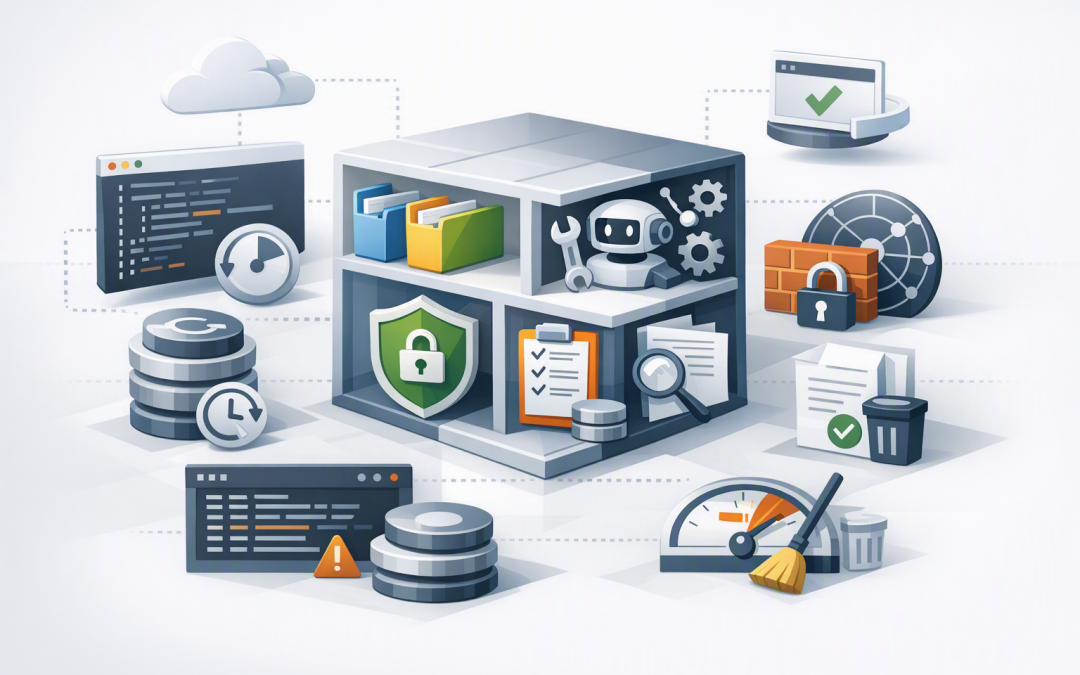
Download the Free eBookAt a high level, a repeatable workspace is a ready-made working environment for an AI agent. It contains the approved tools, folders, instructions, security controls and access permissions the agent needs before it starts a task.
Think of it as a standard workstation issued to a new employee. If every employee receives a different laptop with different software and access, performance becomes unpredictable. AI agents have the same problem when their working environments are created differently each time.
Why inconsistent workspaces become a business problem
An AI demonstration can work perfectly on a developer’s computer and still fail when another team tries to use it. One environment may have a newer software package, a missing template or broader access to company data.
These small differences create large operational problems. Agents may produce different results, repeat completed work or stop halfway through a process because a required tool is unavailable.
The business then spends more time investigating the automation than it saves by using it. Repeatable workspaces remove much of this uncertainty by ensuring that every run begins from a known and approved configuration.
What technology sits behind a repeatable workspace
Most repeatable workspaces are built using containers or lightweight virtual machines. These package the operating environment and required software into a controlled unit that can be created when needed and removed when the task is complete.
A configuration file then describes how the workspace should operate. It may define the processing capacity, approved tools, folder structure, network access, time limits and logging requirements.
Instead of an engineer manually rebuilding the environment, the platform reads this definition and creates the same workspace automatically. This approach is often called infrastructure as code, which simply means documenting infrastructure settings in a file that can be reviewed, approved and reused.
A simplified workspace definition might look like this:
workspace:
 name: monthly-finance-review
 version: 3.1
 base_image: approved-agent-environment

 re
 memory: 4GB
 maximum_run_time: 45m

 folders:
 input: /work/input
 output: /work/output
 templates: /work/templates

 tools:
 - spreadsheet-reader
 - document-generator
 - finance-policy-search

 network:
 default: deny
 allow:
 - approved-finance-api
 - company-document-library

 security:
 managed_identity: finance-agent
 secrets_in_files: false
 activity_logging: true

 cleanup:
 remove_workspace_after_completion: true
This example is illustrative rather than tied to one product. The important point is that the environment can be created consistently without relying on someone’s memory or a setup document that may be out of date.
The five parts every workspace template should define
1. A versioned base environment
The base environment contains the operating system and approved software versions. Versioning matters because an automatic software update can change how an agent processes files or calls another business system.
Keep each approved version available until the replacement has been tested. If a new release creates problems, the team can return to the previous version without rebuilding everything manually.
This also makes testing meaningful. When an agent passes testing in workspace version 3.1, the production system should run that same version rather than something that merely looks similar.
2. A standard folder and file structure
Agents need clear locations for source files, temporary work, reference material and final outputs. Without that structure, one agent may overwrite source documents while another stores sensitive files in an unapproved location.
Use predictable folders and decide what happens to each one after completion. Final reports may move into Microsoft SharePoint, while temporary working files should normally be deleted.
For sensitive or high-volume workflows, each task should also have its own controlled environment. Our article on workspace isolation for business AI agents explains why separating tasks reduces information leakage and limits the impact of errors.
3. Approved tools and reusable skills
A repeatable workspace should include only the tools required for its purpose. A contract-review agent may need document search and comparison tools, but it probably does not need permission to modify customer records.
The workspace can also load approved Agent Skills, which are reusable packages containing business procedures, rules and templates. This separates what the agent can use from how the business expects it to complete the task.
You can explore that distinction further in how Agent Skills turn business processes into repeatable automation.
4. Identity, data and network controls
Do not place passwords or access keys inside the workspace template. Give the agent a managed identity instead, meaning a digital identity controlled by the organisation rather than a shared username and password.
Access should follow the principle of least privilege. In plain English, the agent receives only the permissions it needs for that specific job and nothing more.
Outbound network access should also be restricted. If an invoice-processing agent only needs Microsoft 365 and an approved finance platform, it should not be able to send information to arbitrary internet services.
These controls support Essential 8, the Australian Government’s cybersecurity framework that many organisations use to reduce common cyber risks. Repeatable workspaces do not create compliance on their own, but they make access control, application management and audit evidence easier to maintain.
5. Logging, limits and cleanup rules
Every workspace should record when it was created, which version was used, what tools the agent called and where the output was stored. This gives IT teams a practical audit trail without requiring them to watch every task.
Set limits for runtime, processing capacity and tool usage as well. An agent caught in a loop should stop after an approved threshold rather than continuing to consume budget overnight.
Finally, define what happens when the job finishes. Temporary workspaces should normally be removed, while required records and approved outputs are transferred to managed business storage.
A practical business scenario
Consider a 180-person professional services company using an AI agent to prepare monthly project reports. Each run requires the same spreadsheet template, project data, document-generation tool and access to a specific SharePoint library.
Without a repeatable workspace, staff regularly encounter missing templates, different software versions and reports saved in the wrong location. The IT team spends an hour or more checking the environment whenever a run fails.
With a versioned workspace template, each task starts with the approved tools, current reporting template and correct access permissions. Failed setup attempts fall, support effort drops and managers receive reports in a consistent format.
The business outcome is not simply a better technical environment. It is less manual support, more predictable reporting and greater confidence that the automation can be used across multiple teams.
How workspaces fit with snapshots and checkpoints
A workspace template provides a clean starting point. A snapshot records the workspace after work has begun, including installed files or completed processing steps.
Use the template to create new, consistent environments. Use snapshots to create trusted recovery points during longer or more complicated workflows.
Checkpoints serve a related purpose by recording progress at useful stages. They allow an agent to wait for approval or recover from an interruption without repeating completed actions, as covered in our guide to pausing and resuming AI agent work.
Start with one controlled business process
Do not try to create a universal workspace for every agent. Start with one recurring process that has clear inputs, outputs, owners and approval rules.
- Document the files, tools and systems the agent actually needs.
- Remove unnecessary internet access and permissions.
- Create a versioned workspace definition.
- Test it with normal, incorrect and incomplete inputs.
- Measure support time, completion rates, processing costs and output quality.
- Require approval before promoting a new workspace version into production.
Repeatable workspaces turn AI agents from one-off experiments into manageable business systems. They provide consistency for users, clearer controls for security teams and better cost visibility for leadership.
CloudPro Inc combines more than 20 years of enterprise IT experience with hands-on expertise across Microsoft Azure, OpenAI, Claude, Microsoft Defender and Wiz. As a Melbourne-based Microsoft Partner and Wiz Security Integrator, we help organisations create practical AI environments that can be operated securely rather than left as permanent experiments.
If you are not sure whether your current AI agents can be recreated, audited and recovered consistently, we are happy to review the setup with you — no strings attached.
Discover more from CPI Consulting
Subscribe to get the latest posts sent to your email.