
Most breaches do not begin with a sudden, dramatic attack. They begin with a series of signals that were already visible — sitting in a security platform, waiting for someone to act on them.


For Australian businesses running Microsoft 365, those signals are already there. Microsoft Defender generates them every day. The question is whether the organisation has the processes, the configuration, and the awareness to act on them before the situation becomes critical.
The Threat Landscape Has Changed — Detection Needs to Match
Ransomware, business email compromise, and identity-based attacks have become the dominant threats facing mid-market organisations in Australia. The 2024 and 2025 threat reports from Microsoft and the Australian Signals Directorate both point to the same pattern: attackers are spending more time inside environments before triggering anything noisy.
Dwell time — the gap between initial access and detection — remains one of the most dangerous variables in a security incident. The longer an attacker goes undetected, the more lateral movement they can carry out, the more data they can access, and the harder remediation becomes.
Microsoft Defender is specifically designed to compress that window.
What Microsoft Defender Actually Detects
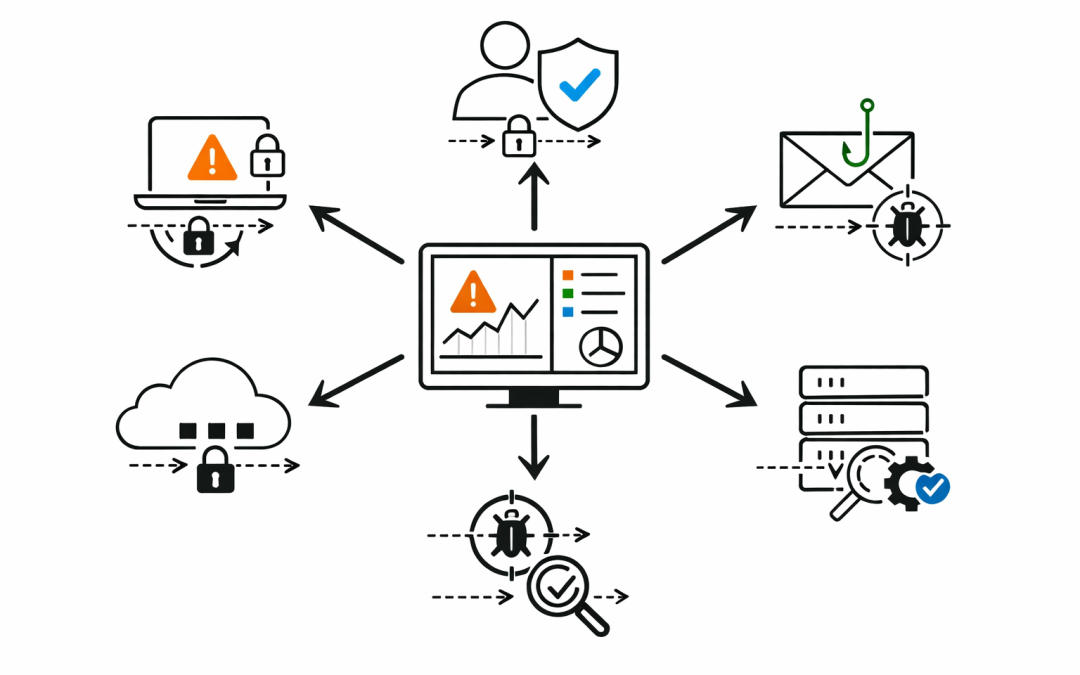
Microsoft Defender is not a single product. It is a suite of integrated capabilities that spans endpoints, identities, email, cloud applications, and network signals. Together, they give organisations a unified view of risk across the entire environment.
Endpoint Risk and Device Health
Microsoft Defender for Endpoint monitors every enrolled device continuously — looking for behavioural anomalies, suspicious process executions, lateral movement attempts, and vulnerability exposure. It does not just wait for known malware signatures. It uses AI-driven behavioural analytics to identify activity that looks wrong even when it does not match a known threat profile.
For businesses with a mix of Windows, macOS, iOS, and Android devices, this coverage matters. A compromised personal laptop connecting to Microsoft 365 can become an entry point. Defender can flag that device before the attacker uses it to move further into the environment.
Identity Risk Before Account Takeover
Identity is the primary attack surface in most modern breaches. Stolen credentials, phishing attacks that bypass MFA, and privilege escalation are the most common entry points.
Microsoft Defender for Identity works alongside Microsoft Entra ID to detect risky sign-ins, abnormal authentication patterns, and lateral movement between accounts. When a user account suddenly signs in from an unusual location, accesses resources it has never touched, or attempts to escalate privileges, Defender surfaces that as an incident — not just an isolated alert.
The difference matters. An isolated alert is easy to miss. An incident that correlates the sign-in risk, the affected device, and the downstream resource access tells a security team something is actively wrong.
Email-Based Threat Detection
Email remains the most common initial access vector. Microsoft Defender for Office 365 adds Safe Attachments and Safe Links on top of standard Microsoft 365 email filtering. Files are detonated in a sandboxed environment before delivery. Links are checked at the time of click, not just at delivery — which is important because attackers frequently change destination URLs after an email has been received.
For Australian businesses experiencing business email compromise attempts, impersonation protection and anti-phishing policies in Defender for Office 365 can be the difference between a caught attempt and a successful one.
How Defender Correlates Risk Into Incidents
One of the most powerful changes in Microsoft Defender XDR in 2025 is the way it ties signals together. Instead of surfacing dozens of disconnected alerts, Defender correlates activity across endpoints, identities, email, and cloud apps into a single incident view.
That incident view shows the full attack story — the timeline, the affected assets, the propagation path, and the recommended next actions. For a small IT team that cannot dedicate hours to triage, this matters enormously.
Automatic Attack Disruption
For high-confidence incidents, Microsoft Defender can act automatically. If a device is identified as part of an active ransomware attack, Defender can isolate it from the network without waiting for a human decision. If a user account shows strong indicators of compromise, Defender can revoke active sessions and require re-authentication.
This is not about removing human judgment. It is about ensuring that the worst-case actions happen in seconds rather than hours.
Vulnerability and Misconfiguration Visibility
Defender for Endpoint’s threat and vulnerability management capability continuously scans enrolled devices for unpatched software, missing security controls, and configuration gaps. It prioritises findings based on active exploitation data — so the team is not chasing theoretical risks, but issues that attackers are actively using in the wild.
Many Australian mid-market organisations discover, through this capability, that their real exposure is not exotic zero-day attacks. It is outdated applications, missing patches, and devices that drifted out of policy months ago.
The Gap Between Having Defender and Using It Well
Microsoft Defender is included in Microsoft 365 Business Premium and the Microsoft 365 E-series plans. Many Australian businesses are already paying for it. The problem is not access — it is configuration and operational maturity.
Our team regularly reviews Microsoft 365 environments where Defender is technically switched on but operating at a fraction of its potential. Endpoints are not all enrolled. Identity protection policies are set to audit mode rather than block. Incident response workflows do not exist. Nobody owns triage.
In those environments, Defender is generating the right signals. It is just that nobody is positioned to act on them.
What Proactive Detection Looks Like in Practice
An organisation that uses Microsoft Defender well does not just wait for incidents to escalate. It uses Defender’s Secure Score as an ongoing measurement of where the environment stands relative to Microsoft’s best-practice recommendations.
It has clear ownership of the Defender portal — someone who reviews incidents daily, not weekly. It has Conditional Access policies that use Entra ID risk signals to enforce step-up authentication when sign-in risk is elevated. It has automated investigation and remediation enabled so that low-confidence threats are handled without manual intervention.
And when an incident does occur, the blast radius analysis inside Defender shows the team immediately how far the attacker may have moved — so the response is proportionate and fast.
Detection Is Only Valuable When It Leads to Action
Microsoft Defender gives Australian businesses a genuinely capable platform for detecting risk before it becomes a breach. But the technology alone does not close the gap. It needs to be configured correctly, monitored consistently, and connected to a response process that ensures signals are acted on.
Our team works with organisations across Australia to assess their current Defender configuration, identify the gaps that matter most, and build an operating model that turns detection capability into real risk reduction.
If you are already running Microsoft 365 Business Premium or an E-series plan, you likely have access to more security capability than you are currently using. We can help you find out exactly where you stand — and what it would take to close the gap before the next incident finds you first.
Discover more from CPI Consulting
Subscribe to get the latest posts sent to your email.