
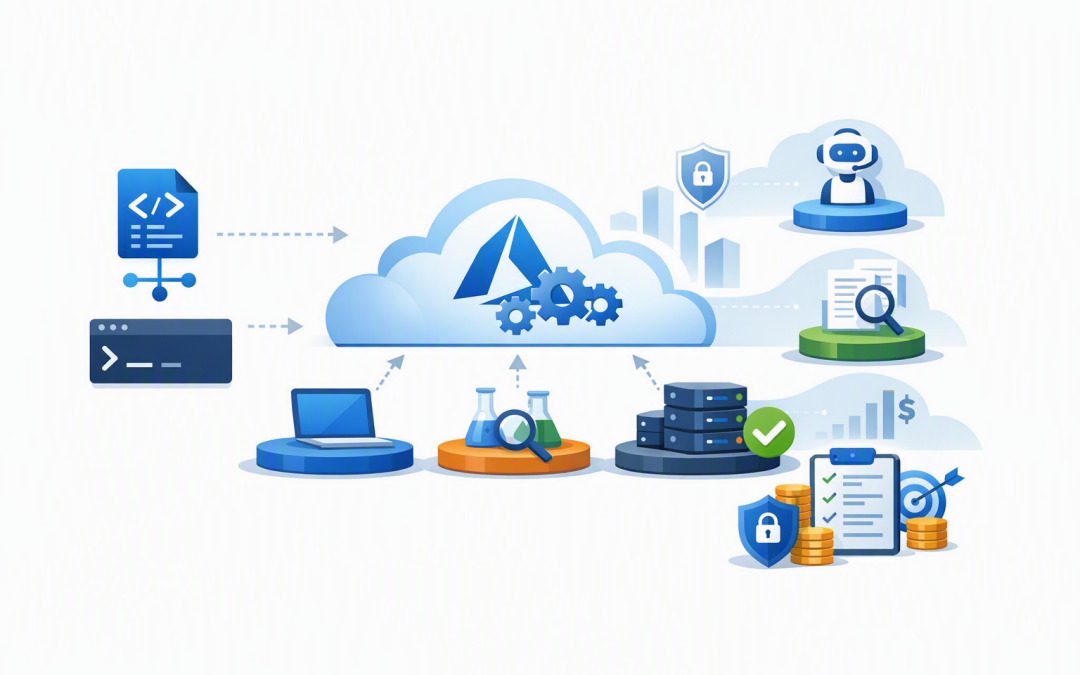
In this blog post Provisioning Microsoft Foundry with Bicep and Azure Developer CLI we will create a repeatable AI environment without relying on someone to click through dozens of Azure portal screens.


That matters because manual AI deployments quickly become difficult to control. Development works one way, testing has different permissions, production uses another model version, and nobody can confidently explain which settings affect cost or security.
Microsoft Foundry provides a managed Azure environment for building AI applications and agents. Bicep describes the Azure resources you want, while Azure Developer CLI, commonly called azd, runs the deployment consistently across development, testing, and production.
Why repeatable Foundry provisioning matters
Microsoft Foundry brings models, agents, evaluations, access controls, monitoring, and related AI services into one managed boundary. Projects can then separate individual business use cases while sharing the underlying Foundry resource.
For example, a business might have one project for customer service, another for internal document search, and a third for finance automation. This separation makes access, cost, and risk easier to manage.
The problem is that manually creating every resource introduces configuration drift. That simply means environments that were meant to be identical gradually become different.
Bicep prevents this by storing the required Azure configuration as readable code. Azure Developer CLI then provides a standard workflow for creating, updating, and eventually removing the environment.
The technology behind the deployment
- Microsoft Foundry provides the Azure-managed boundary for AI models, applications, agents, security, billing, and monitoring.
- Bicep is Microsoft’s language for defining Azure infrastructure in files that can be reviewed, versioned, and reused.
- Azure Developer CLI manages environment settings and runs the Bicep deployment using commands such as
azd provision. - Managed identity gives the resource an Azure identity, helping applications connect without storing passwords or access keys in code.
- Role-based access control limits what each person, application, or deployment pipeline is allowed to do.
If you have already followed our guide to deploy an Azure OpenAI resource using Bicep, this approach extends the same principle across a broader Foundry environment.
A simple project structure
A small deployment can begin with four files. More advanced environments can later add modules for private networking, monitoring, storage, AI Search, and application hosting.
foundry-platform/
├── azure.yaml
└── infra/
 ├── main.bicep
 └── main.parameters.json
The azure.yaml file tells azd where the Bicep infrastructure is stored and how the resource group should be named.
name: cloudpro-foundry
resourceGroup: rg-${AZURE_ENV_NAME}

infra:
 provider: bicep
 path: ./infra
Each azd environment has its own values. This allows the same files to deploy environments such as dev, test, and prod without copying the template.
Define the Foundry resources with Bicep
The following example creates a Microsoft Foundry resource, a project, and a model deployment. It also enables a system-managed identity and disables key-based authentication.
@description('Deployment environment such as dev, test or prod')
param environmentName string

@description('Azure region for the deployment')
param location string

@description('Model name available in the selected region')
param modelName string = 'gpt-4.1-mini'

@description('Model version approved for this environment')
param modelVersion string = '2025-04-14'

var resourceToken = take(uniqueString(resourceGroup().id), 12)
var foundryName = 'fdry-${resourceToken}'
var projectName = '${environmentName}-ai-project'

resource foundry 'Microsoft.CognitiveServices/accounts@2025-06-01' = {
 name: foundryName
 location: location
 kind: 'AIServices'
 sku: {
 name: 'S0'
 }
 identity: {
 type: 'SystemAssigned'
 }
 properties: {
 allowProjectManagement: true
 customSubDomainName: foundryName
 disableLocalAuth: true
 publicNetworkAccess: 'Enabled'
 }
}

resource project 'Microsoft.CognitiveServices/accounts/projects@2025-06-01' = {
 name: projectName
 parent: foundry
 location: location
 identity: {
 type: 'SystemAssigned'
 }
 properties: {}
}

resource modelDeployment 'Microsoft.CognitiveServices/accounts/deployments@2025-06-01' = {
 name: modelName
 parent: foundry
 sku: {
 name: 'GlobalStandard'
 capacity: 1
 }
 properties: {
 model: {
 format: 'OpenAI'
 name: modelName
 version: modelVersion
 }
 }
}

output FOUNDRY_ACCOUNT_NAME string = foundry.name
output FOUNDRY_PROJECT_NAME string = project.name
output MODEL_DEPLOYMENT_NAME string = modelDeployment.name
The model name, version, deployment type, capacity, and region must match what is available for your Azure subscription. Do not assume every model is available in Australia East or that the same capacity is available across all environments.
The parameters file connects the standard azd environment values to the Bicep template.
{
 "$schema": "https://schema.management.azure.com/schemas/2019-04-01/deploymentParameters.json#",
 "contentVersion": "1.0.0.0",
 "parameters": {
 "environmentName": {
 "value": "${AZURE_ENV_NAME}"
 },
 "location": {
 "value": "${AZURE_LOCATION}"
 }
 }
}
Provision the environment with Azure Developer CLI
After installing Azure Developer CLI, authenticate and create an environment. Choose a region approved by your organisation and supported by the required model.
azd auth login
azd env new dev --location australiaeast
azd provision
azd provision reads the environment settings, passes them to Bicep, and creates or updates the Azure resources. The Bicep outputs are then written back into the selected azd environment for use by application code or later deployment steps.
When an application is added, azd up can combine infrastructure provisioning and application deployment. Teams building agents can also extend the workflow using the Foundry extensions for azd, although some agent deployment features may remain in preview and require additional production review.
For the application layer, our guide to building AI applications with Azure AI Foundry explains how development teams can work with the Foundry SDK. Teams moving into agents can then build on this foundation with Microsoft Foundry Agents and Microsoft Agent Framework.
What most businesses should add before production
The example above is deliberately small. A production environment should normally include more controls.
- Private networking to reduce exposure to the public internet.
- Least-privilege roles so users and applications receive only the access they need.
- Budget alerts and model capacity limits to reduce unexpected AI spending.
- Central monitoring to track failures, usage, performance, and suspicious activity.
- Separate subscriptions or resource groups where stronger production isolation is required.
- Automated deployment pipelines so reviewed changes move into production without manual reconfiguration.
These controls support good governance and can provide useful evidence for the Essential Eight, the Australian government’s cybersecurity framework that many organisations are expected to follow. Foundry provisioning alone does not make a business Essential Eight compliant, but repeatable configuration and controlled access remove common weaknesses.
Australian organisations should also review data location, retention, privacy obligations, and which information employees are permitted to send to an AI model.
A practical business scenario
Consider a 200-person professional services firm testing three AI use cases. If each project is built manually, the firm may end up with different security settings, duplicated resources, inconsistent models, and no clear way to reproduce a successful pilot.
With Bicep and azd, the approved platform becomes reusable. A new project can be provisioned from the same baseline in minutes, while changes are reviewed before deployment.
The business outcome is not simply faster infrastructure. It is lower support effort, fewer configuration mistakes, clearer cost ownership, and a safer path from AI experiment to controlled business service.
Build the platform before scaling the AI
Microsoft Foundry makes AI services easier to assemble, but ease of deployment should not be confused with good governance. The best time to standardise naming, security, model versions, access, and cost controls is before multiple teams begin creating their own environments.
CloudProInc combines more than 20 years of enterprise IT experience with hands-on expertise across Azure, Microsoft 365, OpenAI, Claude, Microsoft Defender, and Wiz. As a Melbourne-based Microsoft Partner and Wiz Security Integrator, we help organisations build practical AI foundations without turning the project into a large, faceless consulting exercise.
If you are unsure whether your current Foundry setup is secure, repeatable, or costing more than it should, we are happy to take a look and suggest the next practical step — no strings attached.
Discover more from CPI Consulting
Subscribe to get the latest posts sent to your email.